20
*
DVD Projector
English
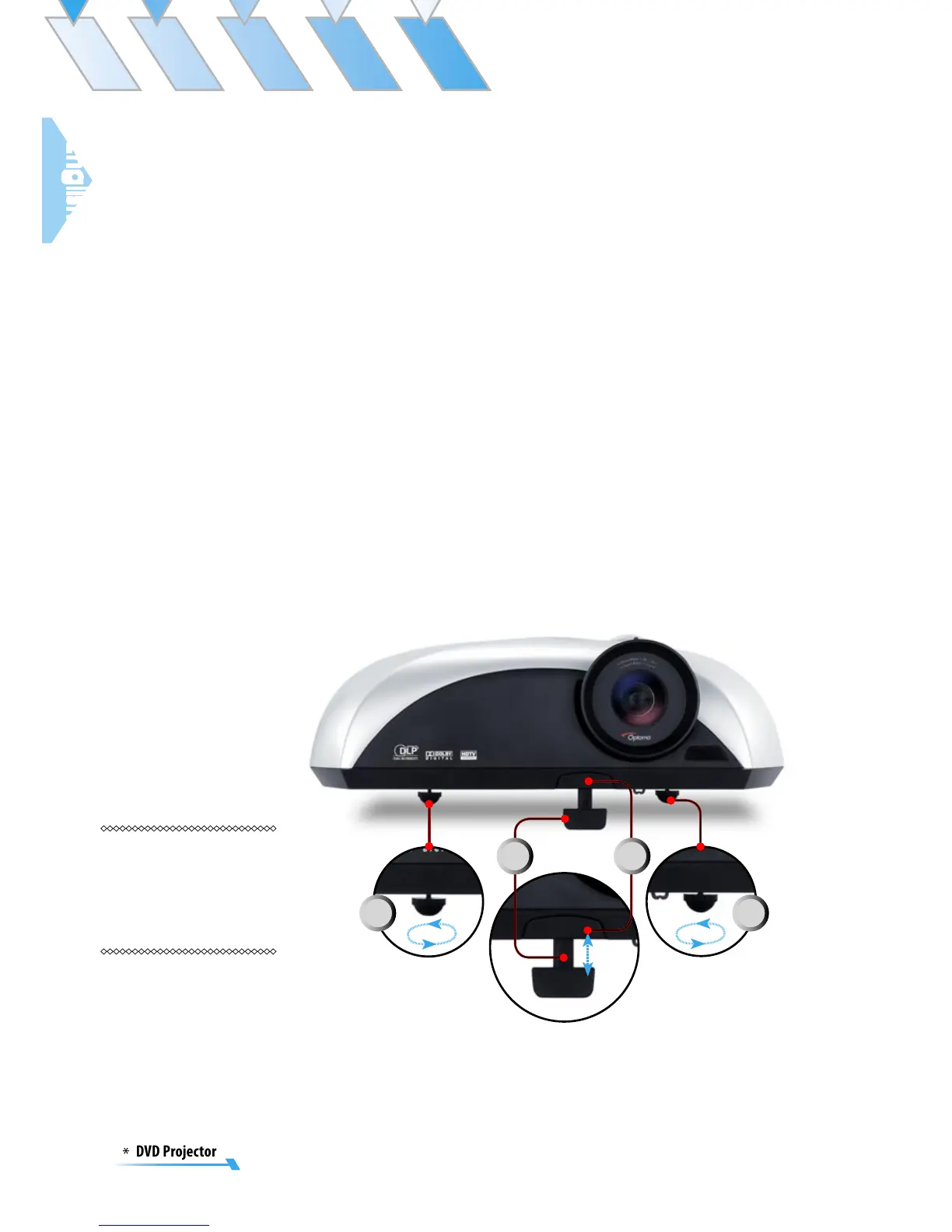
Adjusting the Projector’s Height
The projector is equipped with three adjustable feet to modify
the height of the projector.
To raise or lower the image:
1. Locate the elevator foot. Press the elevator button to
extend the foot so it may be adjusted.
2. While holding down the elevator button, adjust the foot
to the desired height , then release the button to lock the
elevator foot into position.
3. Use to fine-tune tilt-adjustment.
4. Lower the projector so it rests on its foot; adjust as
needed.
Adjusting the Projected Image
1
2
33



 To Next Page