DVD Projector
*
25
English
Display
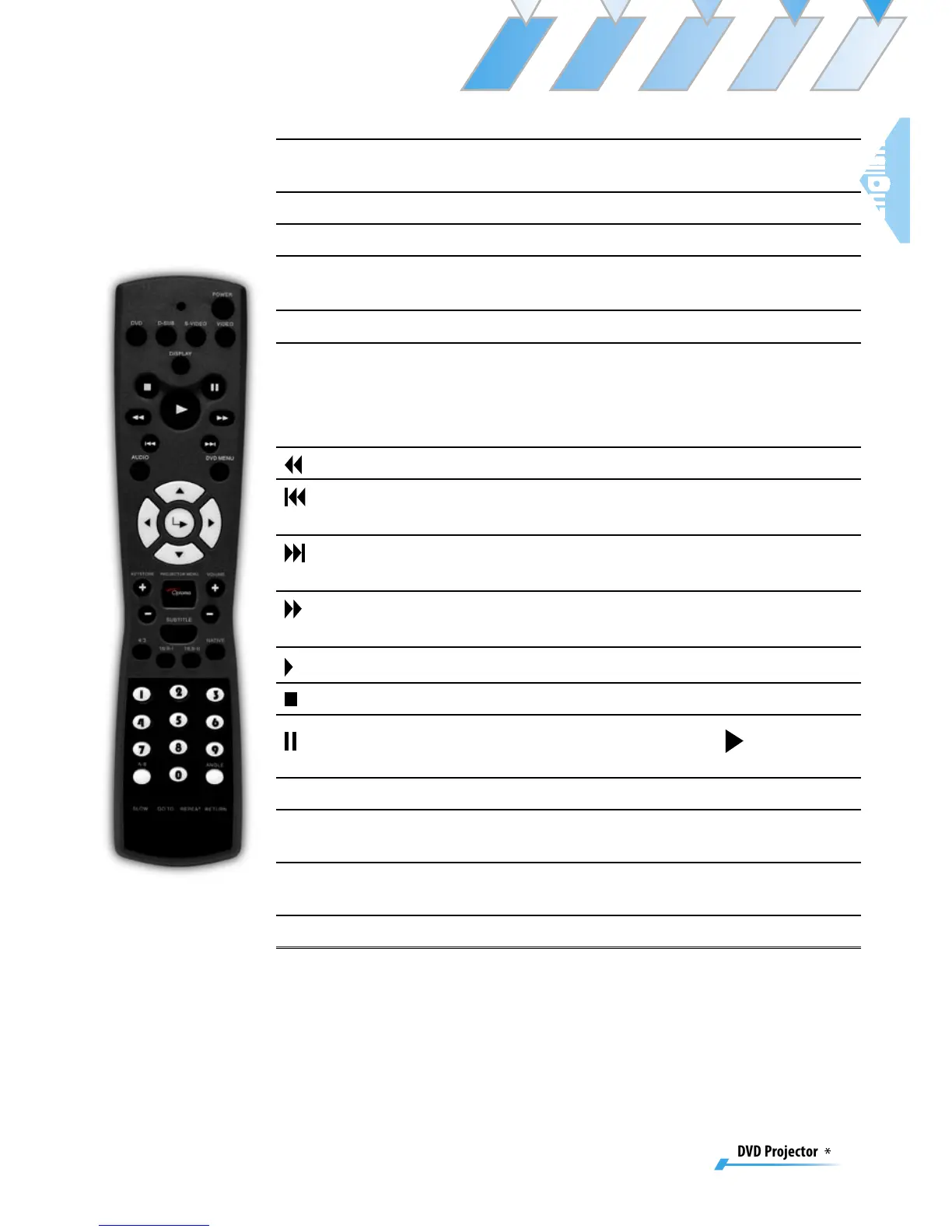
Display DVD’s states (title; chapter; time; infor-
mation).
Subtitle
Select the desired your subtitle language.
Audio
Select the desired audio language or sound mode.
Numerical
Buttons
Selects track numbers for playback.
A-B Repeat
Repeats playback of the selected section.
Angle Button
Choose the camera angle to see the sequence be-
ing played back from a different angle.
When a DVD contains multiple angles of a par-
ticular scene, you can use the ANGLE function.
REW Button
Press to search backward in x2/x4/x8/x20 speed.
PREV But-
ton
Press to skip to the previous title/chapter.
NEXT But-
ton
Press to skip to the next title/chapter.
FWD But-
ton
Press to search forward in x2/x4/x8/x20 speed.
Play Button
Press to begin playback.
Stop Button
Press to stop playback.
Pause But-
ton
Press to pause playback. Press the [Play] but-
ton to resume normal playback.
Slow
Press to activate slow forward or slow rewind.
Goto
Press to select the desired disc starting time,
chapter or title.
Repeat
Repeats playback of the current disc, title, chapter
or track.
Return
Returns to the previous operation.



 To Next Page