Delta Elec. Inc. ES522 & EX532
Company Confidential Optoma___________________ Delta________________
91
2009/06/30
6-4. Display Test
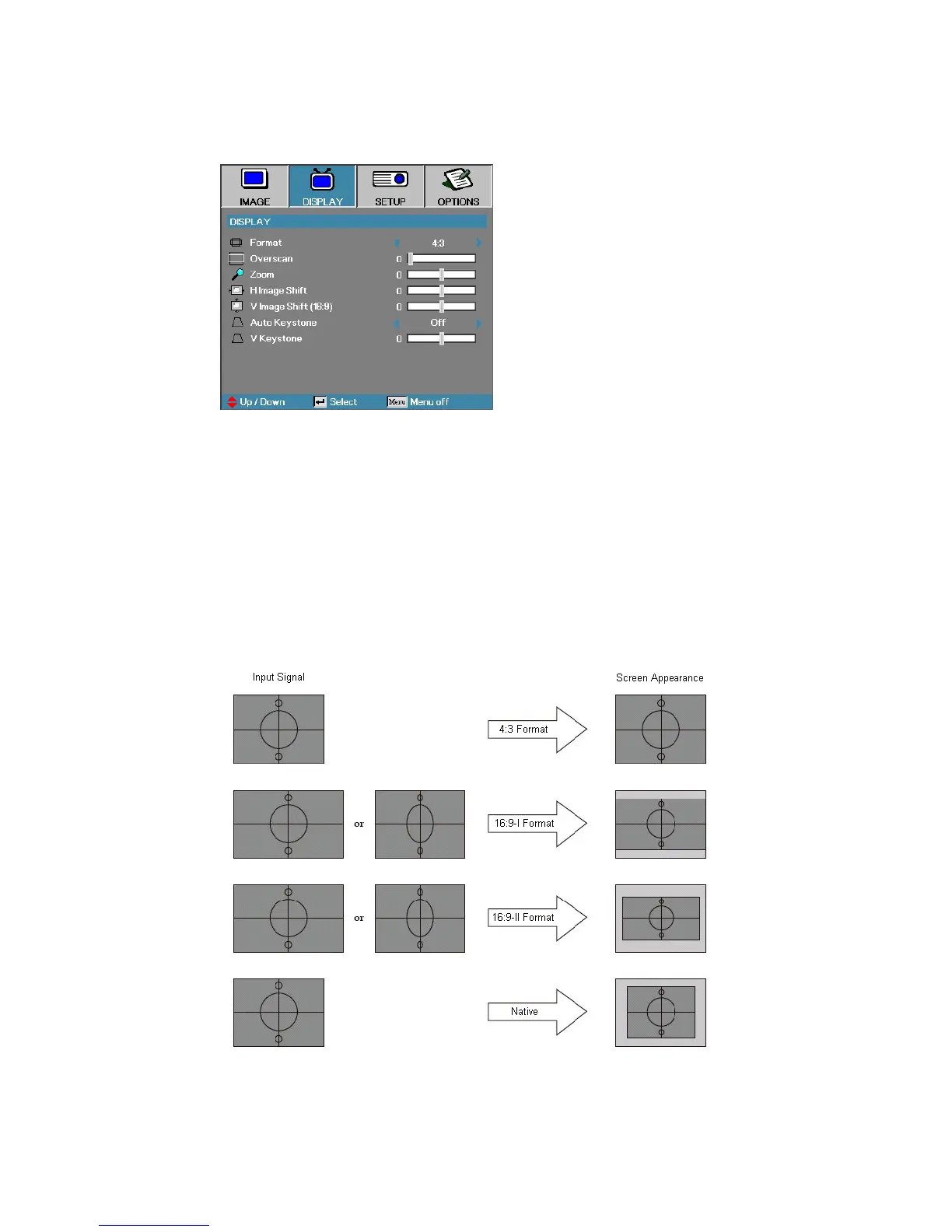
Format - Use this function to choose your desired aspect ratio.
1. 4:3: Format is for 4x3 input sources not enhanced for Wide screen TV.
2. 16:9 I: This format is for 16x9 input sources, like HDTV and DVD
en- hanced for Wide screen TV.
3. 16:9 II: The non-standard wide-screen display format of the projector.
Part of the original image will be cut if the image aspect ratio is less than
1.67:1.
4. Native: Depends on the resolution of the display.
5. Auto: Automatically selects the appropriate format.



 To Next Page