HD20/HD200X/HD2200/HD20LV/HD21/HD23
Condential
6-5
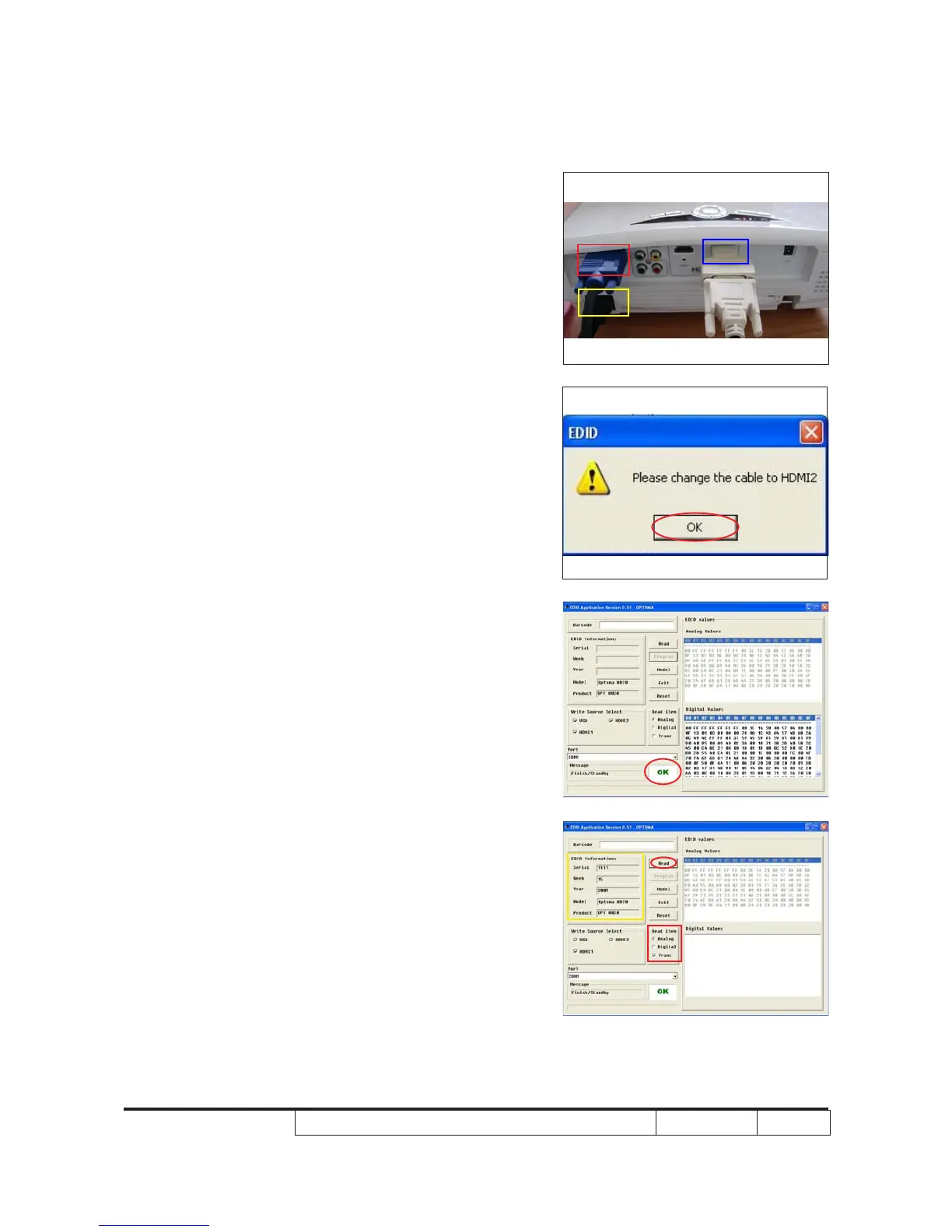
7. When the message “Please change the
cable to HDMI2” is shown on the screen,
(1) Unplug DVI-HDMI from HDMI1 port,
then plug it in HDMI2 port.
(2) Click “OK” button.
8. When the EDID program is completed, a
message "OK" will appear on the screen.
9. Read EDID information for VGA
- In the Read item, select “Analog” and
“Trans”.
- Click “Read” button.
- EDID Informations will be shown(as
yellow square).
VGA
HDMI1
Power
VGA
HDMI2
Power



 To Next Page