S310e/X312
Condential 2-6
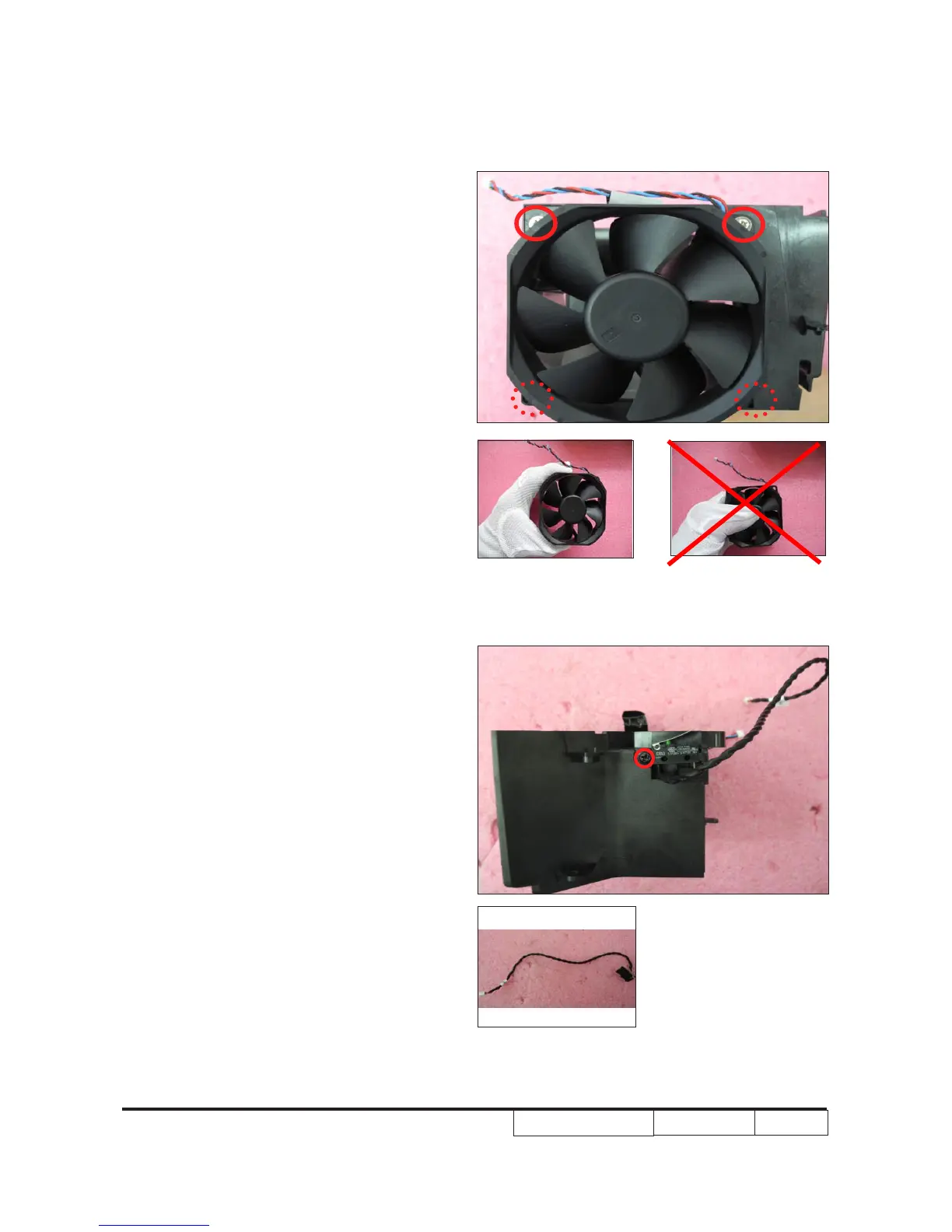
2-9 Disassemble Interlock
Switch
1. Unscrew 1 M2.6*7 screw (as red circle)
to disassemble the Interlock switch.
2-8 Disassemble System
Fan
1. Unscrew 4 M3*10 screws (as red circle)
to disassemble the System Fan.
Note
: - Take the fan module as the right
gesture.
the right gesture
the wrong gesture
Interlock Switch



 To Next Page