Condential
4-12
S310e/X312
4-5-7 RS232 Port Test
1. Projector setting
- Plug in the power cord, turn on the power switch.
Connect projector and PC by RS232 cable
Note: RS232 cable: Female to female RS232 Cable
:42.86603G001
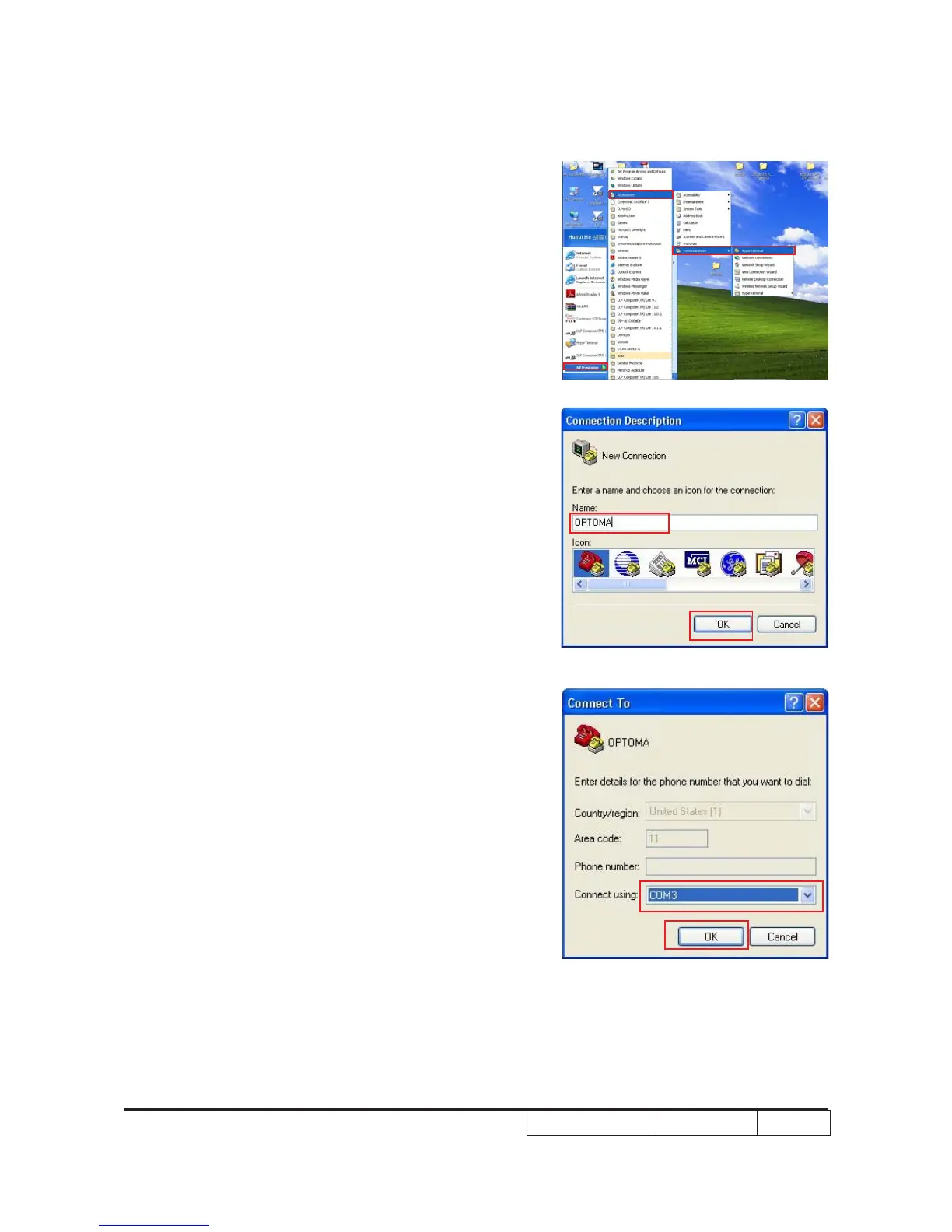
2. Setup Hyper Terminal
(1) Enter to Hyper terminal via communication.
(2) Enter a name, then click “OK”.
(3) Select com port which you are using, then click “OK”.



 To Next Page