Condential
4-13
S310e/X312
1
2
3
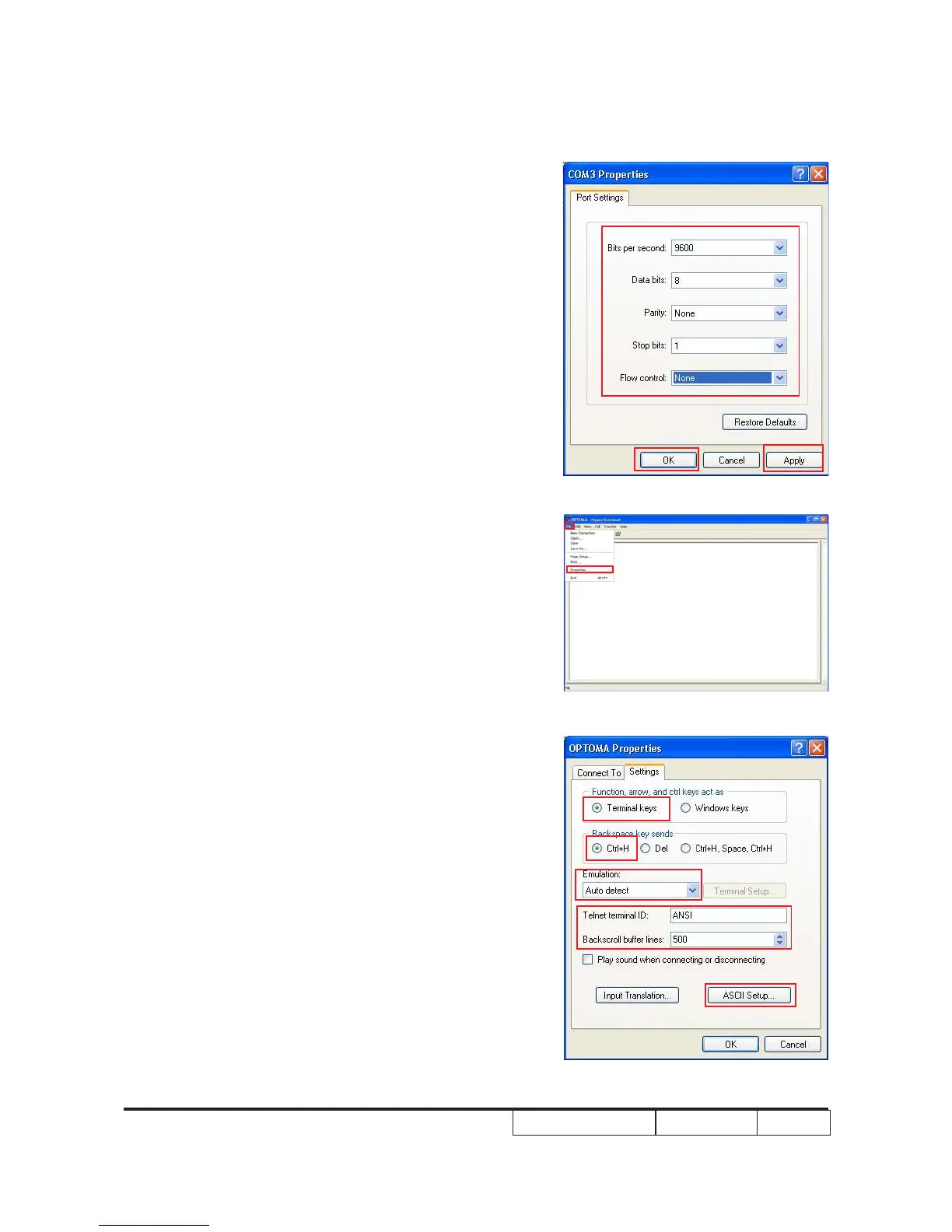
(4) Setup COM port properties.
- Bits per second:9600
- Data bits:8
- Parity:None
- Stop bits:1
- Flow control:None
(5) Click “Apply”,then click “OK”.
(6) Select “File” and choose “Properties”.
(7) Terminal Settings
- Function,arrow, and ctrl keys act as: Termina keys
- Backspace keys sends:Ctrl+H
- Emulation:Auto detect
- Telnet terminal ID:ANSI
- Backscroll buffer lines:500
- Then choose “ASCII Setup”.



 To Next Page