Condential
4-14
S310e/X312
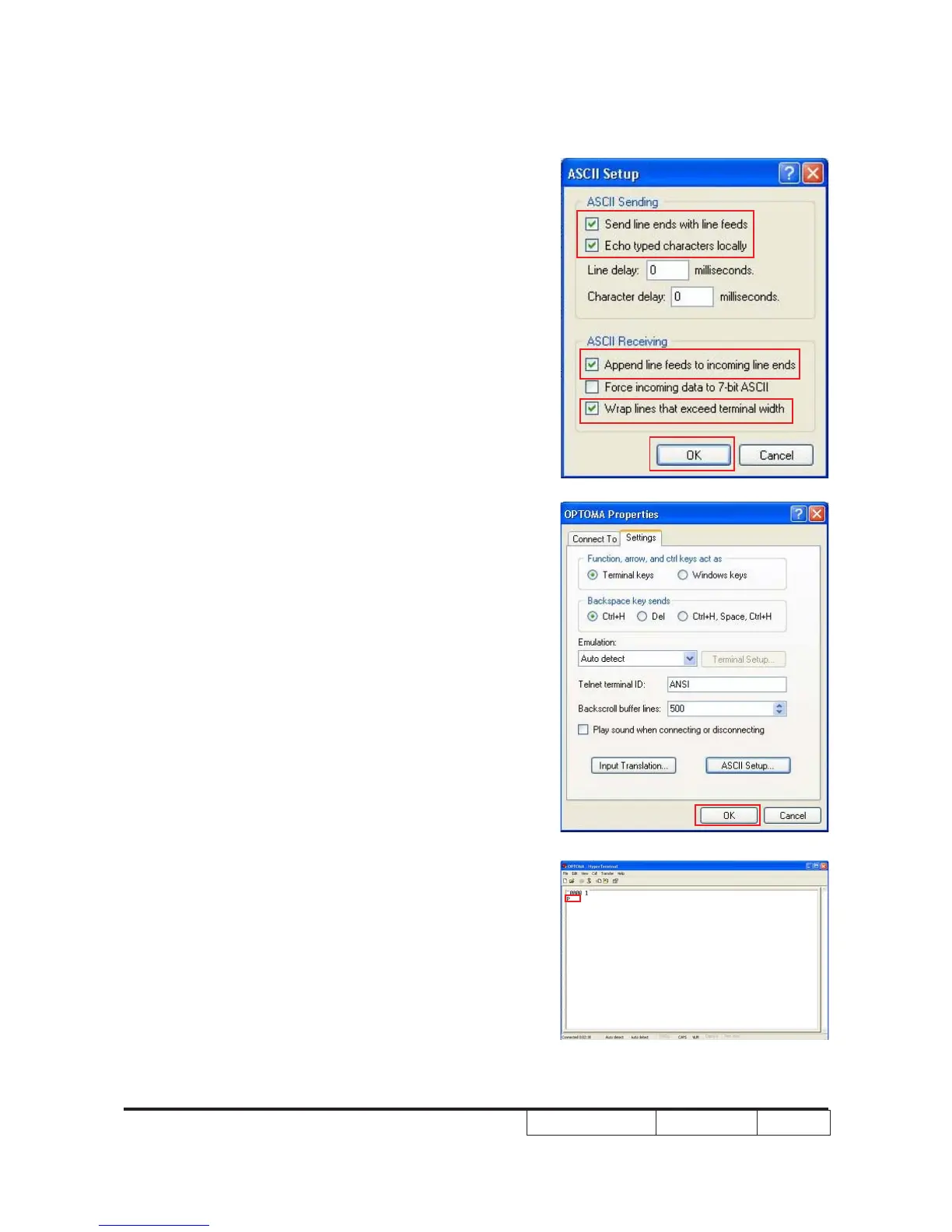
(8) ASCII Setup
- Choose “Send line ends with line feeds”
- Choose “ Echo typed characters locally”
- Choose “ Append line feeds to incoming line ends”
- Choose “ Wrap lines that exceed terminal width”
- Then click “OK”.
(9) Click “OK” to close the window.
(10) Input the RS232 commond “~0000 1”,
then press “Enter”.
- The projector will feedback “P” from the hyper terminal.
and the projector will be powered on.
- If you have turned on the projetor, you also can use
the RS232 command “~0000 0” to turn off the projector.
Note:Projector returns “P”:Pass
Projector returns “F”:Fail



 To Next Page