Install the Cable Management Arm
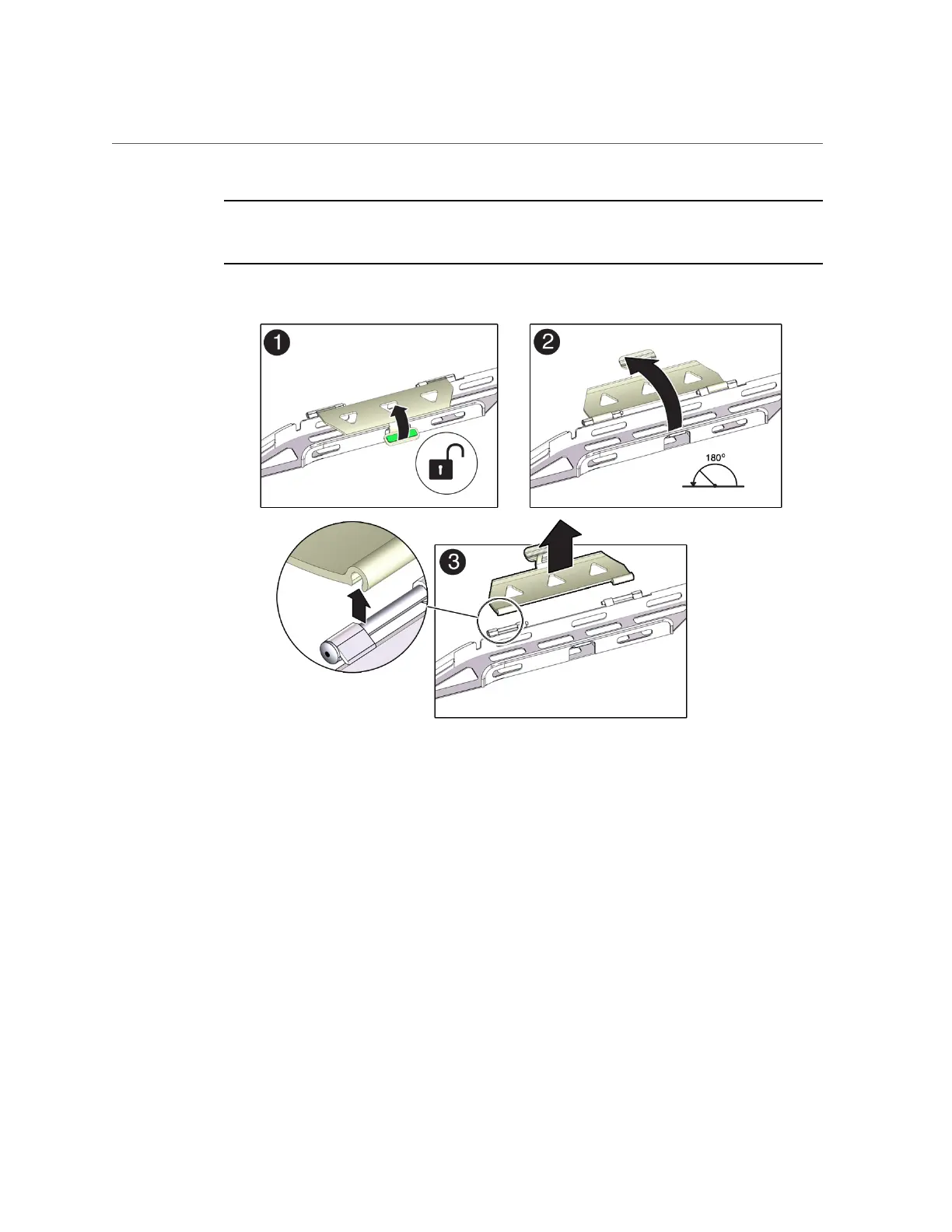
Note - The CMA has three cable covers, two with two hinges (one of which is shown the
following figure), and one with a single hinge. All three cable covers are shown in the
illustration in Step 1.
b.
Apply upward pressure to the outside edge of each hinge connector until the
hinge connector comes off the hinge [frame 3].
c.
Repeat Step 3a and Step 3b to remove all three cable covers.
d.
One at a time, position each round cable cover horizontally over the hinges,
and align the hinge connectors with the hinges.
e.
Using your thumb, apply downward pressure on each hinge connector to
snap the hinge connector into place.
Installing the Storage Server Into a Rack 43









 To Next Page