ST 9100 - INSTALLATION GUIDE
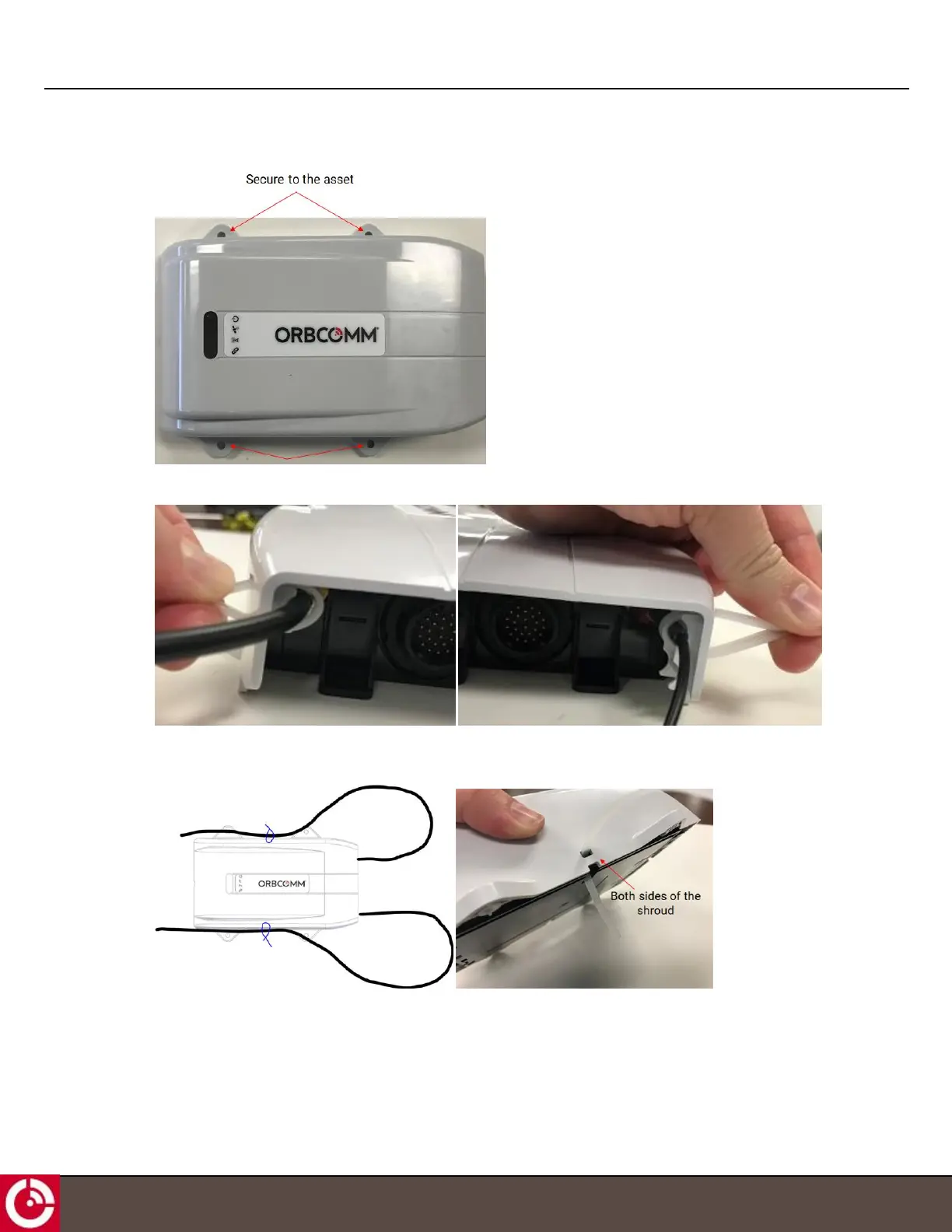
3. Use screws (four locations) to secure the terminal shroud to the asset.
4. Use cable ties to secure the antenna cables to the terminal shroud and eliminate strain on the connector.
Note: If cabling is routed behind the transceiver, cable ties can be installed on the side of the terminal
shroud.
1.8.1 Disconnect the FAKRA Connector
If you need to disconnect the FAKRA connector, follow the steps below.
T414, Version 0.04 BETA © ORBCOMM
®
Proprietary
26



 To Next Page