81
Port Filtering Conguration
Port Filtering: To turn on port ltering, move the ON/OFF slider to
ON. To turn off port ltering, so that any application can connect to
the internet, move the slider to OFF.
Applications
Select the applications you want to be able to access the internet
and click Save Changes.
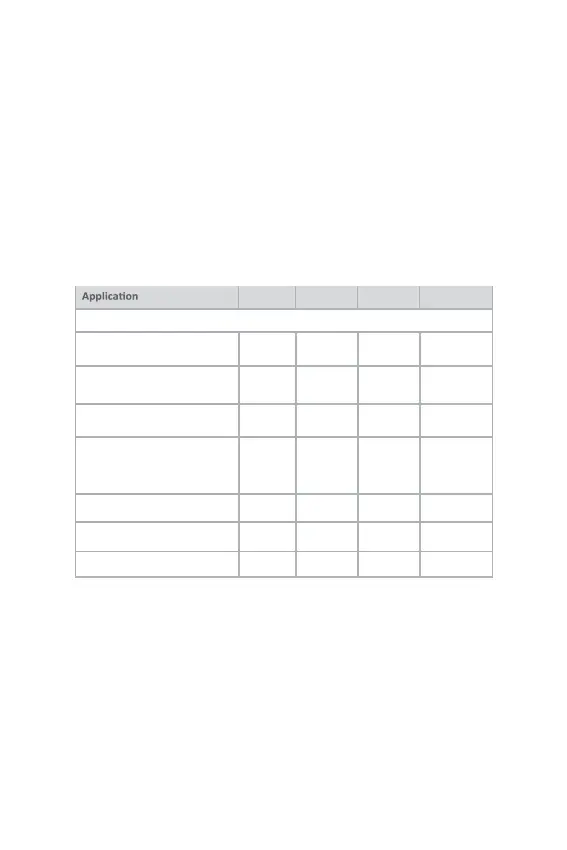
The following table provides port numbers and protocol
information for each port ltering application listed.
*Yes indicates the protocol is standardized for the port number.
No indicates the protocol is standardized for the port number.
Assigned indicates the port number is assigned by IANA (Internet Assigned Numbers
Authority) for protocol use, but may not be standardized.
Custom Applications
You can dene up to 32 custom applications.
Add Custom Application: Use this button to add a new row to the custom
application list.
N ame
Port
TCP
*
STCP
*
UDP
*
Email
POP3
110
Yes
No
Assigned
IMAP
143
Yes
No
Assigned
SMTP
25
Yes
No
Assigned
FTP control (command)
FTP data transfer
21
20
Yes
Yes
Yes
Yes
Assigned
Assigned
HTTP
80
Yes
Yes
Assigned
HTTPS
443
Yes
Yes
Assigned
Telnet
23
Yes
No
Assigned



 To Next Page