Operation
−16−
6 Operation
This chapter explains how to operate the motor and speed controller.
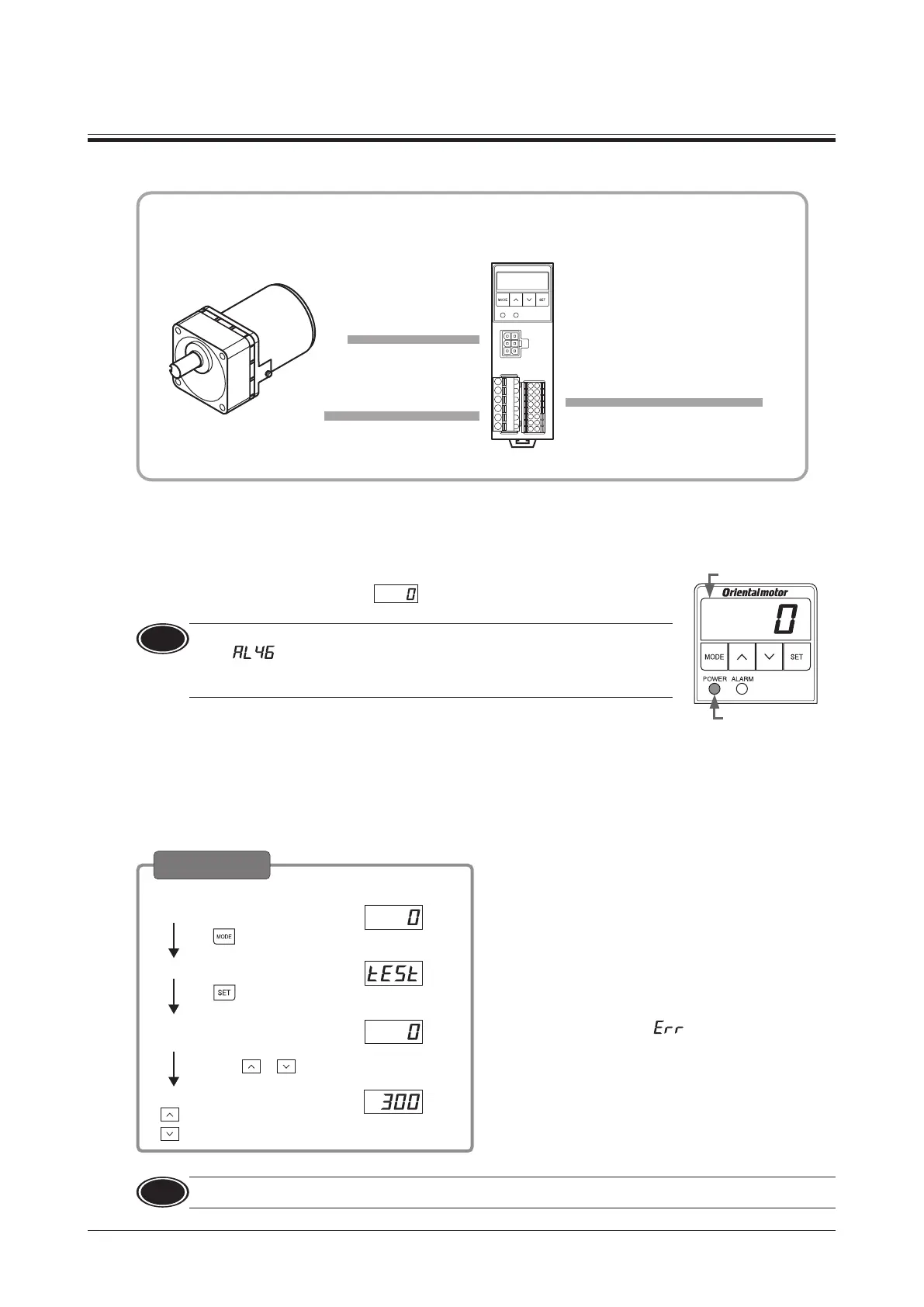
Installing the speed controller
Connecting the AC power
supply and capacitor
Connecting the control
DC power supply and I/O signals
Connecting the motor
6.1 Power ON
Turn on the power after completing the connection.
When the AC power supply is turned on, the POWER LED (green) is lit.
When the DC power supply is turned on,
is displayed.
DC power supply
When inputting the
AC power supply
Note
If the FWD input or REV input is being ON when the power is turned on, the alarm
code "
" (prevention of operation at power-on alarm) is displayed, and the
operation cannot be executed.
Before supplying the power, turn both the FWD and REV inputs OFF.
Refer to p.30 for "prevention of operation at power-on alarm.”
Test operation
The connection between the motor and speed controller can be checked.
When performing test operation, do not install a load to the motor.
The rotation speed in test operation is 300 r/min.
Power ON
Press four times.
Test mode
Press two times.
Test operation
execution screen
Motor rotates
Hold down or
Panel display
Rotation speed:
0 r/min (Initial value)
: Forward direction
Operation
: Reverse direction
Before moving to the execution screen, if the FWD input
or REV input is being ON, “
" will be displayed.
The rotation direction of the gearhead output shaft varies
depending on the gear ratio of the gearhead. Check the
operating manual included with the motor.
Refer to p.24 for the operation transitions.
Note
Test operation cannot be executed if the FREE input is being ON. Be sure to execute after turning the signal OFF.
p.12
p.11
p.13
p.8




 To Next Page