3. Upgrading the xLCD
Original Prusa MK4/MK3.9 to MK4S/MK3.9S upgrade 33
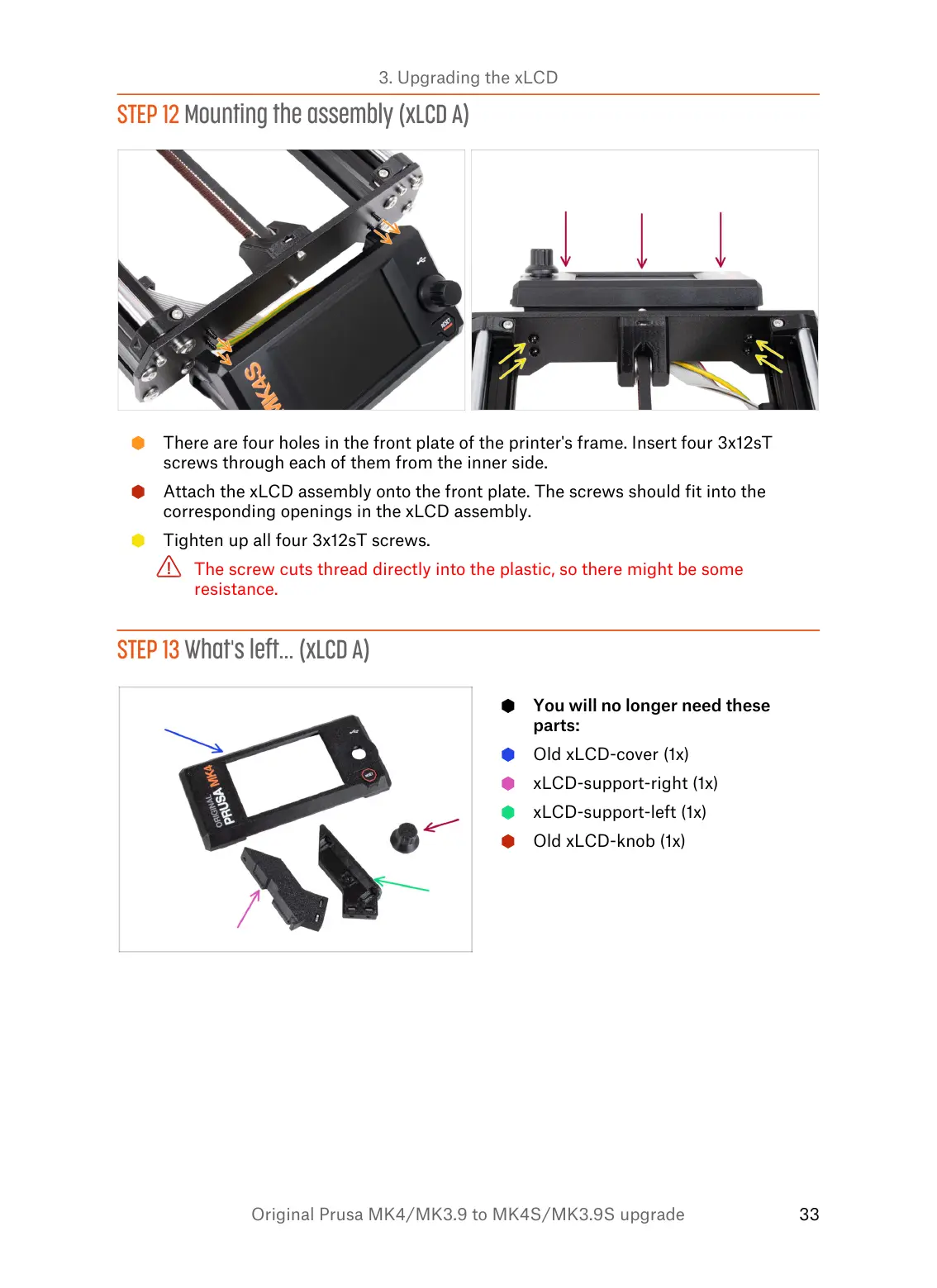
STEP 12 Mounting the assembly (xLCD A)
There are four holes in the front plate of the printer's frame. Insert four 3x12sT
screws through each of them from the inner side.
Attach the xLCD assembly onto the front plate. The screws should fit into the
corresponding openings in the xLCD assembly.
Tighten up all four 3x12sT screws.
The screw cuts thread directly into the plastic, so there might be some
resistance.


 To Next Page