4B. Upgrading the Nextruder (MMU3)
Original Prusa MK4/MK3.9 to MK4S/MK3.9S upgrade 73
STEP 7 Removing the Nextruder
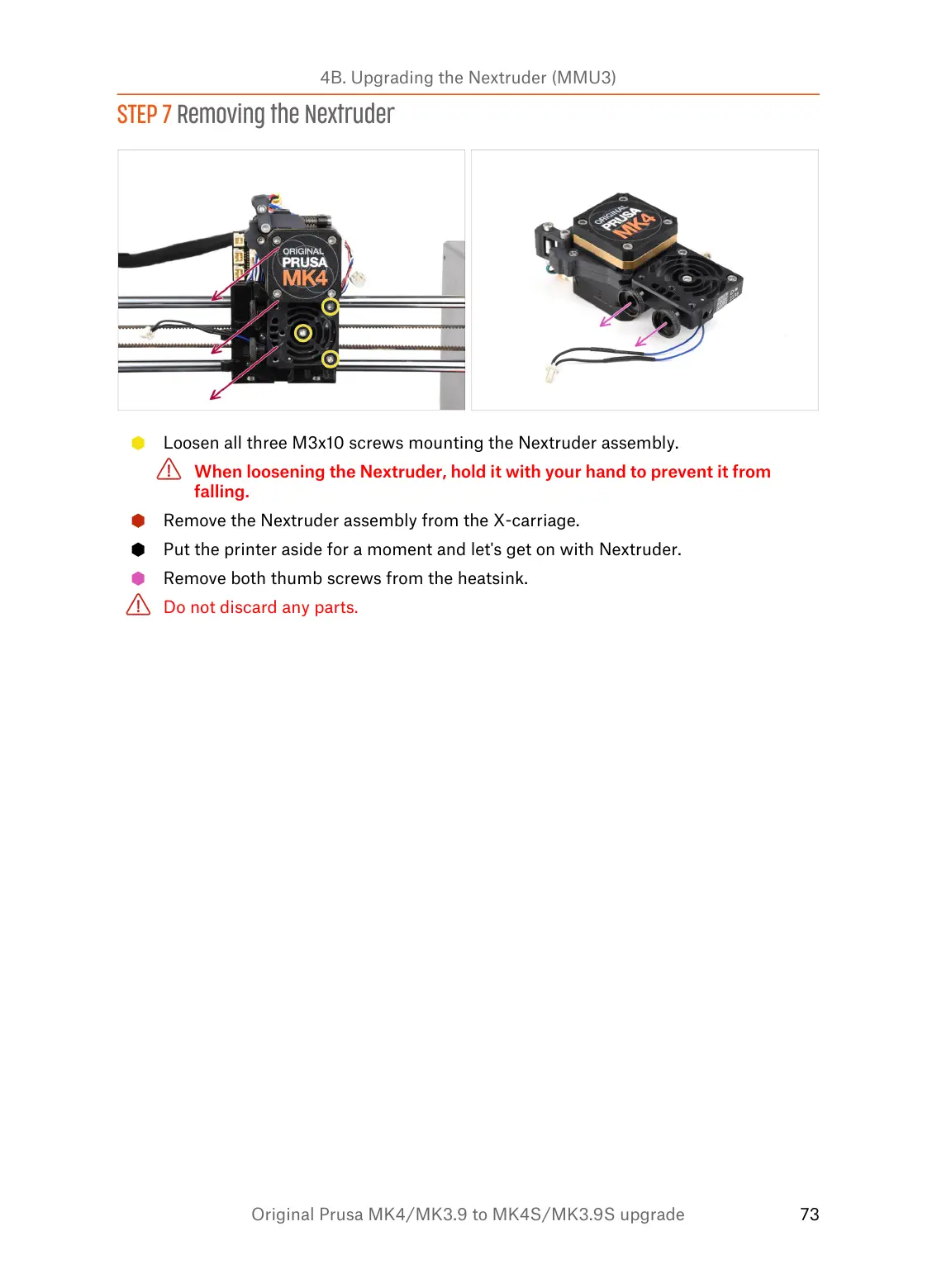
Loosen all three M3x10 screws mounting the Nextruder assembly.
When loosening the Nextruder, hold it with your hand to prevent it from
falling.
Remove the Nextruder assembly from the X-carriage.
Put the printer aside for a moment and let's get on with Nextruder.
Remove both thumb screws from the heatsink.
Do not discard any parts.


 To Next Page