EasyManua.ls Logo

Original Prusa MK4 - STEP 1 Tools Necessary for this Chapter; STEP 2 Opening the Electronics

Original Prusa MK4
120 pages
Print Icon
To Next Page IconTo Next Page
To Previous Page IconTo Previous Page
Loading...
5. Upgrading the connectivity
Original Prusa MK4/MK3.9 to MK4S/MK3.9S upgrade 91
STEP 1 Tools necessary for this chapter
For this chapter, please prepare:
2.5mm Allen key
STEP 2 Opening the electronics
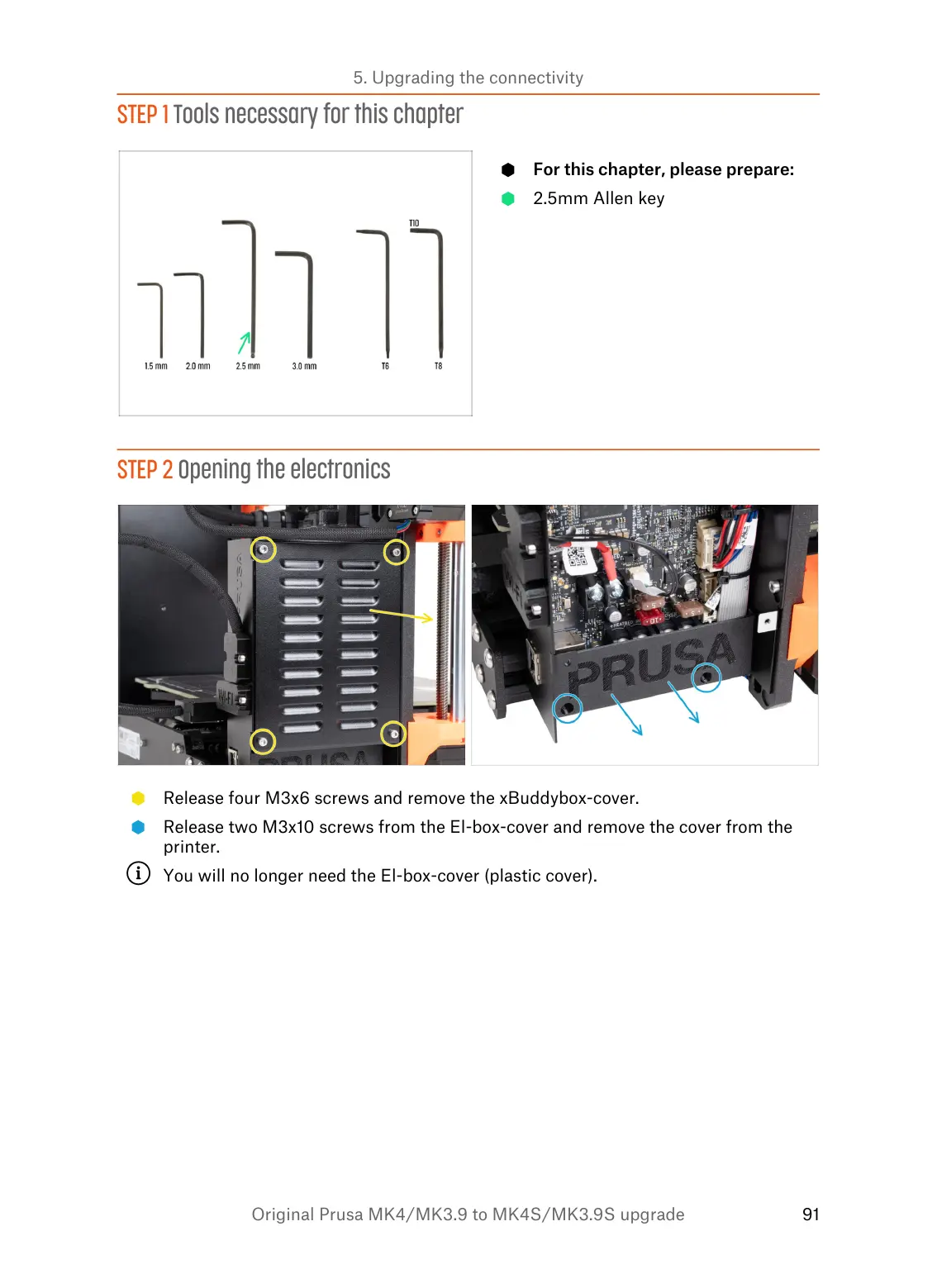
Release four M3x6 screws and remove the xBuddybox-cover.
Release two M3x10 screws from the El-box-cover and remove the cover from the
printer.
You will no longer need the El-box-cover (plastic cover).

Table of Contents

Related product manuals