STEP 41 Fan door cover: parts preparation
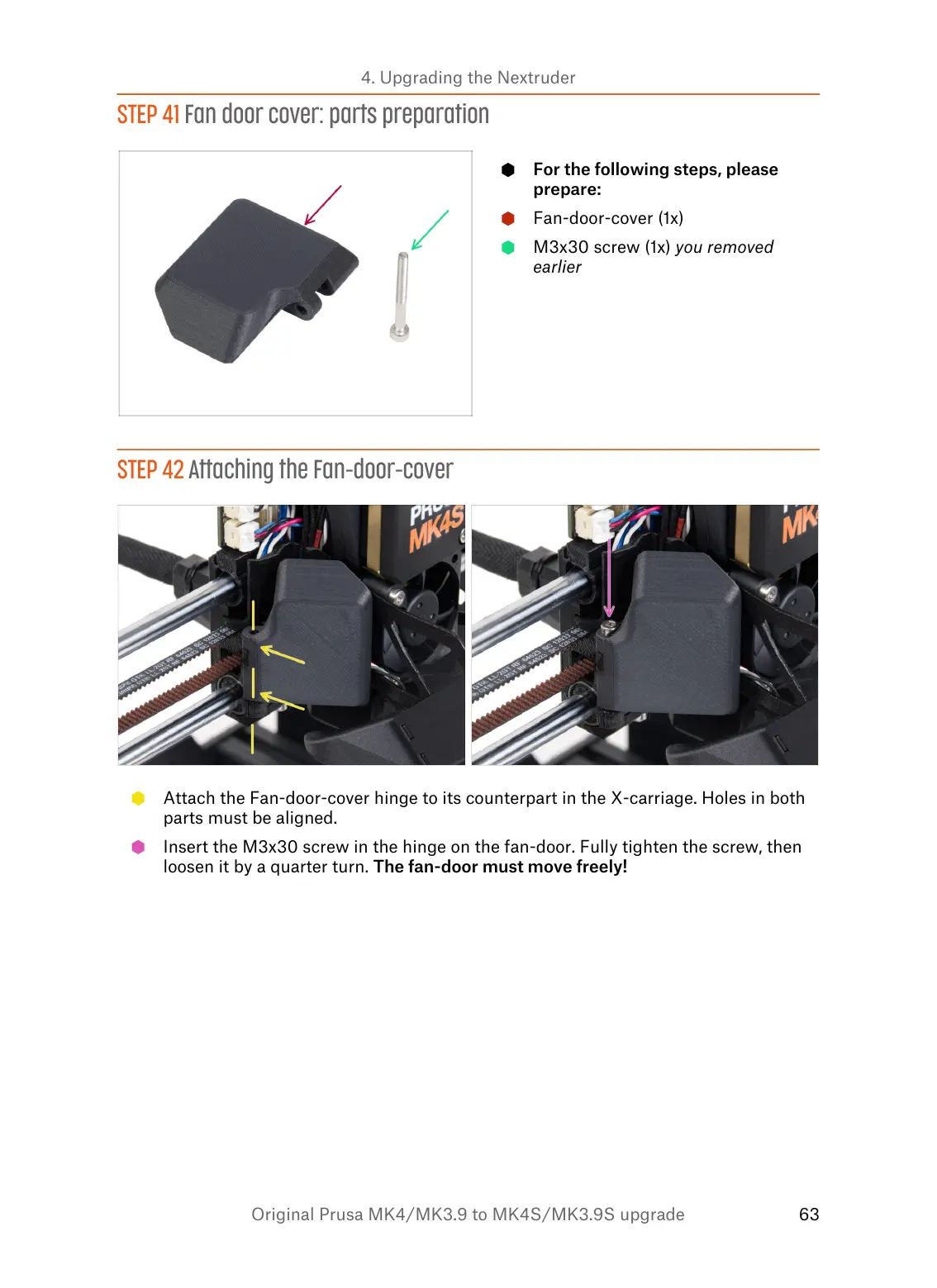
For the following steps, please
prepare:
Fan-door-cover (1x)
M3x30 screw (1x) you removed
earlier
STEP 42 Attaching the Fan-door-cover
Attach the Fan-door-cover hinge to its counterpart in the X-carriage. Holes in both
parts must be aligned.
Insert the M3x30 screw in the hinge on the fan-door. Fully tighten the screw, then
loosen it by a quarter turn. The fan-door must move freely!


 To Next Page