EasyManua.ls Logo

OTARI MX-55T-M - 2.2 Transport Control Panel

OTARI MX-55T-M
46 pages
Print Icon
To Next Page IconTo Next Page
To Previous Page IconTo Previous Page
Loading...
Controls
and
Indicators
MX-55
Operation
Manual
2.2
Transport
Control
Panel
This
section
describes
the
controls
and
indicators
on
the
Transport
Control
Panel
of
the
MX-55.
Numbers
in
square
brackets
[ ]
refer
to
callouts
in
Figure
2·2.
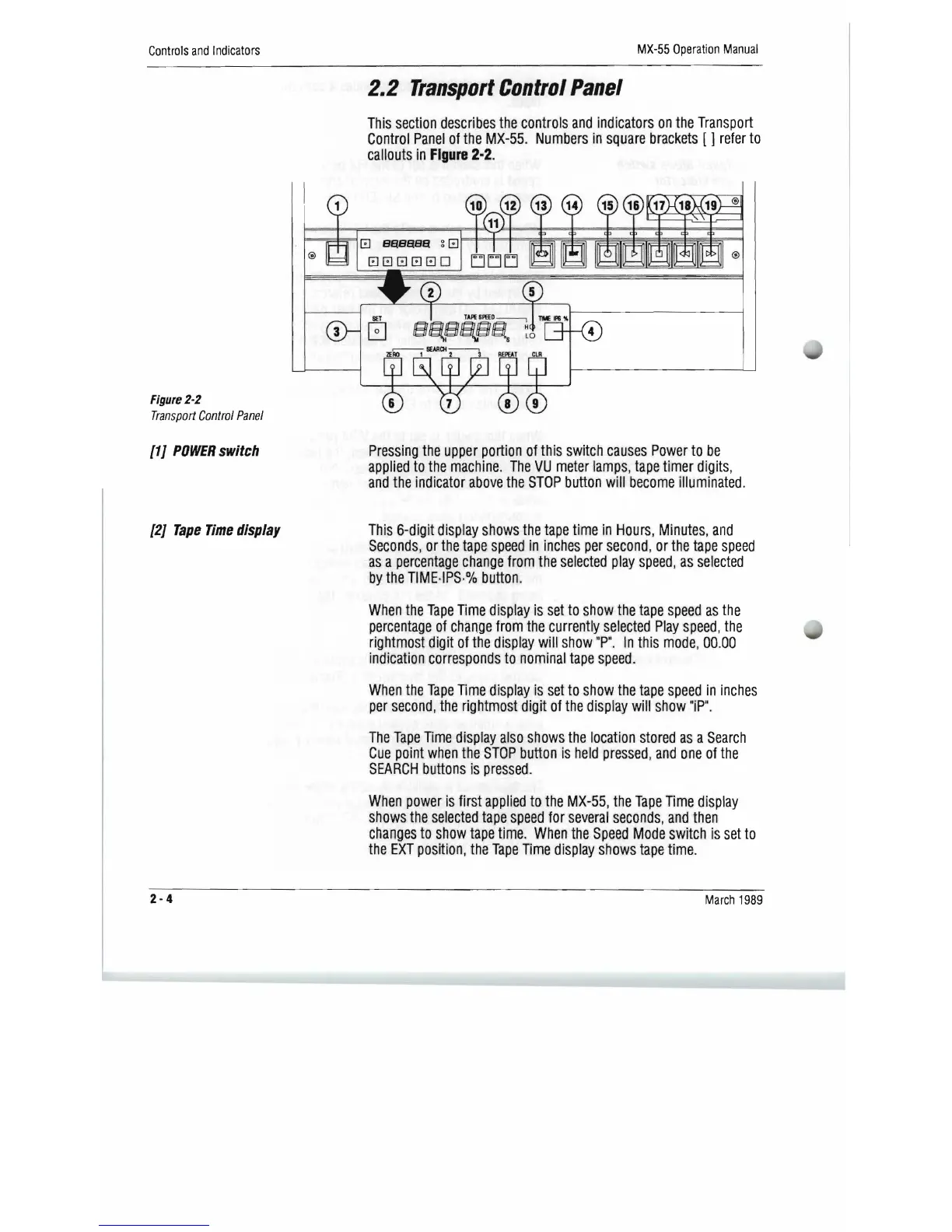
Figure
2-2
Transport
Control
Panel
[1
J
POWER
switch
[2J
Tape
Time
display
Pressing
the
upper
portion
of
this
switch
causes
Power
to
be
applied
to
the
machine.
The
VU
meter
lamps,
tape
timer
digits,
and
the
indicator
above
the
STOP
button
will
become
illuminated.
This
6-digit
display
shows
the
tape
time
in
Hours,
Minutes,
and
Seconds,
or
the
tape
speed
in
inches
per
second,
or
the
tape
speed
as
a
percentage
change
from
the
selected
play
speed,
as
selected
by
the
TIME·IPS·%
button
.
When
the
Tape
Time
display
is
set
to
show
the
tape
speed
as
the
percentage
of
change
from
the
currently
selected
Play
speed,
the
rightmost
digit
of
the
display
wm
show
"P".
In
this
mode,
00.00
indication
corresponds
to
nominal
,
tape
speed.
When
the
Tape
Time
display
is
set
to
show
the
tape
speed
in
inches
per
second,
the
rightmost
digit
of
the
display
will
show
"iP".
The
Tape
Time
display
also
shows
the
location
stored
as
a
Search
Cue
point
when
the
STOP
button
is
held
pressed,
and
one
of
the
SEARCH
buttons
is
pressed.
When
power
is
first
applied
to
the
MX-55,
the
Tape
Time
display
shows
the
selected
tape
speed
for
several
seconds,
and
then
changes
to
show
tape
time.
When
the
Speed
Mode
switch
is
set
to
the
EXT
position,
the
Tape
Time
display
shows
tape
time.
2-4
March
1989

Related product manuals