EasyManua.ls Logo

OTARI MX-55T-M - 2.5 Audio Connector Panel

OTARI MX-55T-M
46 pages
Print Icon
To Next Page IconTo Next Page
To Previous Page IconTo Previous Page
Loading...
Controls
and
l
ndicators
MX-55
Operation
Manual
2.5
Audio
Connector
Panel
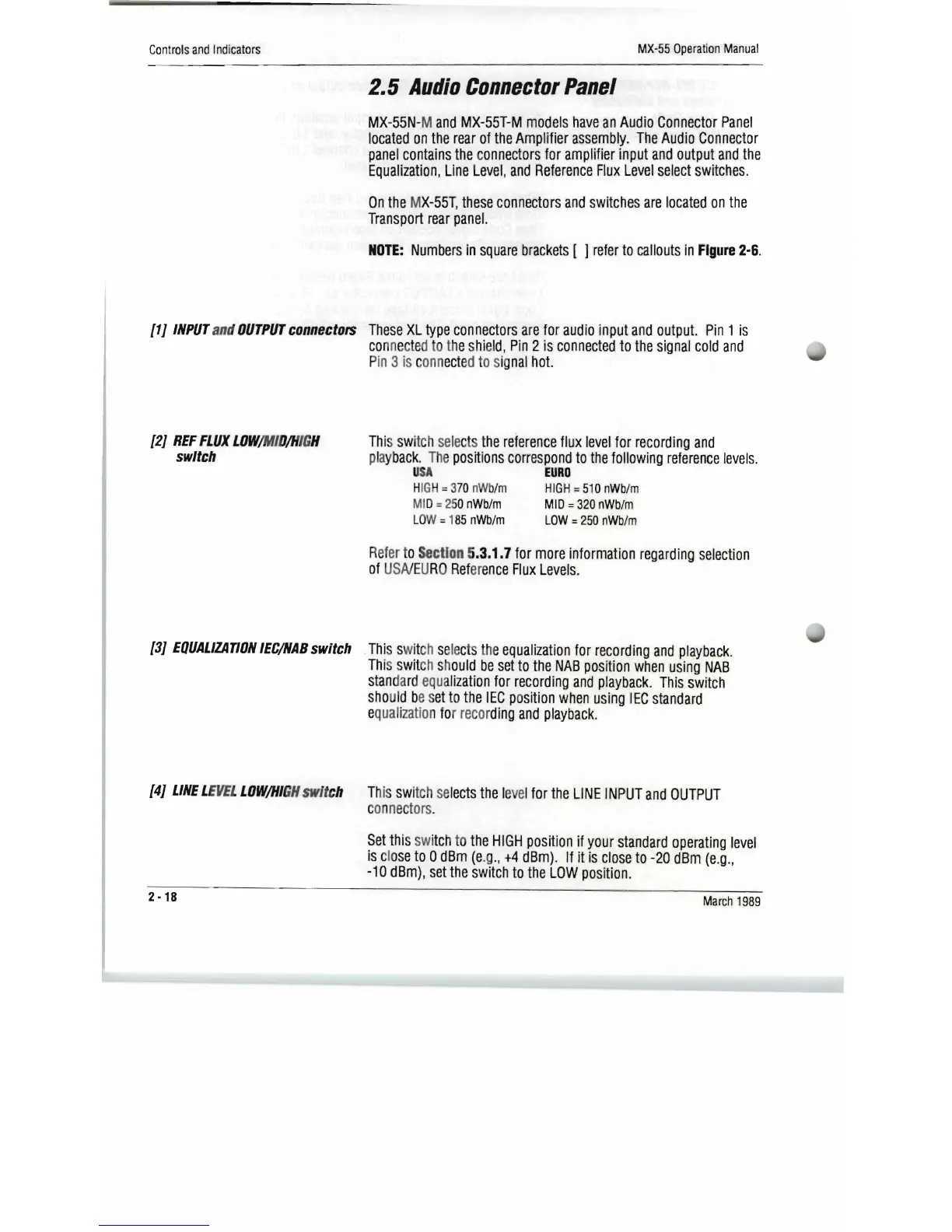
MX-55N-
M
and
MX-55T-M
models
have
an
Audio
Connector
Panel
located
on
the
rear
of
the
Amplifier
assembly.
The
Audio
Connector
panel
contains
the
c
onnectors
for
amp
l
ifier
input
and
output
and
the
Equalization,
Line
Level,
and
Reference
Flux
Level
select
switches.
On
the
M
X-55T
,
these
connectors
and
switches
are
located
on
the
Transport
rear
panel.
NOTE:
Numbers
in
square
brackets
[ ]
refer
to
callouts
in
Figure
2-6.
[1}
INPUT
and
OUTPUT
connectors
These
XL
type
connectors
are
for
audio
inp
ut
and
output.
Pin
1
is
co
nne
cte
d
to
the s
hi
e
ld,
Pin
2
is
connected
to
the
signal
cold
and
P
in
3
is
c
onn
ect
ed
to
sig
nal
hot.
[2}
REF
FLUX
LOW
/MIO
/H
IG
H
switch
Thi
s swi
tc
h
sele
c
ts
t
he
reference
flux
level
for
recording
and
playb
ack.
The
positions
correspond
to
the
following
reference
levels.
USA
EURO
H
IG
H=
37
0
nW
b/m
HIG
H =
510
nWb/m
MI
D=250
nWb/m
MID
=
320
nWb/m
LO
W = 1
85
nWb/m
LOW
=
250
nWb/m
Ref
er
to
Section
5.3.1.7
for
more
information
regarding
selection
of
USNEU
RO
Ref
er
ence
Flux
Levels.
[3}
EQUALIZATION
IEC/NAB
switch
Thi
s swit
ch
se
le
c
ts
the
equalization
for
recording
and
playback.
Thi
s
swit
ch
sh
ould
be
set
to
the
NAB
pos
i
tion
when
using
NAB
stan
da
rd
equ
a
lization
for
recording
and
playback.
This
switch
sho
ul
d be s
et
to
the
IEC
po
sition
when
using
IEC
standard
e
qual
i
zation
for
recor
ding
and
playback.
[4}
LINE
L
EVEL
LOW/HI
GH
switch Th
is
swi
tch
se
lects
the
l
eve
l
for
the
LINE
INPUT
and
OUTPUT
c
an
n
ec
tars
.
Set
thi
s
sw
i
tc
h
to
the
HIGH
position
if
your
standard
operating
level
is
clo
se
to
0
dBm
(e
.g
.,
+4
dBm).
If
it
is
close
to
-20
dBm
(e
.
g.,
-10
dBm),
set
the
switch
to
the
LOW
position.
2
-18
March
1989

Related product manuals