14.5 Installing the synchronized room video
Important• Start the procedure with the synchronized room video disconnected.
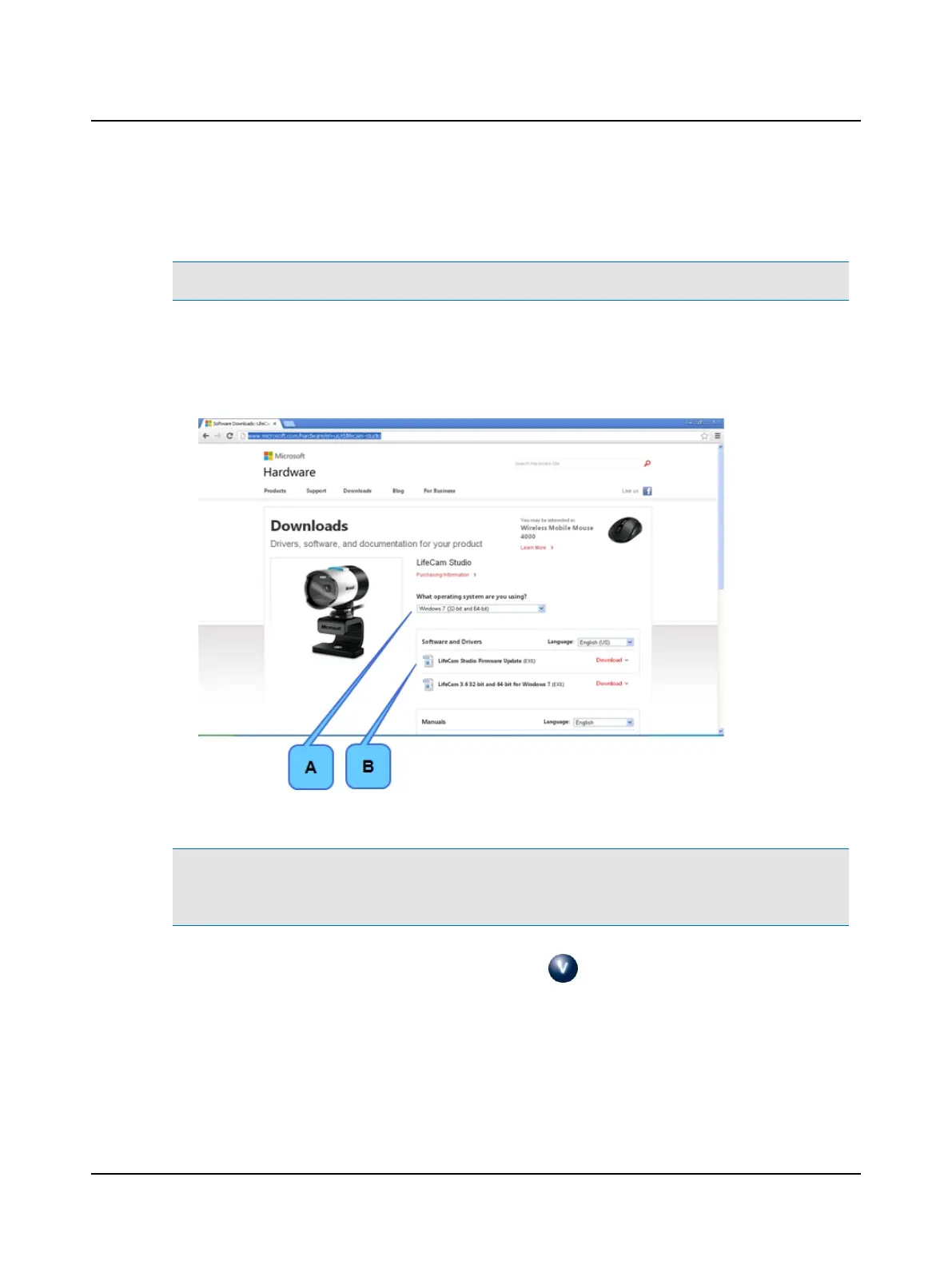
1. Go to: http://www.microsoft.com/hardware/en-us/d/lifecam-studio
2. Select the operating system (A).
3. Download the LifeCam file. For example, if you choose Windows 7, download LifeCam 3.6 32-bit and 64-bit for Win-
dows 7 (B).
4. Double-click the LifeCam executable file (.exe) and follow the instructions.
Note• Possible error messagesand what to do if they appear:
Microsoft Webcam or SQL Server error messages: If Microsoft has installed new Window updates, and the computer
has not been rebooted, an error message may appear. Please reboot your PC and restart the software installation.
5. When the synchronized room video installation is finished, click (OTOsuiteV icon found on the desktop) to open
the application.
116 Otometrics - ICS Impulse USB
14 Installation and Setup












 To Next Page