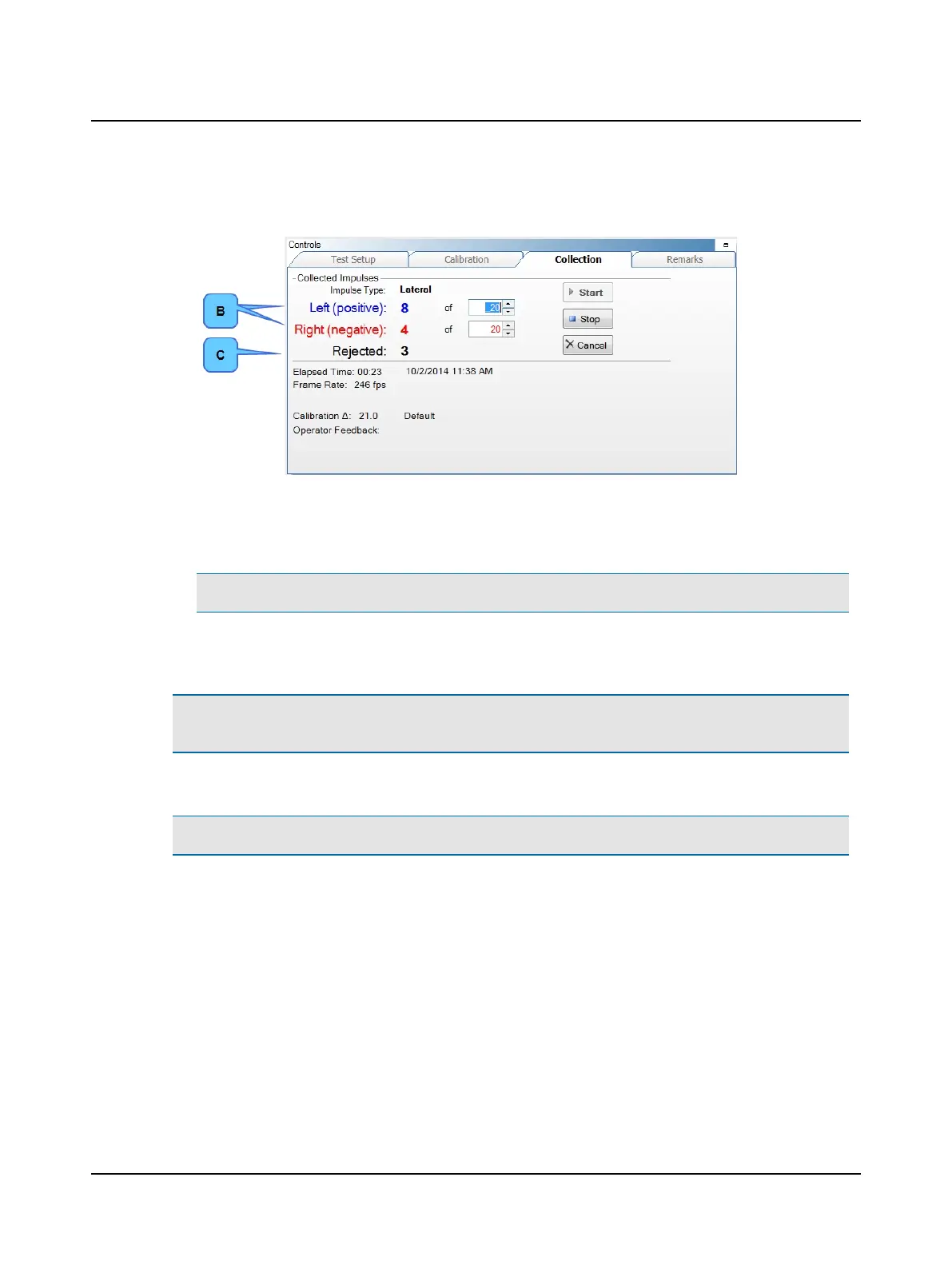
During testing, valid impulses display for both left and right impulses (B). The left and right impulses that are not prop-
erly performed are combined into the rejected count (C).
A head movement with a peak head velocity below the minimum is not considered an impulse:
– Lateral test minimum is 120°/s – 250°/s
– LARP and RALP test minimum is 100°/s – 250°/s
Note• Impulses will be rejected if the frame rate drops below 219 frames/second.
2. A disabled (grayed out) Start button indicates the system is ready for head impulse data collection. Otherwise you
must click Start or click the left button on the presentation remote to begin head impulse data collection.
Caution• Touching the goggles or the goggles strap while moving the patient’s head can result in moving the camera
which produces artifacts in the collection data.
3. Standing behind the patient, place your hands on the patient’s head well away from the goggles and the goggles strap.
Note• You can find more information in the ICS Impulse training video or at www.icsimpulse.com.
Otometrics - ICS Impulse USB
55
9 Head Impulse












 To Next Page