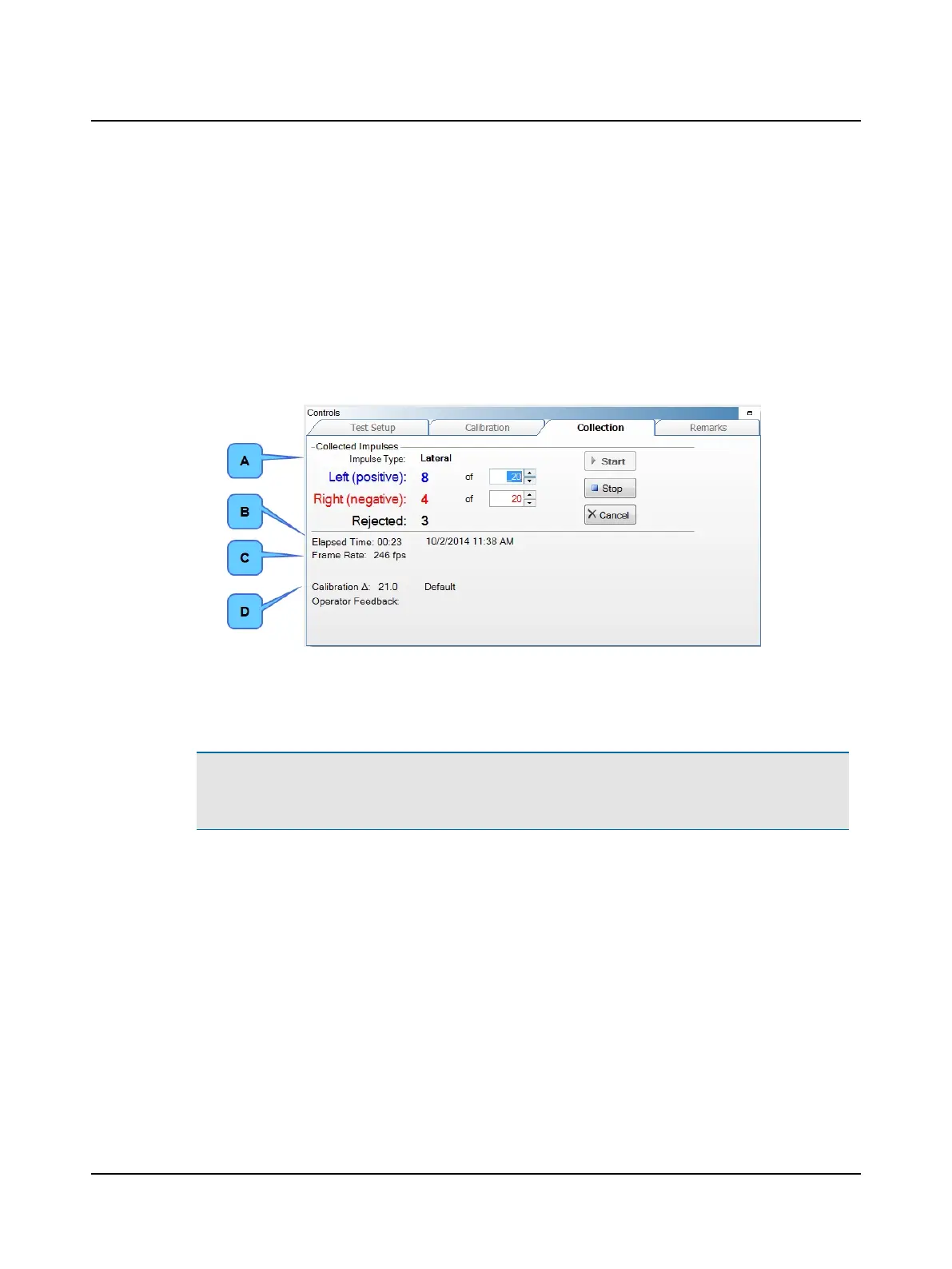
4. Ask the patient to stare at the fixation dot and move the patients head as described in the Reference Manual. It is
important to have reviewed the ICS Impulse Training Video.
The system automatically stops when the minimum numbers for left and right impulses have been reached.
Displayed in the Collection window are:
• Impulse Type – name of test for which data has been collected
• ElapsedTime – duration of the test
(Also, the test date and time is displayed).
• Frame Rate – frequency of data acquisition in frames per second (fps)
• Calibration ∆ – the distance in pixels between the right and left eye positions measured during calibration
A. Test Type
B. Elapsed Time
C. Frame Rate
D. Calibration ∆
Note• To stop the test early, click Stop or press the right button on the presentation remote. Data will be saved.
(Data is saved if at least one good impulse has been collected.) To stop the test early, without saving data, click
Cancel.
The data is automatically analyzed and displayed in the 2D Analysis window.
56 Otometrics - ICS Impulse USB
9 Head Impulse












 To Next Page