4.Junior User Guidebook
2. USB Device port: It is used to transfer data when external USB equipment connects to
the oscilloscope regarded as "slave device". For example: to use this port when connect
PC to the oscilloscope by USB.
3. COM / VGA port (Optional): To connect the oscilloscope with external equipment as
serial port, or to connect the oscilloscope with a monitor or a projector as VGA output
(for the model with "V")
.
4. LAN port: the network port which can be used to connect with PC.
Rear Panel
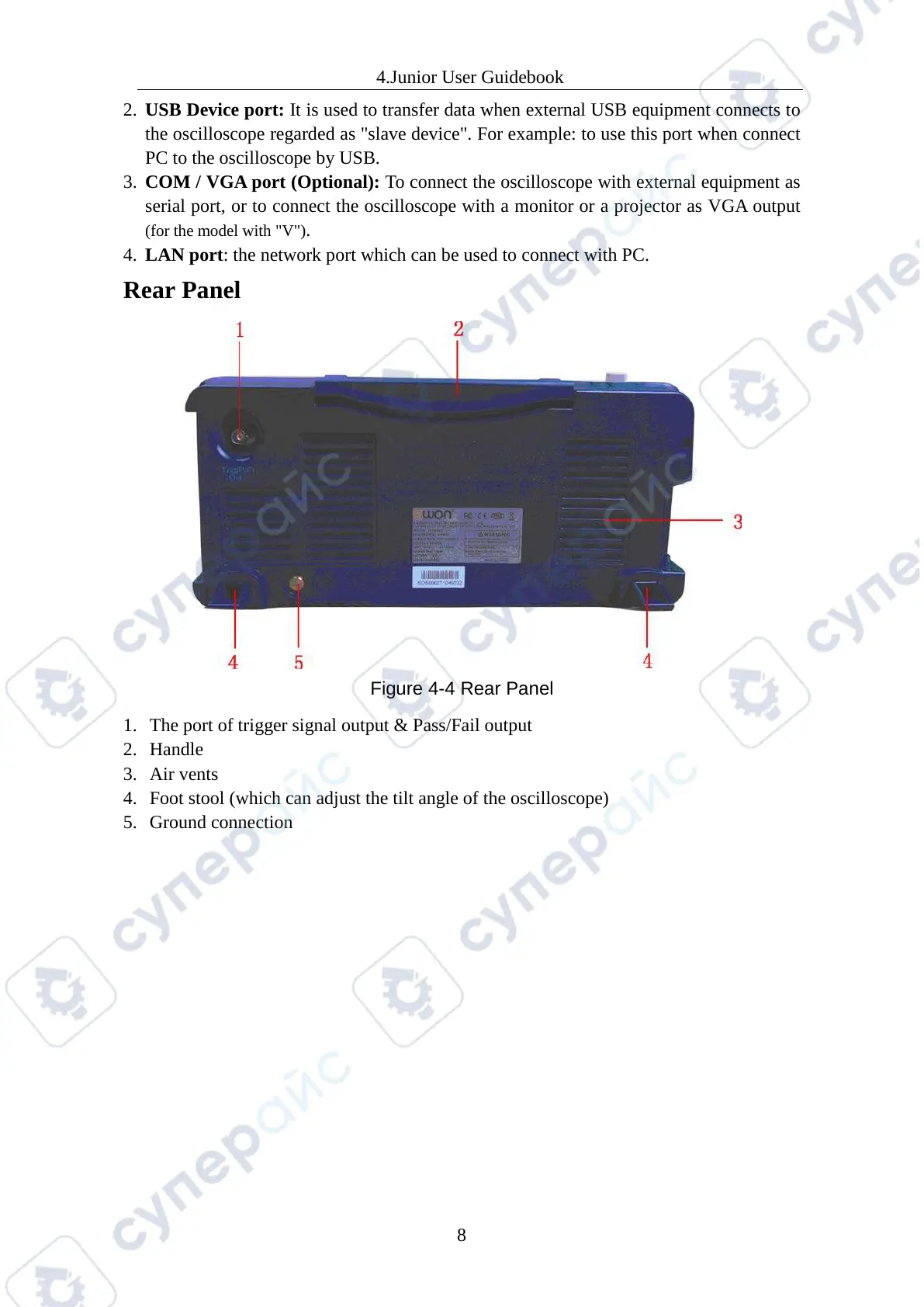
Figure 4-4 Rear Panel
1. The port of trigger signal output & Pass/Fail output
2. Handle
3. Air vents
4. Foot stool (which can adjust the tilt angle of the oscilloscope)
5. Ground connection



 To Next Page