5.Advanced User Guidebook
End and store
Close the keyboard
Switch between
capital and small
Delete the last
character
Figure 5-38 Edit the File Name
USB disk Requirements
The supported format of the USB disk: FAT32 file system, the allocation unit size
cannot exceed 4K, mass storage USB disk is also supported. If the USB disk doesn't
work properly, format it into the supported format and try again. Follow any of the
following two methods to format the USB disk: using system-provided function and
using the formatting tools. (The USB disk of 8 G or 8 G above can only be formatted
using the second method – using the formatting tools.)
Use system-provided function to format the USB disk
1. Connect the USB disk to the computer.
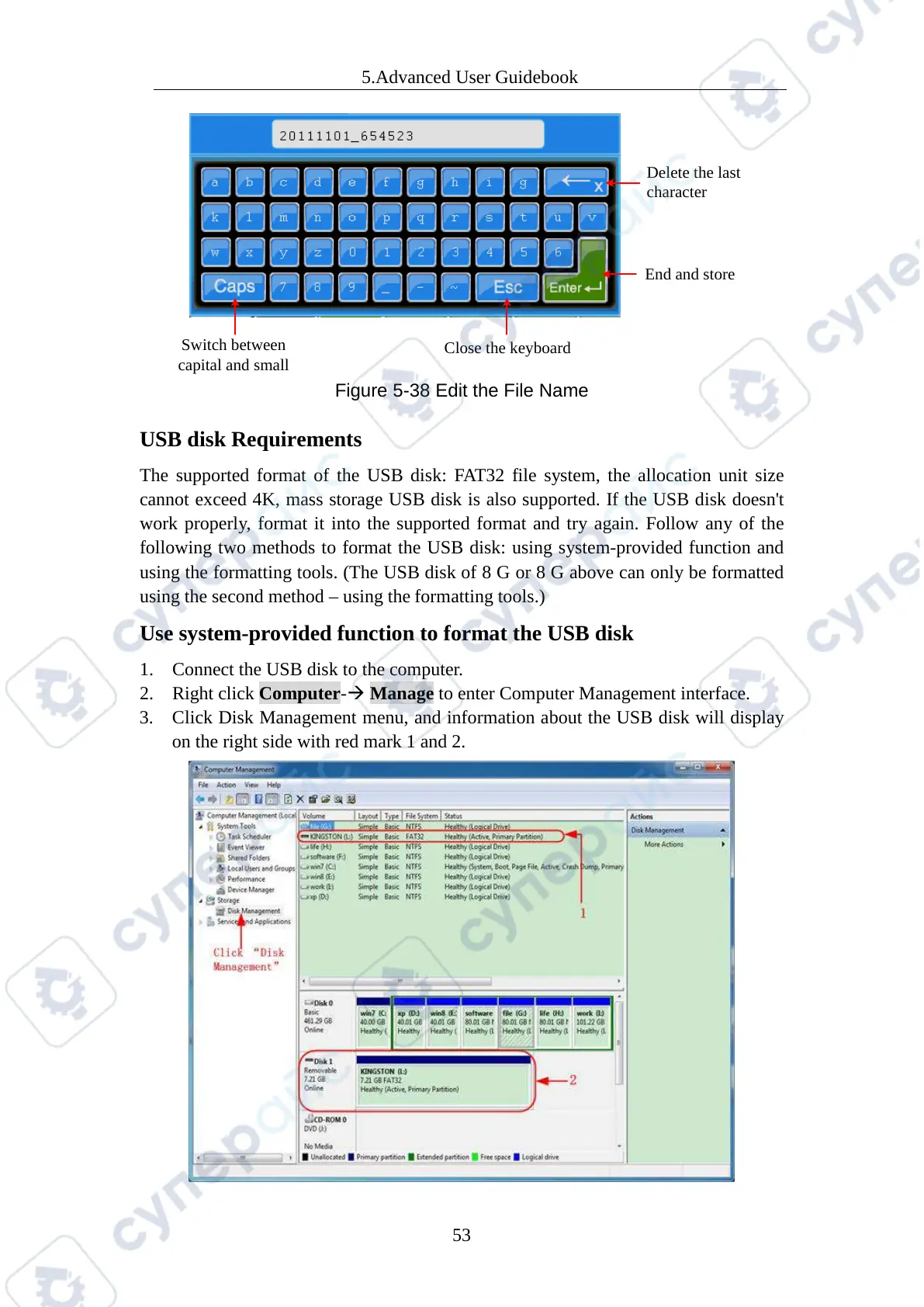
2. Right click Computer- Manage to enter Computer Management interface.
3. Click Disk Management menu, and information about the USB disk will display
on the right side with red mark 1 and 2.



 To Next Page