Part 1 – Introduction
16
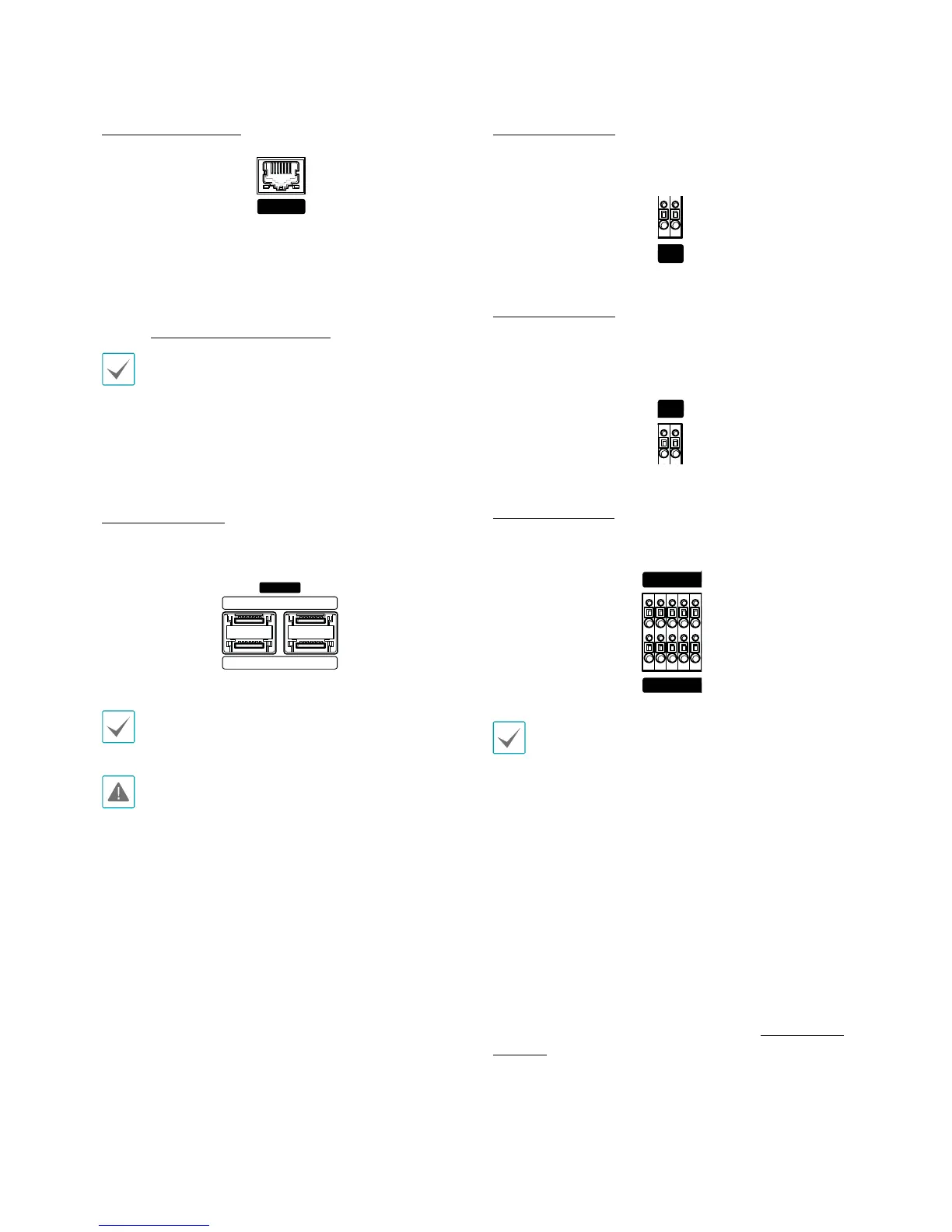
Network Connection
NETWORK
CLIENT
This NVR is capable of connecting to networks via an
ethernet connector. Connect an RJ-45 cable (Cat5,
Cat5e, or Cat6) to the NVR's network port. It's possible to
operate and upgrade the NVR remotely over a network.
Fore more information on ethernet connection setup,
refer to Network Setup on page 63.
t Connector directions may vary depending on the
NVR model.
t Green LED on the right will begin to ash if
connected a 1000 BASE-T network. Orange LED
on the left will then ash once a link has been
established.
eSATA Connection
Connect external hard drives to these ports.
eSATA
13
24
SmartIP-SD, SmartIP SDX Series feature 2 eSATA ports.
Do not connect or disconnect an eSATA device while
the NVR is powered on. To connect an eSATA device,
rst turn o the NVR and unplug the power cable.
Connect the eSATA device and then power the eSATA
device rst and then NVR back on. To disconnect an
eSATA device, rst turn o the NVR and unplug the
power cable. Turn o the eSATA device and then
disconnect the eSATA connection cable.
RS232 Connection
Connect an external device such as a POS unit to this
port.
Tx Rx
RS -232
RS485 Connection
This NVR supports the RS485 half-duplex serial
communication protocol for connecting to external
devices such as POS units.
RS -485
- +
Alarm Connection
Connect alarm connectors to these ports.
NC C NO AR I G
A/1 A/2 A/3 A/4 G
Press down on the button and insert the cable into
the opening. Release the button and then pull on the
cable slightly to ensure it is held securely in place. To
disconnect the cable, press down on the button again
and pull the cable out.
t Alarm In 1 through 4
This NVR is capable of responding to event signals
from external alarm in devices. Connect mechanical or
electrical switches to Al 1 through 4 and the G (ground)
connector. In order to be recognized by the NVR,
the signal from an alarm in device must be less than
0.3V (Normally Open) and maintained for at least 0.5
seconds. The alarm in voltage range is 0V to 5V. For more
information on alarm in setup, refer to the Alarm-In on
page 59.


 To Next Page