Part 3 - Conguration
66
Notication Setup
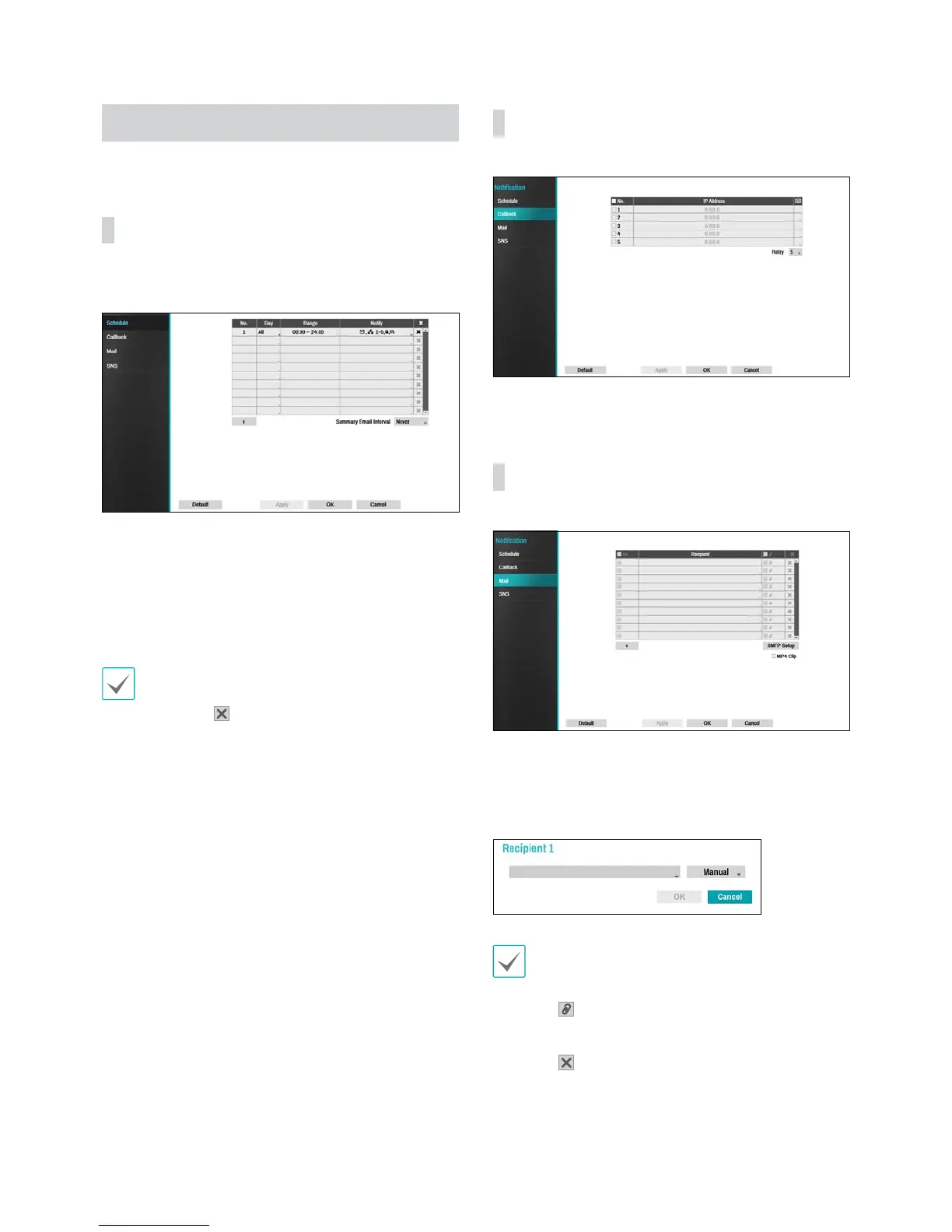
Schedule
Select the + icon at the lower left corner of the screen to
add a notication schedule.
t Day: Add dierent schedules for dierent days of the
week.
t Range: Change the event notication time frame.
t Notify: Select which notications to generate when
an event occurs. Select Mail, LAN 1 through 5, SNS,
and/or Summary.
t In order to use the Notication (Callback) feature,
the NVR must be registered on the remote program.
t Select the
icon to delete the existing schedule.
t Summary Email Interval: Transmit event summary
emails to a remote destination at specied intervals.
Callback
Congure Callback settings.
Enter the IP address of the receiving server and set
Retry to between 1 and 10 in case of connection failure.
Mail
Congure Mail settings.
Select the + icon at the bottom left corner of the screen
to add a mail account.
Select Recipient and then enter the mail address and
server information.
The recipient's mail address must be in the correct
email format and contain the @ symbol.
Select the icon to attach event recordings to
outgoing mails.
Select the
icon to remove the account.
Select MP4 Clip to attach event recordings to outgoing
mails.


 To Next Page