22
Setup Wizard
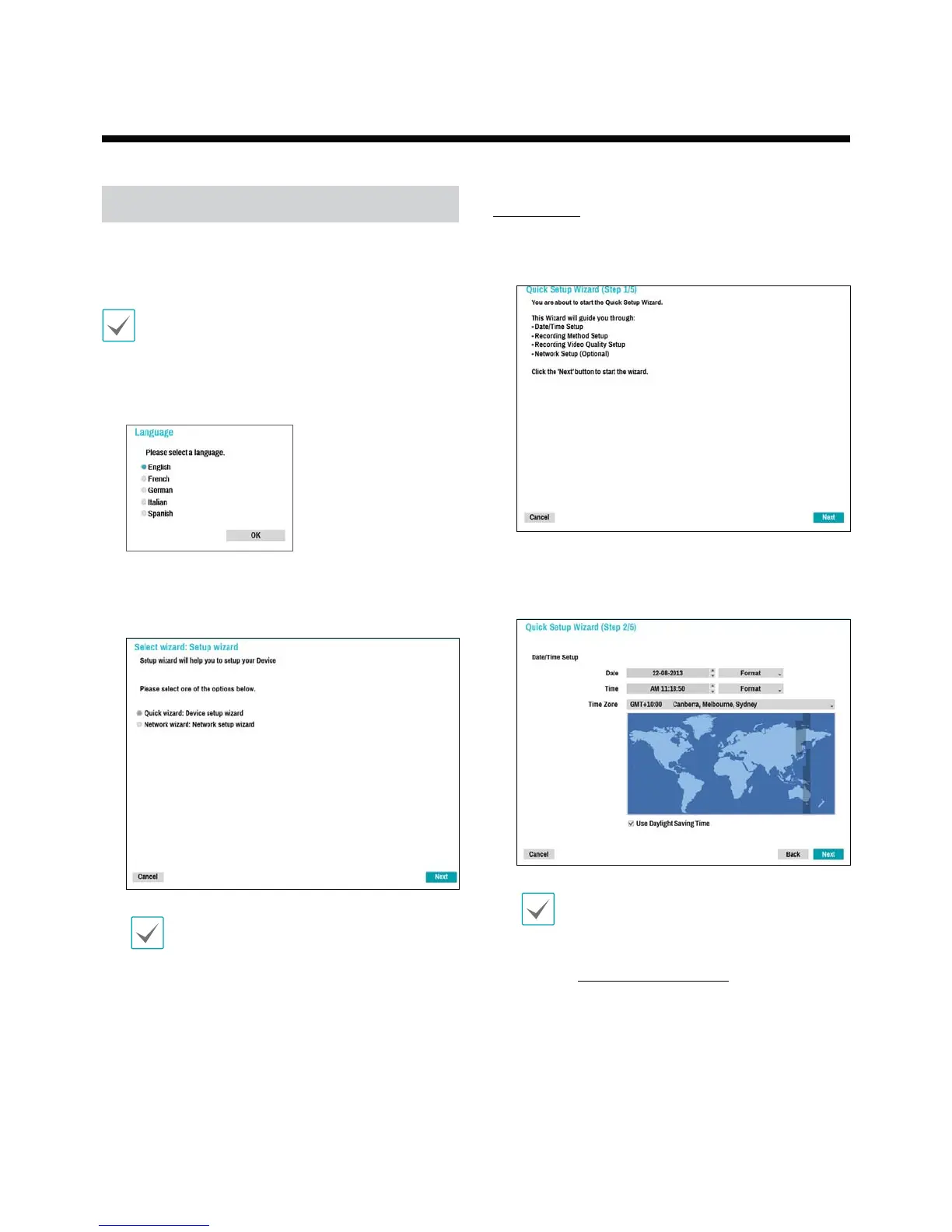
Setup Wizard lets you congure basic settings required
for operating the system.
Setup Wizard only appears during initial booting. To
use Wizard after initial booting, go to Live menu and
select Wizard.
1
Select a system language.
2
Select the desired Setup Wizard option and click
Next.
Select Cancel from any of the Wizard screen to
cancel the setup process and return to the main
setup menu.
Quick Wizard
1
Select Quick Wizard.
2
Specify the current date and time and then click
Next.
t The new date and time settings will only be
applied after clicking Next.
t For more information on date and time
settings, refer to the Date/Time section under
System Setup on page 37.
Part 2 - Getting Started


 To Next Page