Part 3 - Conguration
56
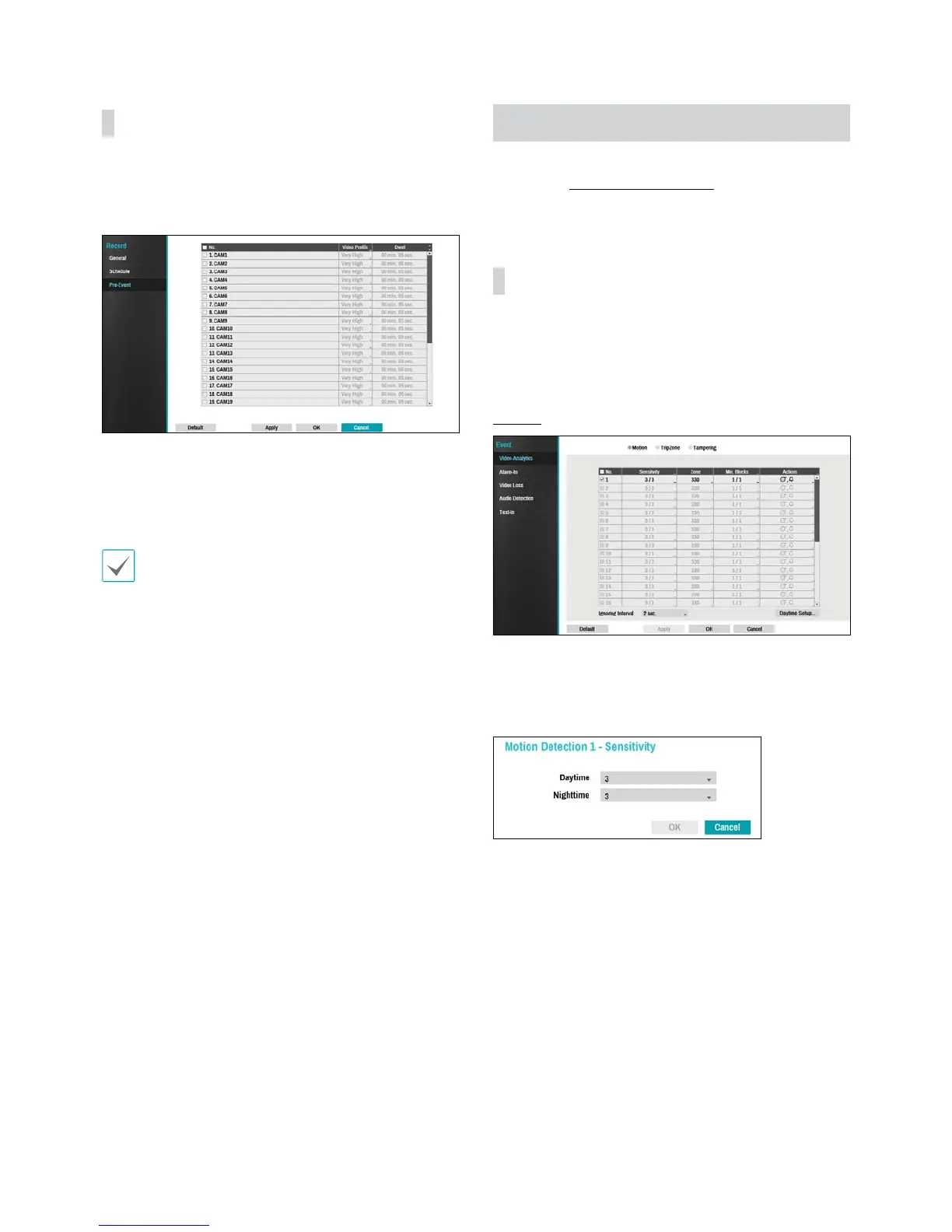
Pre-Event
When an event occurs, enabling this option includes
the specied duration prior to the event in the event-
triggered recording.
t No.: Select which cameras to apply Pre-Event to.
t Video Prole: Select a video prole for the recording.
t Dwell: Specify the duration of pre-event recording
data.
t If no event mode schedule exists in the schedule, a
warning message prompting you to add an event
mode schedule will be displayed.
t The warning message will appear even in Time &
Event mode.
Event Setup
Refer to the Menu Use on page 36 for basic
information on using the Setup menus.
Video-Analytics
Video-Analytics methods are Motion, Trip Zone, and
Tampering.
Motion
t No.: Select which cameras to apply Motion Detection
to.
t Sensitivity: Set daytime and nighttime sensitivity
settings between 1 (Low) and 5 (High).


 To Next Page