Page | 41
Please note that this will cause your access points to update, and during that time the heat map
will not be accessible. It is best to finish the configurations on all of your access points before
you perform an update.
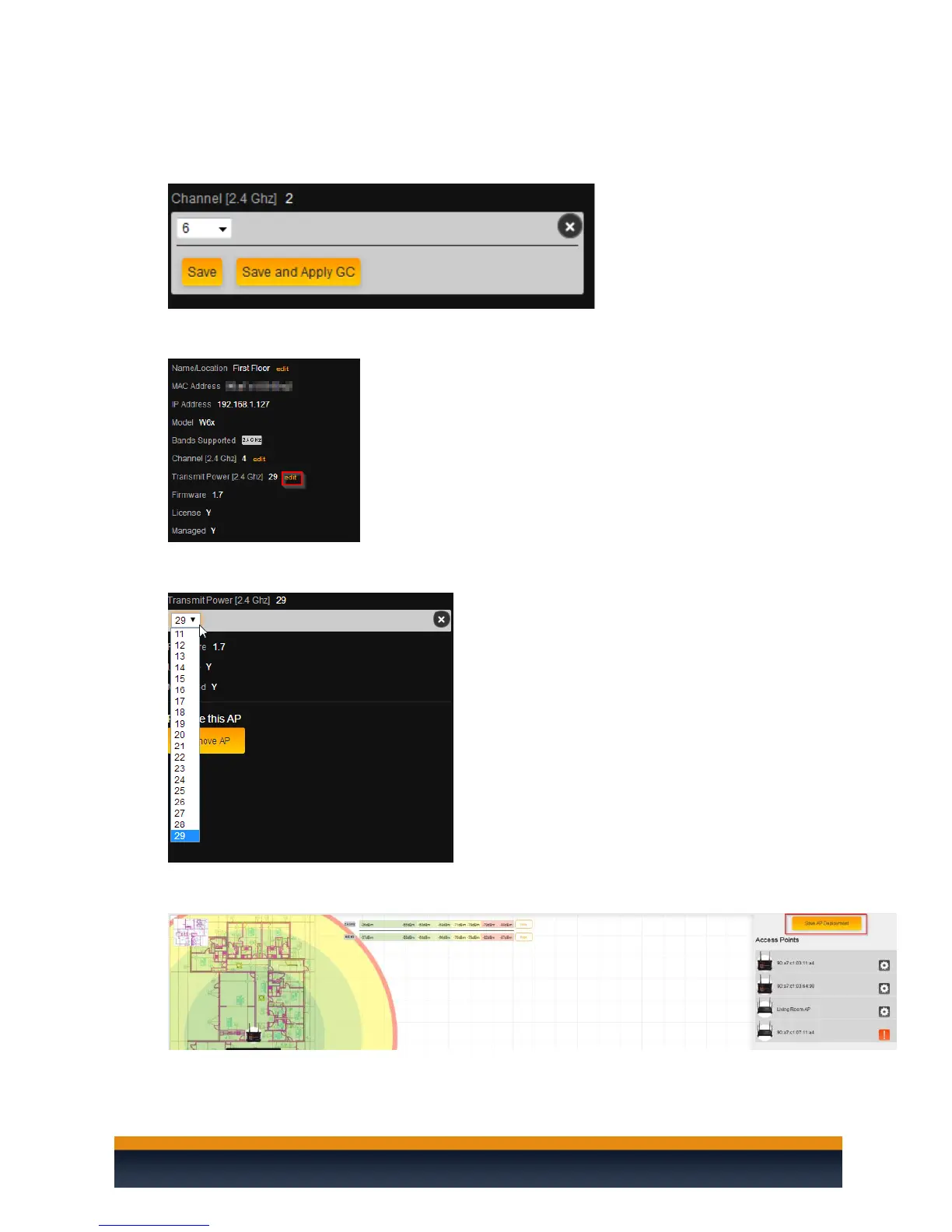
26. To change the transmit power, click edit.
27. Select the power output you would like to use for the access point. It is set at its maximum
output by default.
28. Once you are done with your heat map, click on Save AP Deployment. This will save the heat
map on the C36.



 To Next Page