Page | 40
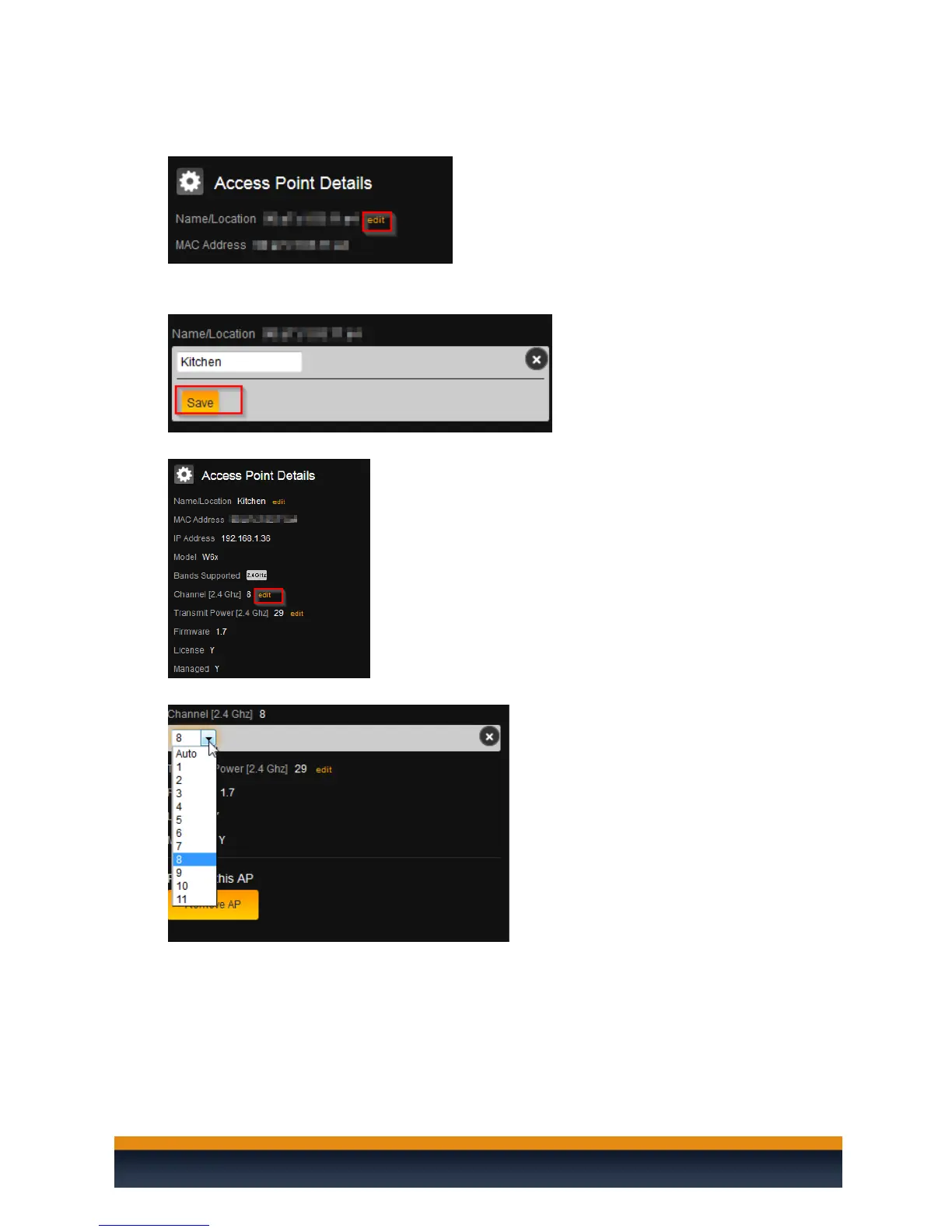
21. To change the Name/Location, click on edit.
22. The name of an access point is its MAC address by default. To enter a new name, simply click in
the text box and begin typing. Click Save once finished.
23. To change the channel of the WAP, click edit.
24. Select the channel of the access point. To leave the access point on auto channel, select auto.
25. If you wish to continue making changes to your heat map, click Save. This will save your changes
but not apply them—that way, you can finish the configuration of your heat map. If you want to
apply the changes to the Global Configuration, click Save and Apply GC.



 To Next Page