Page | 39
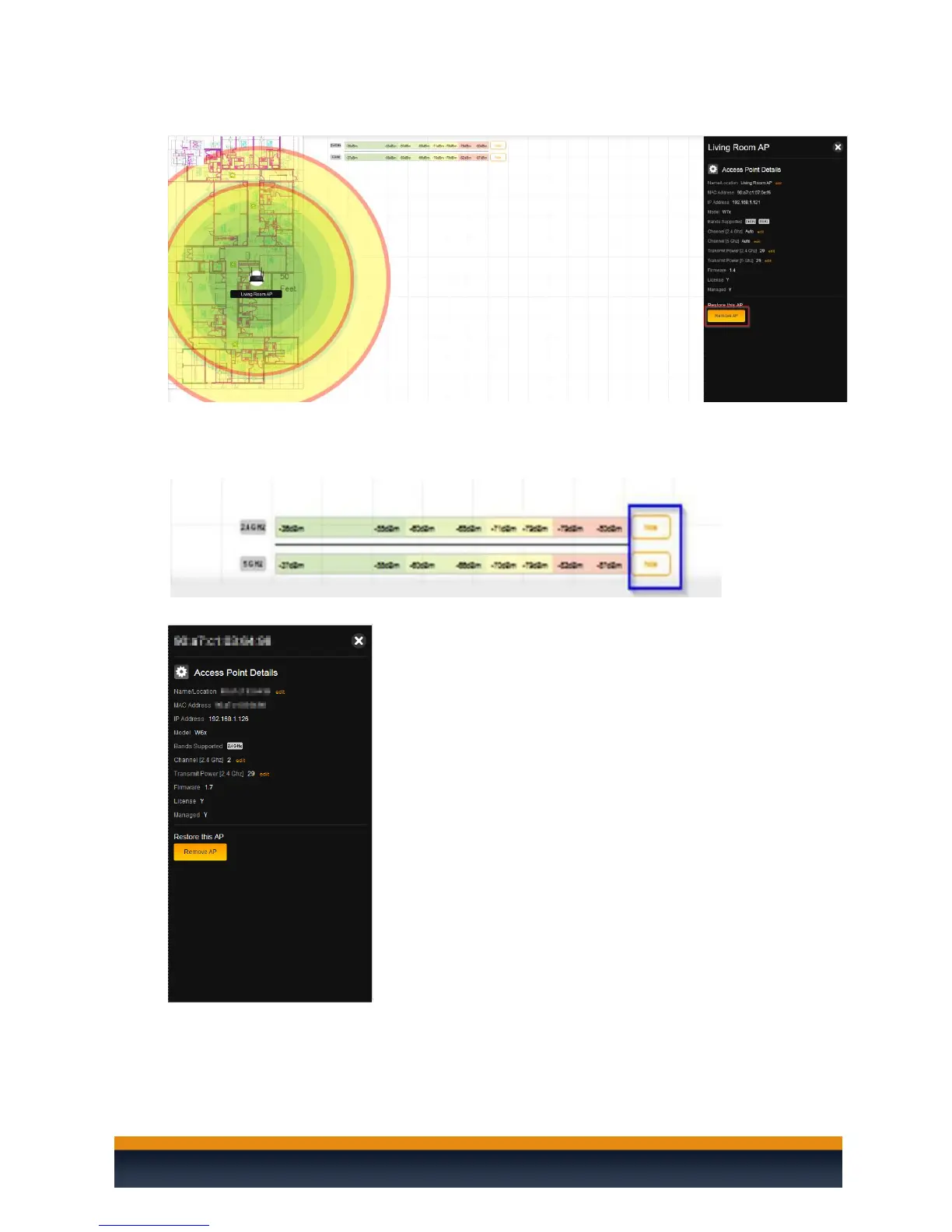
17. To remove an access point, double-click it and then click Remove AP.
18. When placing a W7 access point on a floor plan, you will see two circles. The smaller circle
represents the 5 GHz range and the wider circle represents the 2.4 GHz range. You can hide
either band from the heat map by clicking hide on the band you wish to remove.
19. You can double-click on any of the access points on the heat map to view its additional details.
20. From the Additional Point Details menu you can change the Name/Location, Channel, and
Transmit Power of your individual access points.



 To Next Page