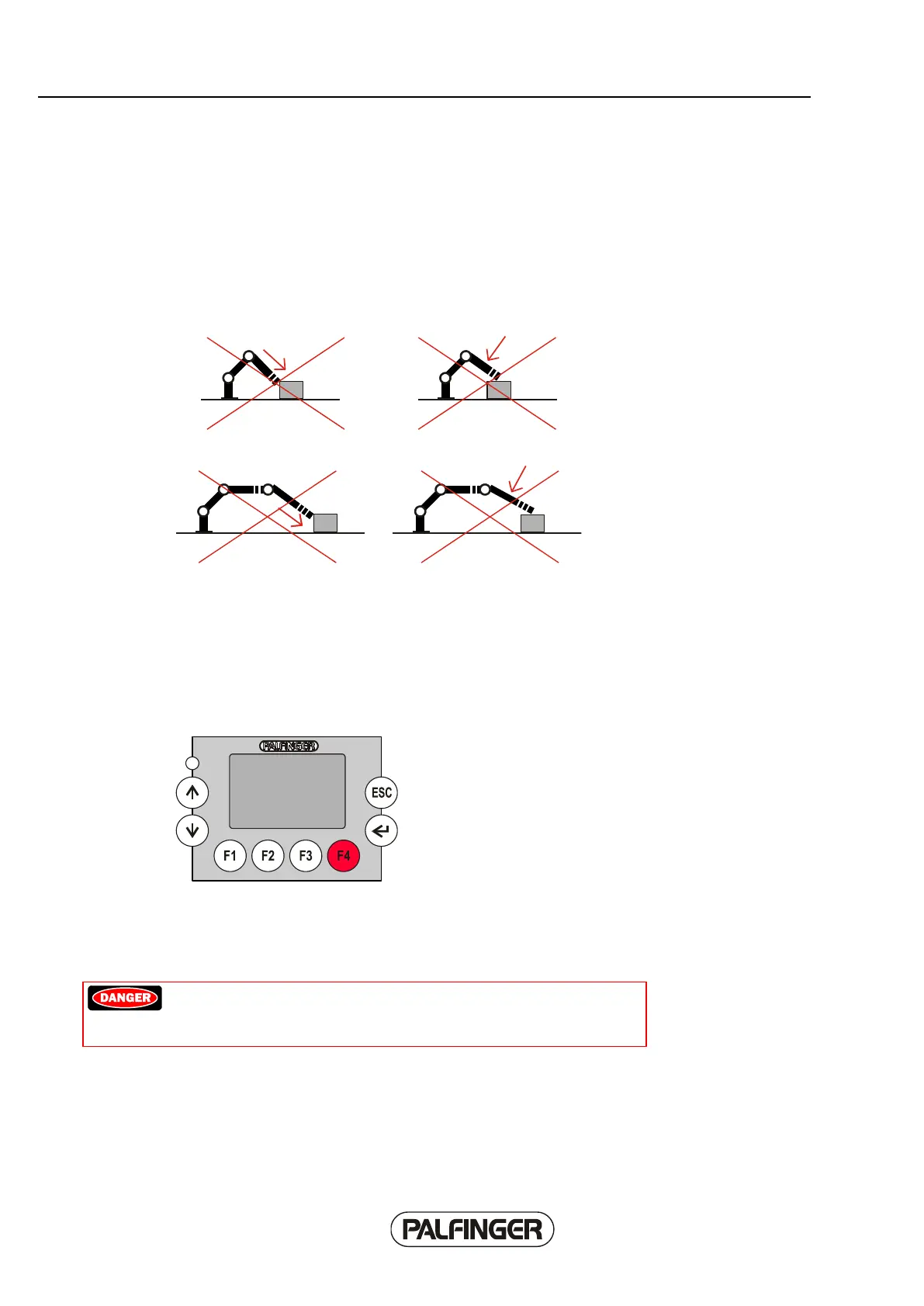
Negative load limits
Because of the design of the boom system of the crane - particularly because of the arrangement of
the sliding elements - negative loads (e.g. pushing with the boom system) are extremely unfavorable
for the crane. The Paltronic 150 contains two load limits that restrict the negative load of the boom
system to a set limit. These are one limit for the boom system of the crane, and one for the outer boom
system of the fly-jib.
Examples of negative load limits:
If a limit is reached, all crane movements that would increase the negative load on the boom system
are blocked.
The crane movements that are still possible are indicated on the Paltronic 150 display unit.
OLP function
The OLP button is a multifunctional softkey that performs different functions depending on the situation.
Enabling blocking functions
With the OLP button it is possible to activate a blocked function for a period of 1.5 seconds in the event
of an overload. The function is then blocked again for 30 seconds. During the blocked period of 30
seconds, the softkey function is displayed inverted (black background, light text).
Danger! It is prohibited to increase the load moment using the OLP
button while the crane is in an overload situation. This may lead to
fatal injury.
Load moment-increasing crane functions can be used for 1.5 seconds by pressing the OLP button.
Exceptions: The "extend extension booms" crane functions of the crane and the fly jib system remain
blocked.



 To Next Page