Section 3E: Browsing the Web 231
Browsing the Web
䡲 Disable Javascript bypasses Javascript elements on the Web pages you view.
䡲 Disable Cookies determines if Websites can store personalized
information on your Treo 650. Some sites do not work properly if you
select this option.
䡲 Tap and Drag determines if dragging the stylus selects text or scrolls
through the content of the page.
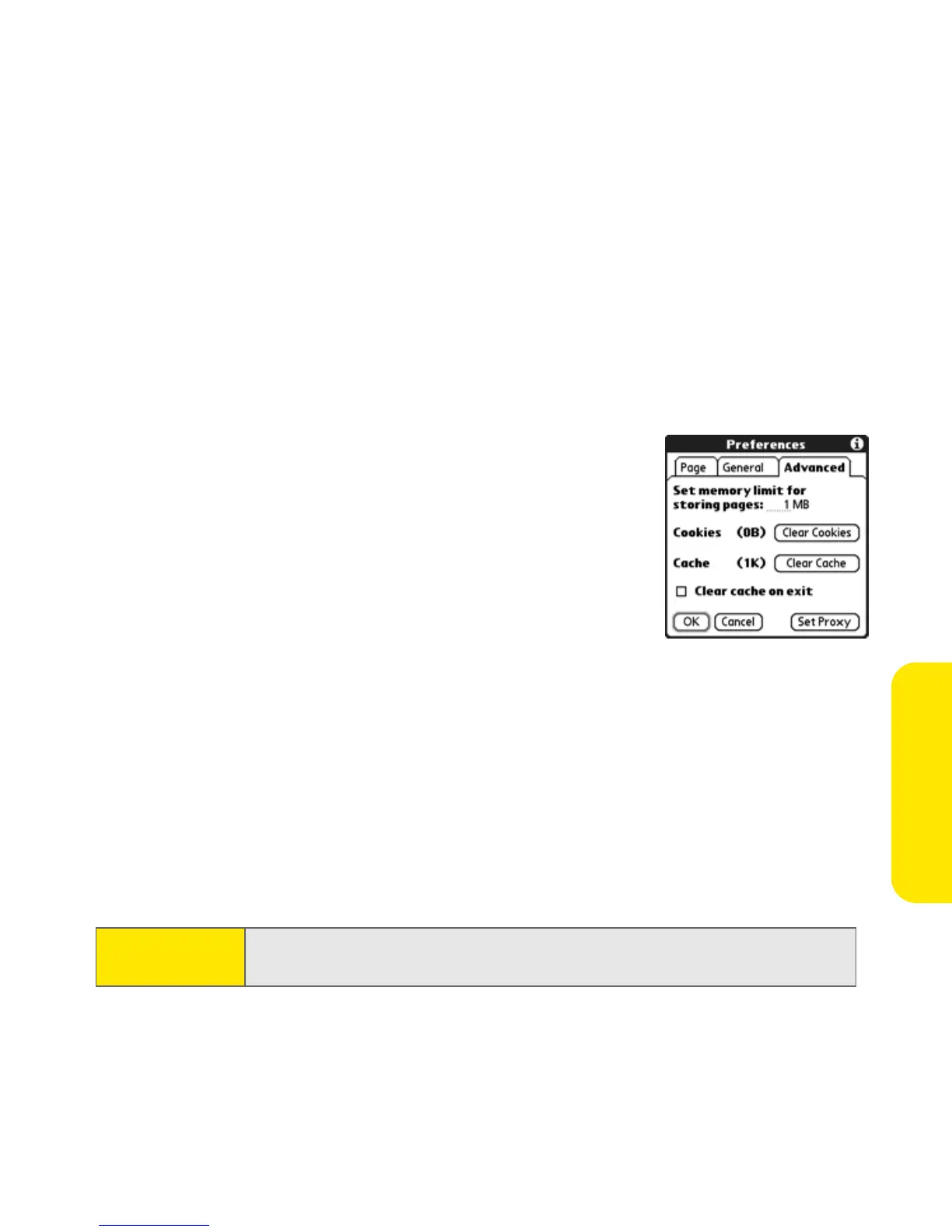
5. Select Advanced and set any of the following preferences:
䡲 Set memory limit for storing pages sets the
amount of memory used for your cache.
Pages are cached so they load faster the next
time you view them.
䡲 Cookies indicates how much memory is
being used by cookies. To free up this
memory, select Clear Cookies.
䡲 Cache indicates how much memory is being
used by your cache to store recent pages and history. To free up this
memory, select Clear Cache.
䡲 Clear cache on exit determines if the cache clears each time you exit the
Web browser.
䡲 Set Proxy sets up a proxy server to access the Internet. If your connection
requires a proxy server, please contact your Internet service provider or
IT administrator for this information.
6. Select OK.
Note:
Setting a proxy server may prevent you from accessing some Sprint PCS
Vision Web pages.



 To Next Page