Tungsten™ E2 Handheld 64
CHAPTER 7 Listening to Music
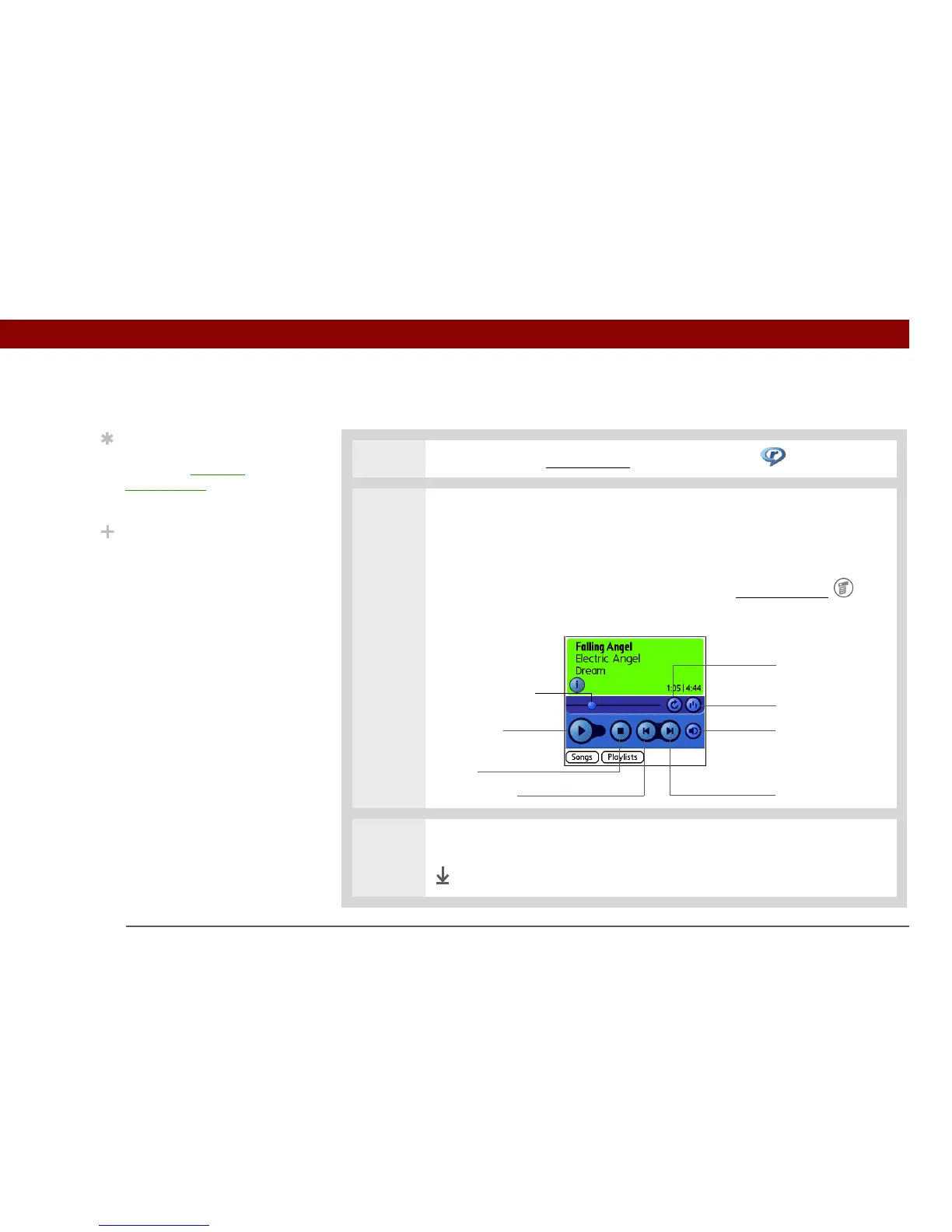
Playing music on your handheld
0
1 On your handheld, go to Favorites and then select Music .
2 Select a song to play:
• To play the current song, tap Play.
• To play a different song, tap Songs and select a song from the list.
• To play a song that is not located in the Songs list, open the menus
,
select Play Folder, and navigate to the song you want.
3 When you’ve finished listening, tap the Stop button.
Done
Tip
For tips on using
RealPlayer, open the
Options menu and select
Help.
Did You Know?
RealPlayer continues
playing the songs in your
list until it reaches the
end of your list or until
you tap the Stop button,
even if your handheld
screen is off.
Progress indicator
Play/Pause
Stop
Previous song Next song
Volume
Continuous play
Random play



 To Next Page