- 33 -
This makes the image brighter to prevent darkening of a backlit subject.
∫ Setting Using the Camera Menu
1 Click the [Image] tab on the Image screen.
2 Click [Setup] (Preset position).
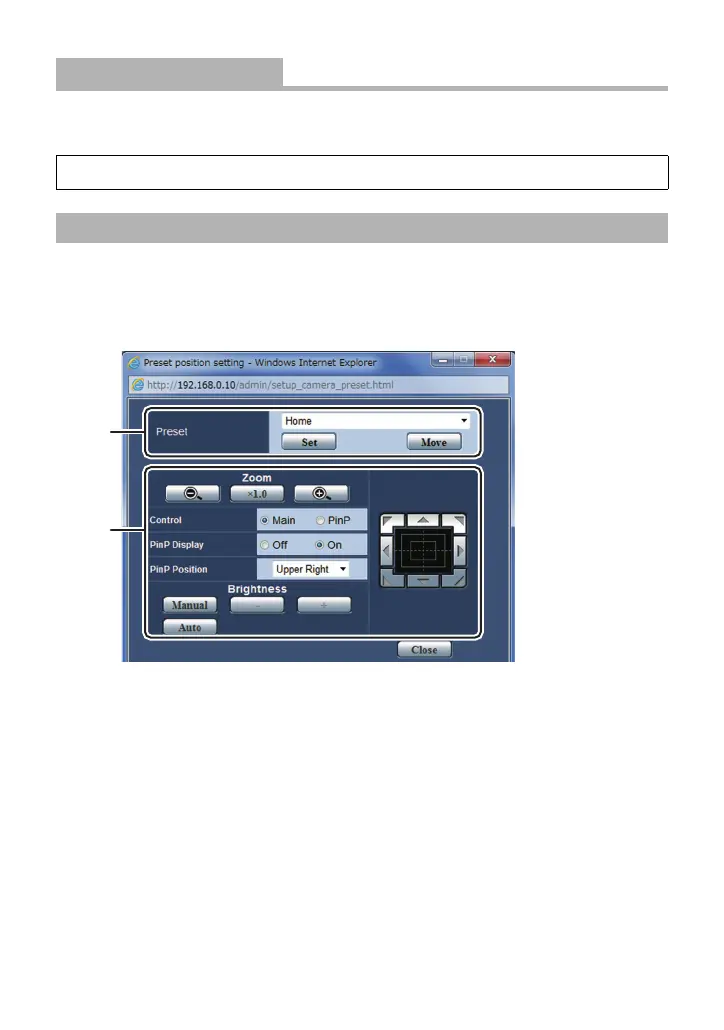
≥ The Preset position screen opens in a separate window.
A Operations are the same as the preset memory operations for the Live screen. (l 26)
B Operations are the same as the operations for the Live screen. (l 12, 19, 21)
[Back Light COMP.]
[Off]/[On]
[CAMERA] # [BACKLIGHT COMPENS.] # [ON]
Using the preset memory on the Preset position screen



 To Next Page