- 34 -
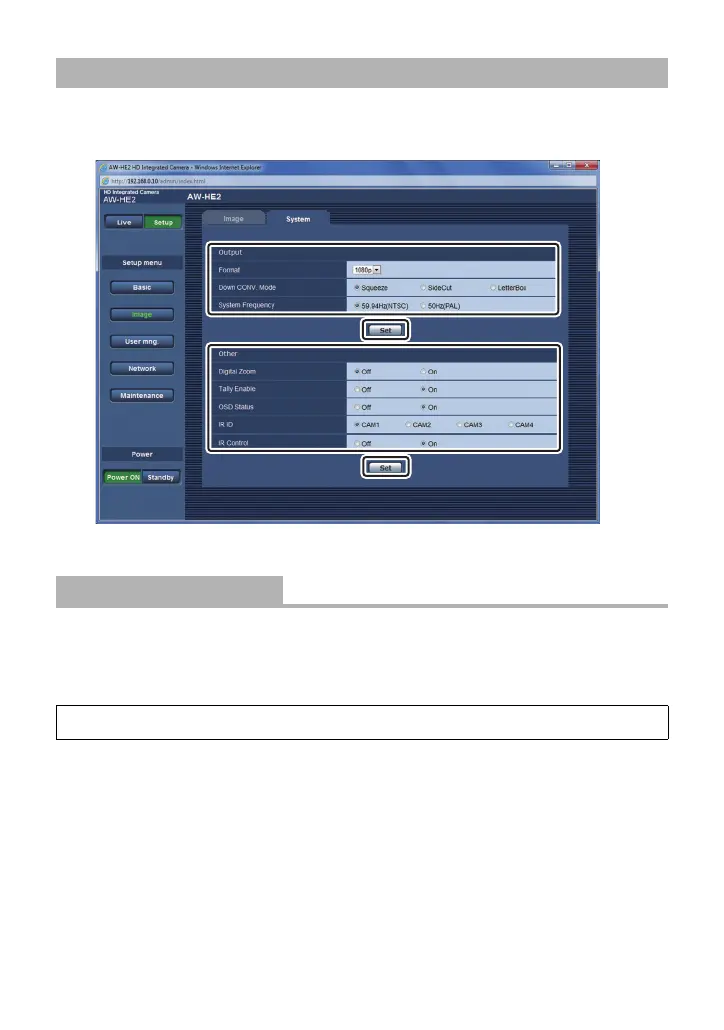
Click the [System] tab on the Image screen.
≥ The System screen opens.
≥ After changing settings, click [Set].
You can change the resolution of the HDMI output.
* When [System Frequency] is [59.94Hz(NTSC)], you can select [480p], and when it is set to
[50Hz(PAL)], you can select [576p].
∫ Setting Using the Camera Menu
Configuring the System Settings on the System Screen
[Format]
[1080p]/[1080i]/[720p]/[480p (576p)]
*
[SYSTEM] # [FORMAT] # desired setting



 To Next Page