126
VQT3K43
≥ Connect this unit to the PC after the software applications are installed.
≥ Remove the supplied CD-ROM from your PC.
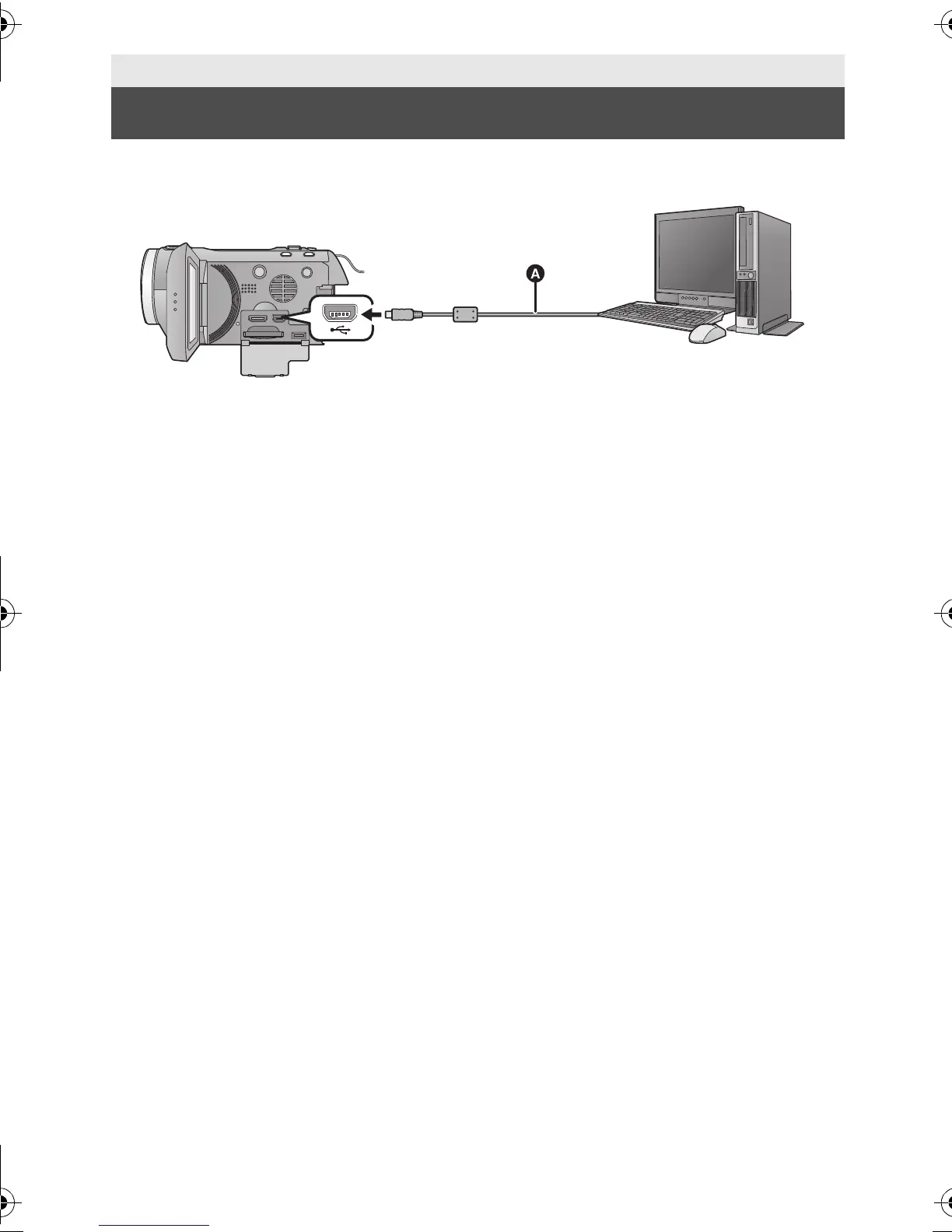
A USB cable (supplied)
≥ Insert the plugs as far as they will go.
1 Connect this unit to the AC adaptor.
≥ It is possible to use it connected to the PC with the batteries only. Use the AC adaptor to
free you from worrying about the battery running down.
≥ Connect with the AC adaptor when using the Conversion assist function.
2 Turn on the unit.
≥ This function is available in all modes.
3 Connect this unit to a PC.
≥ The USB function selection screen will appear.
4 Touch [PC] on the screen of this unit.
≥ The Smart wizard screen is automatically displayed when HD Writer AE 3.0 is installed.
≥ This unit is automatically recognised as an external drive of the PC. (l 128)
≥ When you select an option other than [PC], reconnect the USB cable.
≥ When using the battery, the LCD monitor turns off after about 5 seconds. Touch the screen
to turn the LCD monitor on.
With a PC
Connecting to a PC
HDC-SD800EB_eng.book 126 ページ 2010年12月24日 金曜日 午前9時9分















 To Next Page