23
VQT3K43
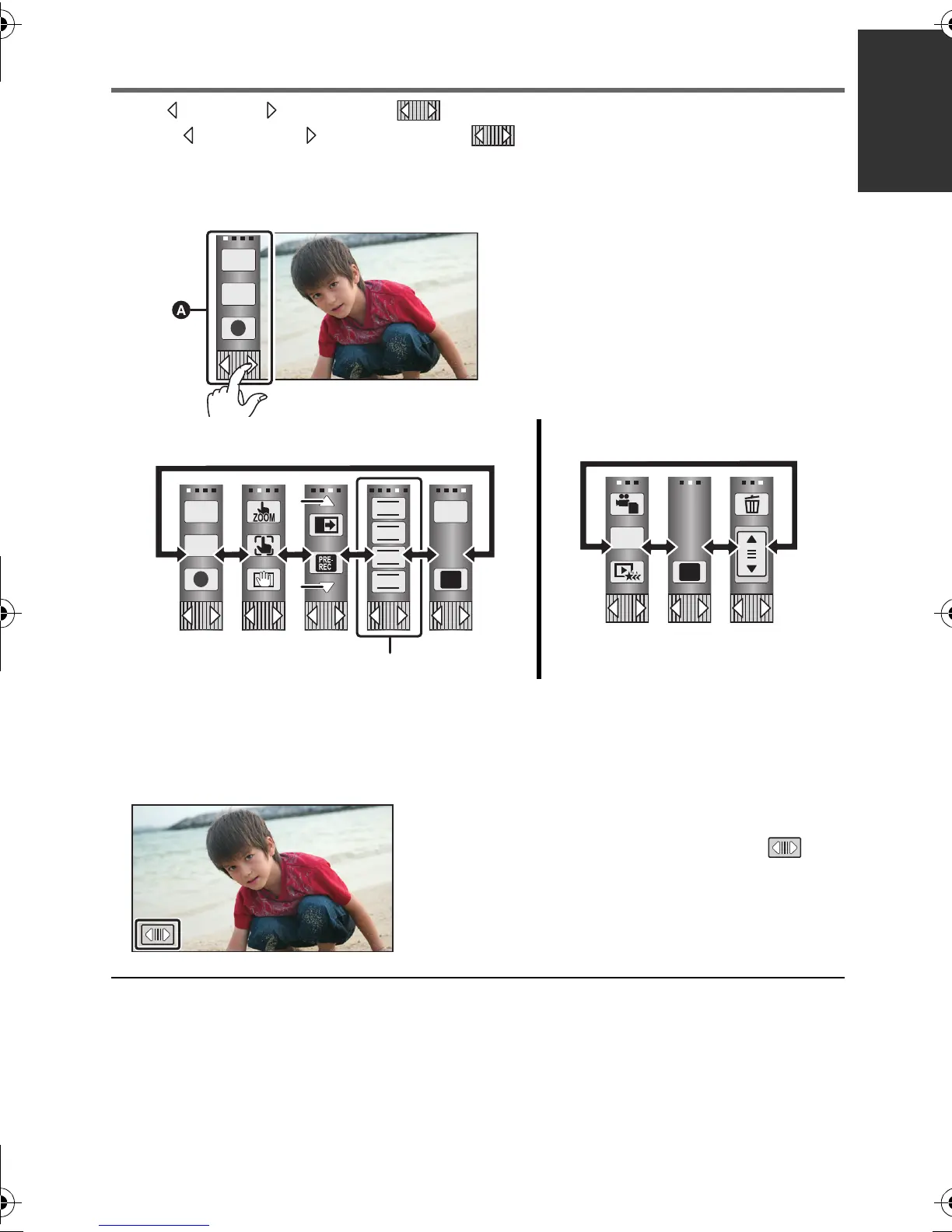
About the touch menu
Touch (left side)/ (right side) of on the touch menu to switch the operation icons.
Touch (left side)/ (right side) of on the touch menu.
≥ It is also possible to switch the operation icons by sliding the touch menu right or left while
touching it.
B Touch these icons to switch pages upward or downward.
C Displayed only during the manual mode.
∫ To display the touch menu
≥ Do not touch on the LCD monitor with hard pointed tips, such as ball point pens.
≥ Perform the touch screen calibration when the touch is not recognised or wrong location is
recognised. (l 44)
A Touch menu
Recording mode Playback mode
The touch menu will disappear when no function is
performed for a specific period of time during
recording mode. To display it again, touch .
T
W
T
W
FOCUS
WB
SHTR
IRIS
MENU
Q.
MENU
HDC-SD800EB_eng.book 23 ページ 2010年12月24日 金曜日 午前9時9分















 To Next Page