70
VQT3K43
Adjust the quality of the image while recording.
Adjust by outputting to a TV while adjusting the quality of the image.
≥ This setting is retained when you change between motion picture recording mode
and still picture recording mode.
≥ Switch to manual mode. (l 76)
1 Select the menu.
2 Touch the desired setting items.
3 Touch / to adjust settings.
4 Touch [ENTER].
≥ Touch [EXIT] to complete the settings.
≥ appears on the screen.
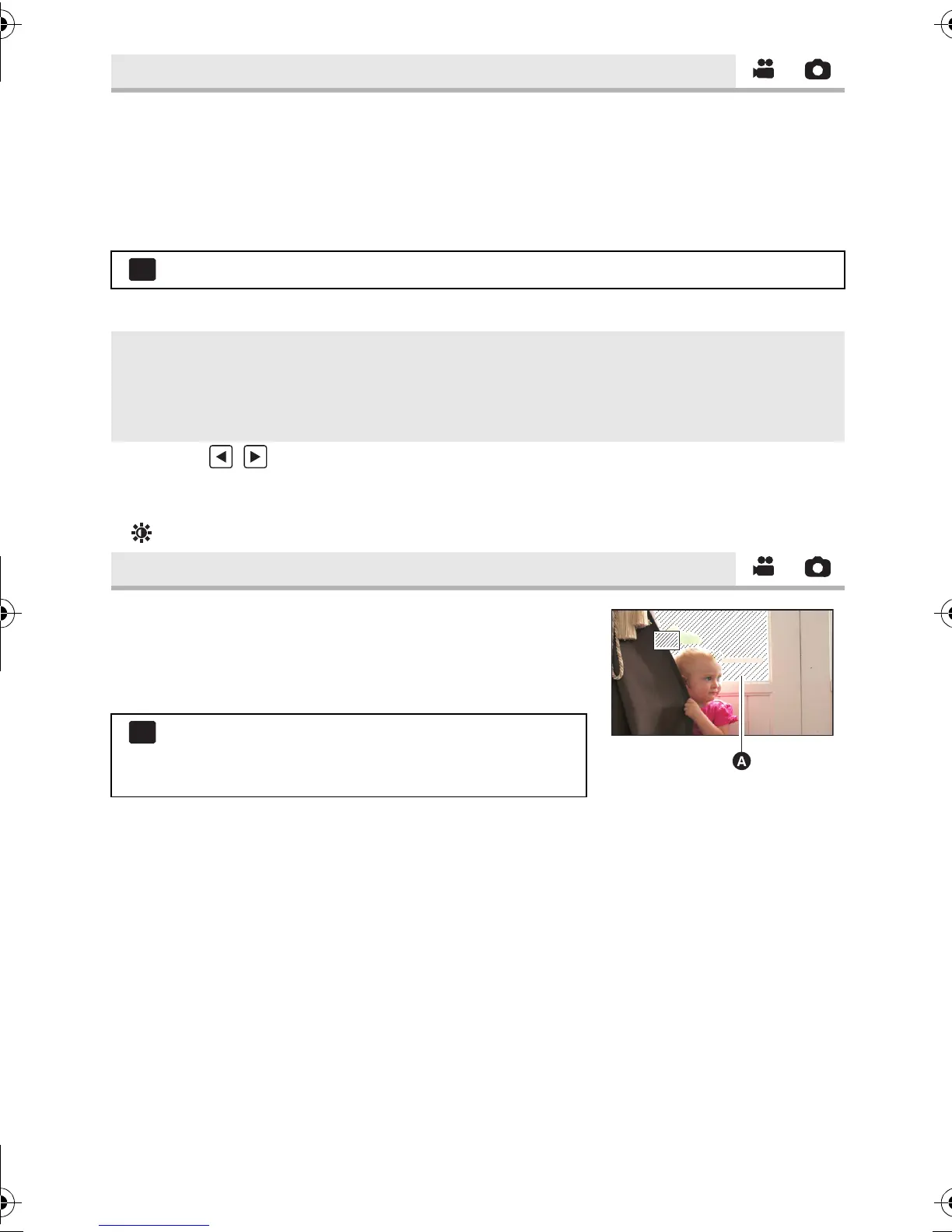
Parts where white saturation (colour saturation) is likely to
occur (extremely brightly lit or shiny parts) are displayed
with diagonal lines (zebra pattern).
≥ Switch to manual mode. (l 76)
≥ You can record an image with little white saturation if you
manually adjust the shutter speed or brightness (iris/gain) (l 78).
≥ The zebra pattern does not appear on the images actually recorded.
[PICTURE ADJUST]
: [RECORD SETUP] # [PICTURE ADJUST]
[SHARPNESS]: Sharpness of the edge
[COLOUR]: Depth of the colour of the image
[EXPOSURE]: Brightness of the image
[WB ADJUST]: Picture colour balance
[ZEBRA]
: [RECORD SETUP] # [ZEBRA] # [ON]
≥ It is possible to set from the quick menu in manual
mode. (l 37)
HDC-SD800EB_eng.book 70 ページ 2010年12月24日 金曜日 午前9時9分















 To Next Page