196 VQT4F67
*3 Please use when playing back/editing on a Mac.
≥ If recording for long periods, prepare batteries for 3 or 4 times the
period you wish to record for. (l 35)
≥ The default setting is mode.
≥ Recording a quickly moving subject or recording a number of short
scenes may shorten the recordable time.
≥ When the [REC MODE] is set to (VOICE RECORD), the file is
saved after approximately 5 hours of recording, and the audio
recording ends. With other recording mode setting, the unit saves the
file and saves the continuation in a new file when the file size exceeds
4 GB during recording. (A new file is created automatically every 4 GB.
The recording state is continued until the unit enters the paused state.)
≥
When recording in Slow Motion Mode ( / ), recording ends
after 15 seconds of recording.
≥ Use time in the row of 4 GB in above table as a guideline for the time
that can be copied onto one DVD disc (4.7 GB).
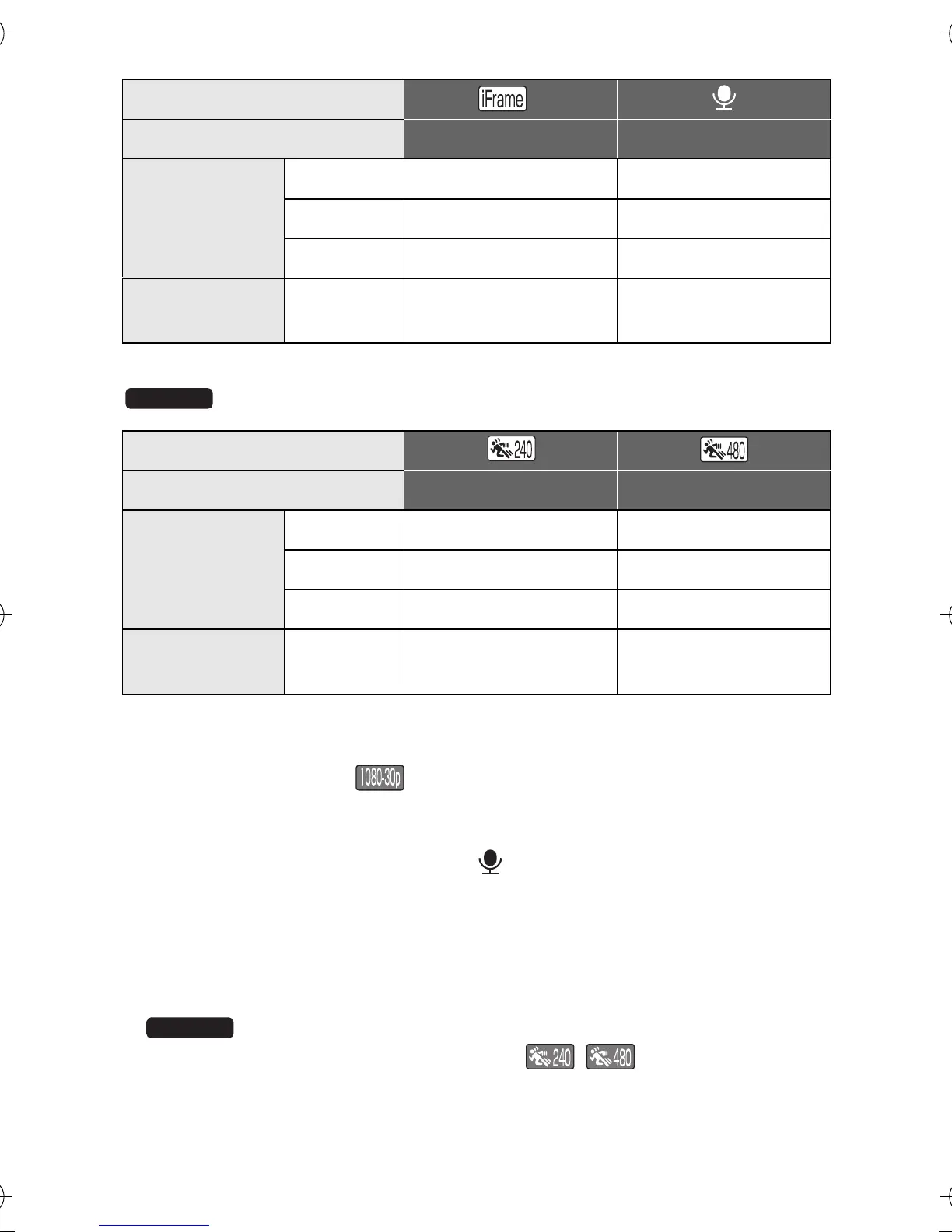
Recording mode
*3
Picture size 960k540 VOICE RECORD
SD card
4GB 20 min
31 h
16 GB 1h20min
128 h
64 GB 5h20min
512 h
Built-in
memory
Approx.
64 MB
10 s 30 min
Recording mode
Picture size 640k360 320k180
SD card
4GB 20 min 20 min
16 GB 1h40min 1h50min
64 GB 5h10min 4h20min
Built-in
memory
Approx.
64 MB
15 s 15 s
HX-WA20EB-VQT4F67_mst.book 196 ページ 2012年2月13日 月曜日 午後3時57分





 To Next Page