19
SV setting
OUT2 proportional band
Air cooling
Oil cooling
Water cooling
Character Name, Function, Setting range Default value
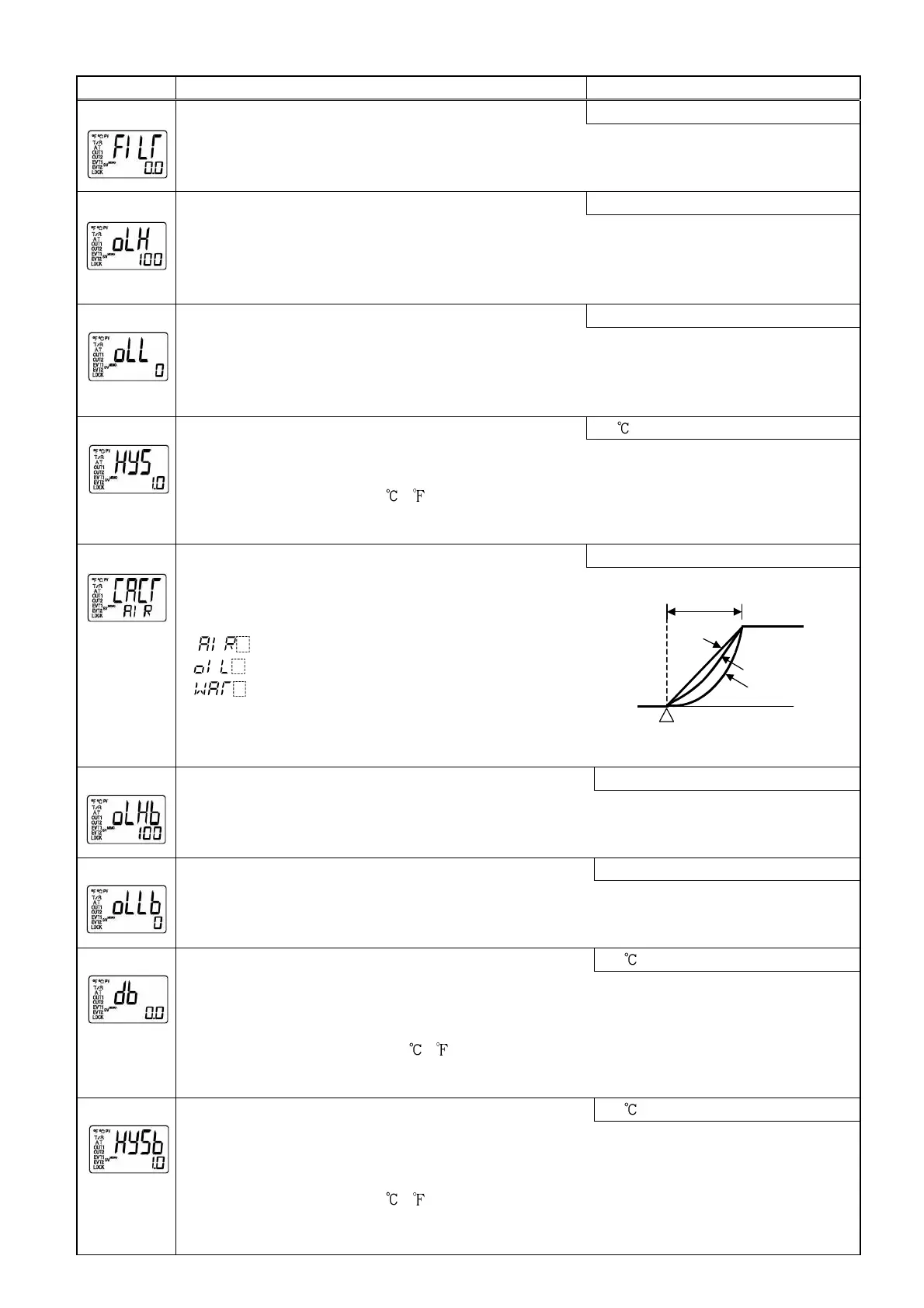
PV filter time constant setting
0.0 seconds
[29]
• Sets PV filter time constant.
If the value is set too large, it affects control result due to the delay of response.
• Setting range: 0.0 to 10.0 seconds
OUT1 high limit setting
100%
[30]
• Sets the high limit value of OUT1.
Not available if OUT1 is ON/OFF action.
• Setting range: OUT1 low limit value to 100%
(DC current output type: OUT1 low limit value to 105%)
OUT1 low limit setting
0%
[31]
• Sets the low limit value of OUT1.
Not available if OUT1 is ON/OFF action.
• Setting range: 0% to OUT1 high limit value
(DC current output type: -5% to OUT1 high limit value)
OUT1 ON/OFF action hysteresis setting
1.0
[32]
• Sets ON/OFF action hysteresis for OUT1.
Available only when OUT1 is ON/OFF action.
• Setting range: 0.1 to 100.0 ( ),
DC voltage, current input: 1 to 1000 (The placement of the decimal point
follows the selection.)
OUT2 action mode selection
Air cooling
[33]
• Selects OUT2 action from air, oil and water cooling.
Not available if the Heating/Cooling control option
is not added or if OUT2 is ON/OFF action.
• Air cooling (linear characteristic)
Oil cooling (1.5th power of the linear characteristic)
Water cooling (2nd power of the linear characteristic)
(Fig. 6.8-1)
OUT2 high limit setting
100%
[34]
• Sets the high limit value of OUT2.
Not available if Heating/Cooling control option is not added, or if OUT2 is ON/OFF action.
• Setting range: OUT2 low limit value to 100%
OUT2 low limit setting
0%
[35]
• Sets the low limit value of OUT2.
Not available if Heating/Cooling control option is not added or if OUT2 is ON/OFF action.
• Setting range: 0% to OUT2 high limit value
Overlap band/Dead band setting
0.0
[36]
• Sets the overlap band or dead band for OUT1 and OUT2.
+Set value: Dead band, -Set value: Overlap band
Available only when the Heating/Cooling control option is added.
• Setting range: -100.0 to 100.0 ( )
DC voltage, current input: -1000 to 1000 (The placement of the decimal
point follows the selection.)
OUT2 ON/OFF action hysteresis setting
1.0
[37]
• Sets ON/OFF action hysteresis for OUT2.
Available only when Heating/Cooling control option is added and when OUT2 is ON/OFF
action.
• Setting range: 0.1 to 100.0 ( )
DC voltage, current input: 1 to 1000 (The placement of the decimal point
follows the selection.)


 To Next Page