20
Character Name, Function, Setting range Default value
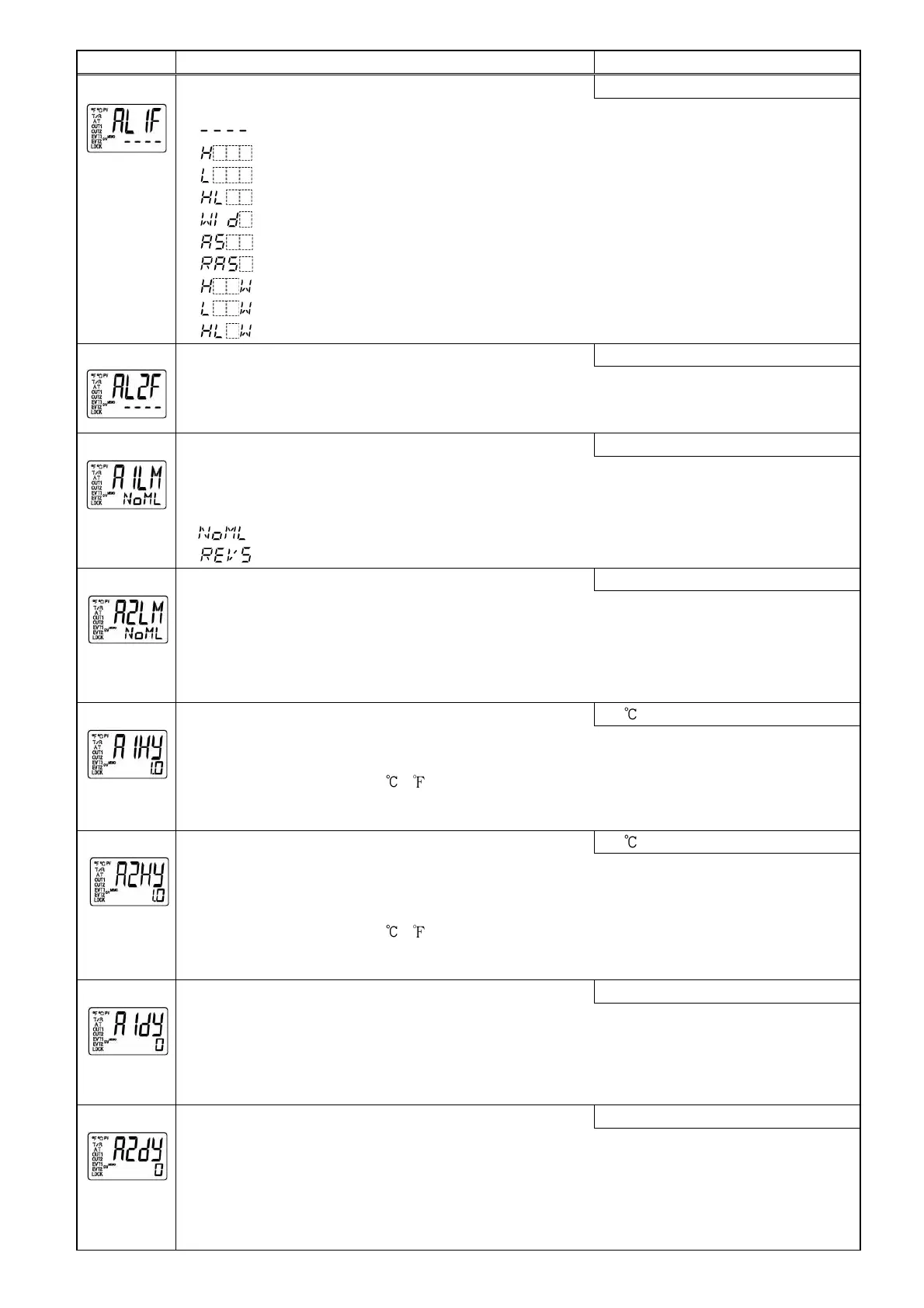
Alarm 1 type selection
No alarm action
[38]
• Selects an action type for Alarm 1. (Refer to Section “11.4 Alarm action” on p.30.)
• : No alarm action
: High limit alarm
: Low limit alarm
: High/Low limits alarm
: High/Low limit range alarm
: Process high alarm
: Process low alarm
: High limit alarm with standby
: Low limit alarm with standby
: High/Low limits alarm with standby
Alarm 2 type selection
No alarm action
[39]
• Selects an action type for Alarm 2. (Refer to Section “11.4 Alarm action” on p.30.)
Available only when Alarm 2 option is added.
• Selection items are the same as those of Alarm 1 type selection.
Alarm 1 Energized/Deenergized selection
Energized
[40]
• Selects Energized/Deenergized status for Alarm 1.
(Refer to “Alarm Energized/Deenergized” on p. 22.)
Not available if No alarm action is selected during Alarm 1 type selection.
• : Energized
: Deenergized
Alarm 2 Energized/Deenergized selection
Energized
[41]
• Selects Energized/Deenergized status for Alarm 2.
(Refer to “Alarm Energized/Deenergized” on p.22.)
Not available if Alarm 2 option is not added or if No alarm action is selected during Alarm 2
type selection.
• Selection items are the same as those of Alarm 1 Energized/Deenergized selection.
Alarm 1 hysteresis setting
1.0
[42]
• Sets hysteresis for Alarm 1.
Not available if No alarm action is selected during Alarm 1 type selection.
• Setting range: 0.1 to 100.0 ( )
DC voltage, current input: 1 to 1000 (The placement of the decimal point
follows the selection.)
Alarm 2 hysteresis setting
1.0
[43]
• Sets hysteresis for Alarm 2.
Not available if Alarm 2 option is not added or if No alarm action is selected during Alarm 2
type selection.
• Setting range: 0.1 to 100.0 ( )
DC voltage, current input: 1 to1000 (The placement of the decimal point
follows the selection.)
Alarm 1 action delayed timer setting
0 seconds
[44]
• Sets Alarm 1 action delayed timer.
When setting time has elapsed after the input enters the alarm output range, the alarm is
activated.
Not available if No alarm action is selected during Alarm 1 type selection.
• Setting range: 0 to 10000 seconds
Alarm 2 action delayed timer setting
0 seconds
[45]
• Sets Alarm 2 action delayed timer.
When setting time has elapsed after the input enters the alarm output range, the alarm is
activated.
Not available if Alarm 2 option is not added or if No alarm action is selected during Alarm 2
type selection.
• Setting range: 0 to 10000 seconds


 To Next Page