KW8M Eco-POWER METER
3
Chapter 2 Parts Name and Working
2.1 Parts Names
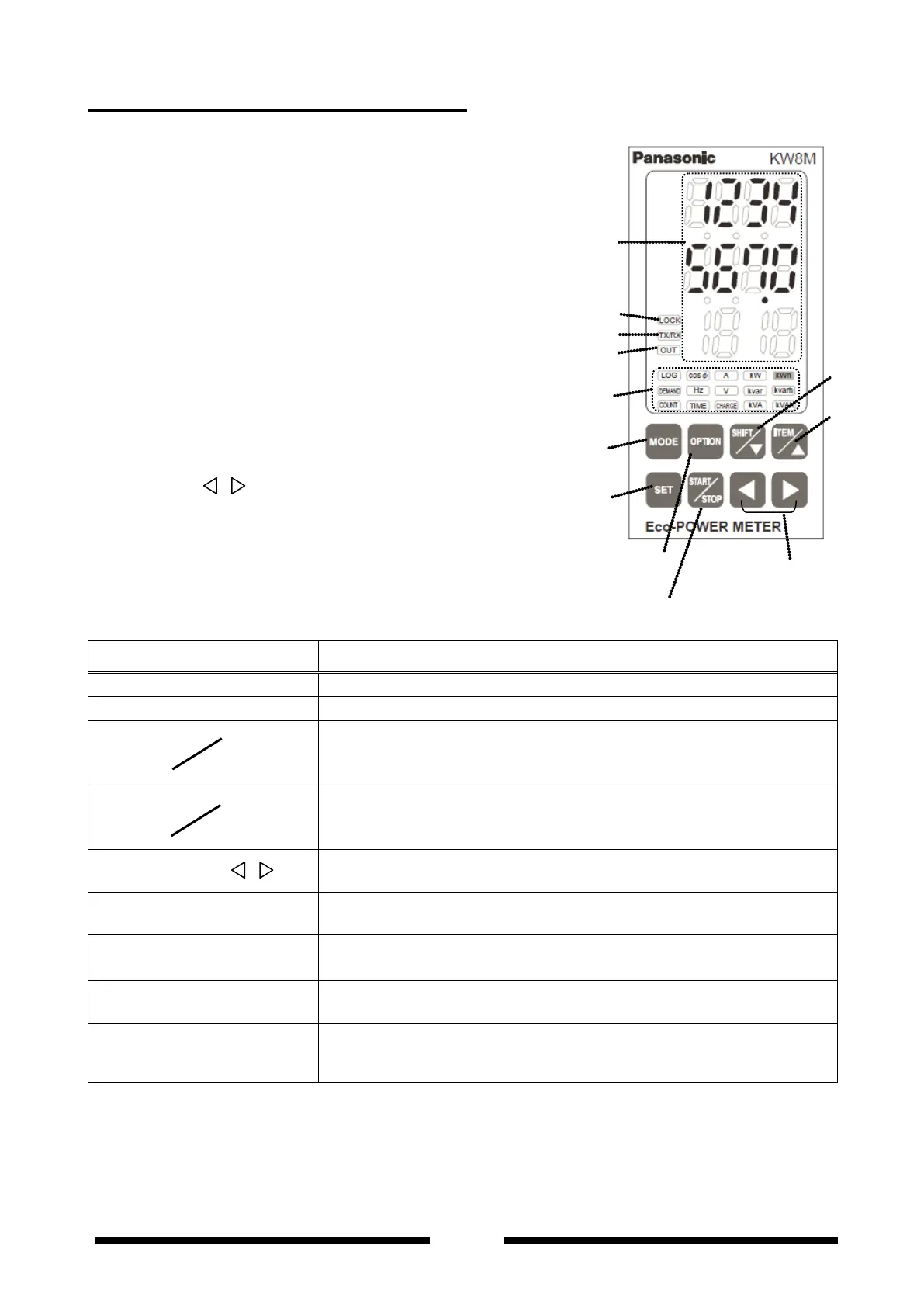
①Display indicator ・Lighting or Blinking according to the display
②LOCK indicator ・Lighting while in lock mode
③
・
Blinking while communication
④OUT indicator ・Lighting when pulse output
⑤Display each value ・Display each measured value
・Display each setting value
⑥MODE Key
⑦SET Key
⑧ITEM / △ Key
⑨SHIFT / ▽ Key
⑩Left / Right ( / ) Keys
⑪OPTION Key
⑫START/STOP Key
2.2 Select Keys’ Functions
Key Functions
<MODE>
・Use to select mode
<SET>
・Use to set each value entered
<
ITEM
>
・To select measured display
・To shift each mode
・To change each setting value
<
SHIFT
>
・To select measured display
・To shift each mode
・To change each setting value
< Left / Right ( / )>
・To change each setting value
<SET> + <MODE>
・To reset the measured value
・All keys locked
・Release lock mode while in lock mode
<OPTION>
・To shift power monitoring mode and option mode (Only AKW8111H)
<START/STOP>
・To start and stop measuring integral electric power (active)
for arbitrary period. (from press this key until press it again)
⑨
⑧
⑪
⑫
⑤
②
③
④
①
⑥
⑦
⑩



 To Next Page