KW8M Eco-POWER METER
34
Chapter 6 Display of each Value
6.1 Working of Monitor Display
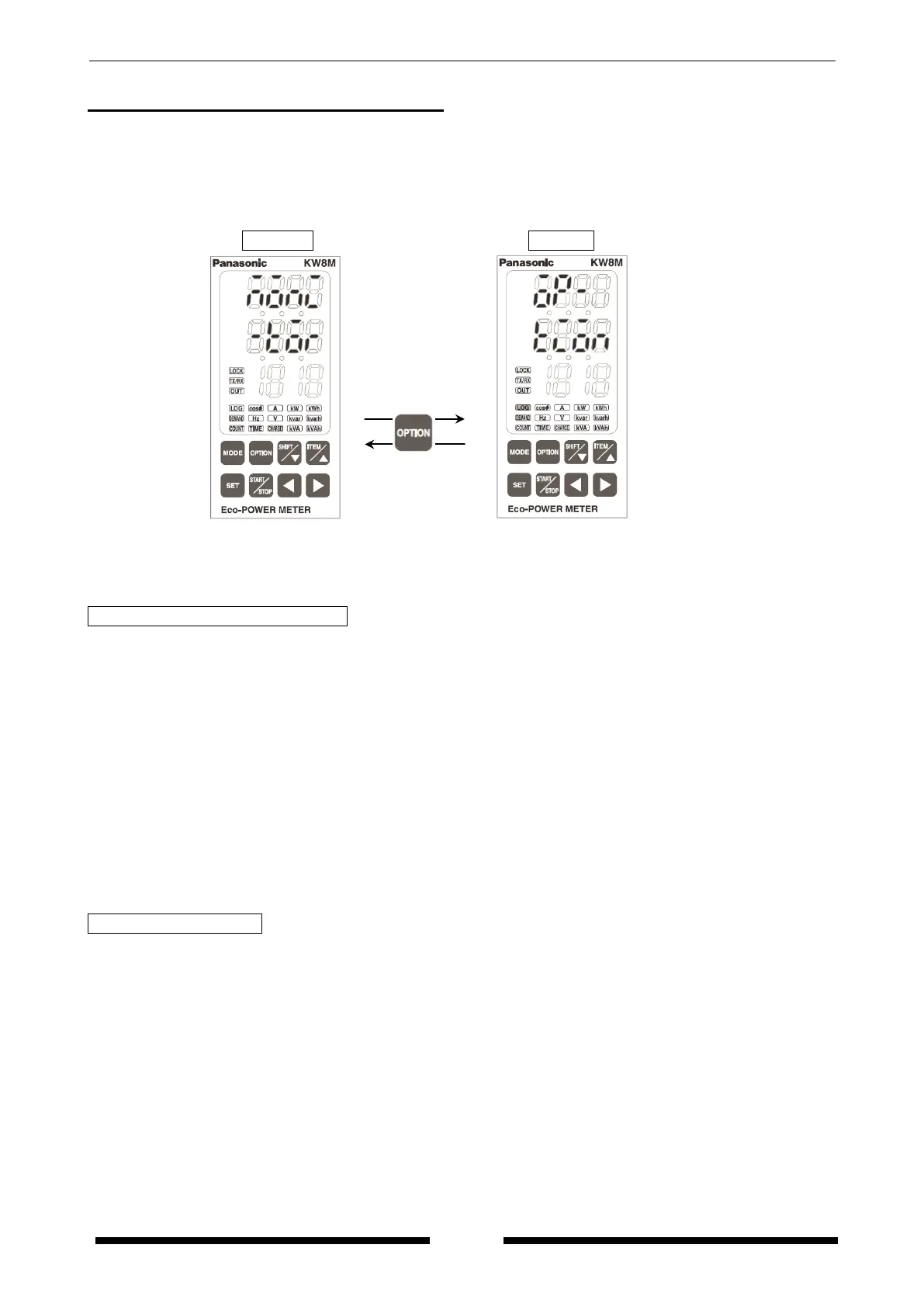
Turn on the power supply and it shifts displays for power monitoring mode and it for option mode by
pressing <SHIFT/▽>. After selecting mode, it shifts to each measurement display in 1 second.
*Option mode is the function only for AKW8111H. AKW8111 doesn’t have the option mode.
Displayed measurement items are as below.
Power Monitoring Mode “Monitor”
・Integral electric power (Active, Reactive, Apparent)
・Instantaneous electric power (Active, Reactive, Apparent)
・Current (CT1,CT2,CT3)
・Voltage (Between P1-P0, Between P2-P0, Between P3-P0)
・Electricity charge
・Power Factor
・Frequency
・Hour meter
・Present demand, Estimated demand, Ratio of estimated demand
Demand log, Monthly max. demand log
*Demand function is only for AKW8111H.
AKW8111 doesn’t have demand function.
・Pulse counter
Option Mode “Option” *Option mode is only for AKW8111H.
・Monthly integral electric power (Active, Reactive, Apparent)
Daily integral electric power (Active, Reactive, and Apparent)
Hourly integral electric power (Active, Reactive, and Apparent)
・Integral electric power (Active) for arbitrary period
・Calendar









 To Next Page