Helpline Tel.No. :U.K. 08700 100 076 R.O.I. 01289 8333
13
Cordless Telephone
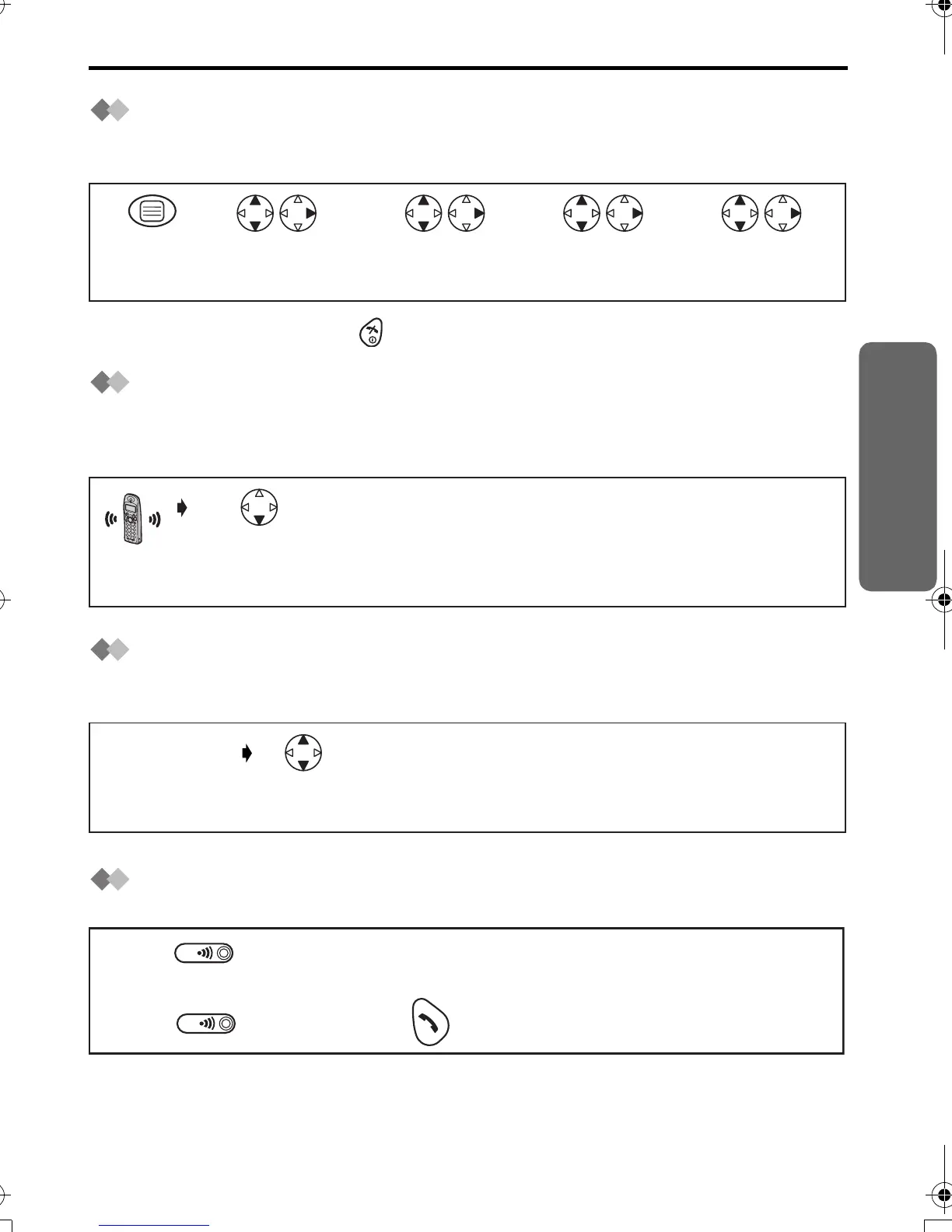
Answering Calls
Auto Talk
If you set Auto Talk to on, you can answer the phone by lifting the handset off the base
unit.
•
To exit the operation, press any time.
Temporary Bell Off
When an external call is incoming, you can temporarily turn off the handset ringer.
This function will not work when the handset is on the base unit or if an internal call is
incoming.
Receiver Volume
During a call, press UP or DOWN to change the volume setting to LOW (0), MEDIUM
(00), HIGH (000).
Handset Locator/Paging
Using this feature, you can locate a misplaced handset by paging.
*1 You can also stop paging by pressing any dialling buttons, INTERCOM,
t
or
x
.
Search/Select
"ON" or "OFF".
Search/Select
"OTHER OPT".
Press
MENU.
Search/Select
"SETTING HS".
Search/Select
"AUTO TALK".
12 3 4 5
Press and hold
DOWN for
over 1 second.
(During a call)
Press UP or
DOWN.
Press on the base unit.
Press on the base unit OR on one of the handsets.
All registered handsets ring for 1 minute.
<To stop paging>
1
3
2
*1
420E.book Page 13 Thursday, March 20, 2003 7:41 PM












 To Next Page