Helpline Tel.No. :U.K. 08700 100 076 R.O.I. 01289 8333
7
Preparation
Setting up
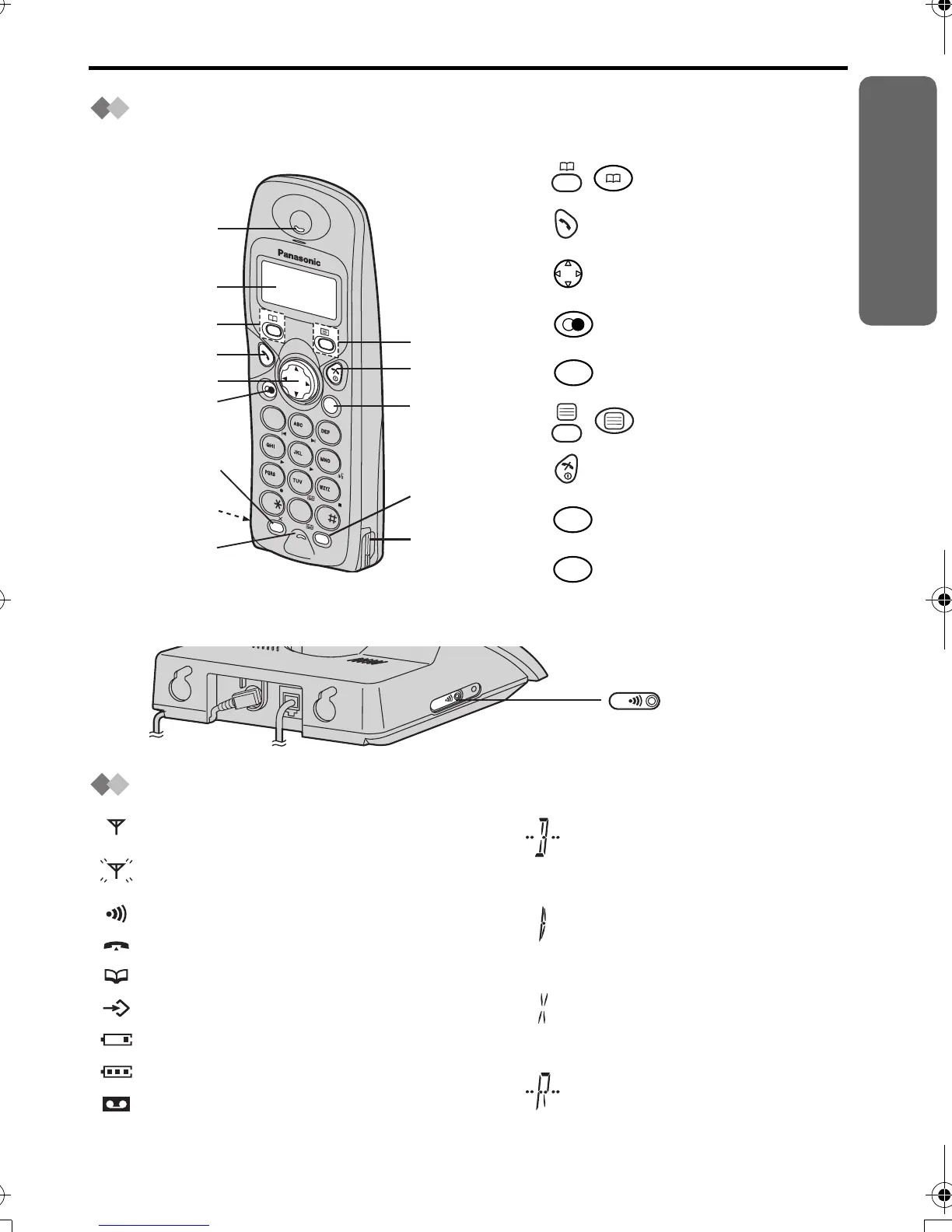
Location of Controls
Handset
Base unit
Handset Display
1 - : PHONEBOOK Button
2 - TALK Button
3 - Navigator Key
4 - REDIAL/PAUSE Button
5 - RECALL Button
6 - : MENU/OK Button
7 - OFF/POWER Button
8 - CLEAR Button
9 - INTERCOM Button
C
21
3
4
5
6
7
8
0
R
IN
T
9
A
L
L
O
N
O
F
F
9
7
6
8
Charge
Contact
Charge
Contact
2
1
3
4
5
Display
Receiver
Microphone
R
C
INT
L
IN
E
PAGE Button
and Indicator
Within range of a base unit
Out of range/No registration/
No power on base unit
Paging
Making or answering calls
Phonebook Mode
In Setting Mode
Battery strength is low.
Battery strength is high.
Answering System ON
Call BAR ON (p.21)
Direct Call ON (p.22)
Key Lock ON (p.23)
Ringer Volume OFF (p.19)
420E.book Page 7 Thursday, March 20, 2003 7:41 PM












 To Next Page