18
Handset Settings
: Time Alarm
You must set the clock before setting the time alarm.
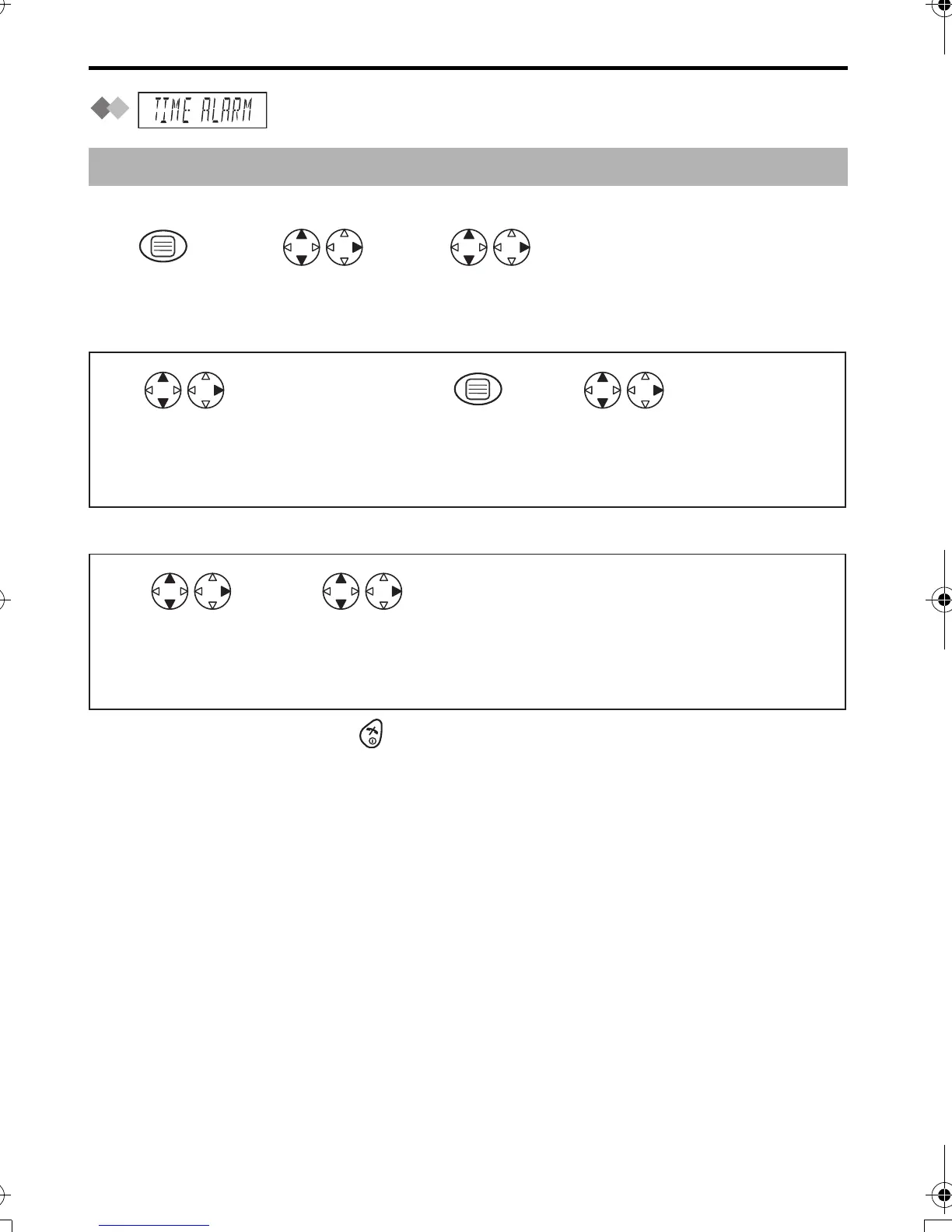
Setting Alarm Time
Setting Time Alarm On/Off
• To exit the operation, press any time.
To stop time alarm: Time alarm will sound for 3 minutes. When the alarm sounds, press
any dialling buttons or key. Alarm stops and display returns to the standby mode.
If "ONCE" is selected, the setting is turned off. When in talk or intercom mode, the alarm
will not sound until the call is ended.
Before programming, please follow steps 1 to 3.
Press MENU. Search/Select
"TIME ALARM".
Search/Select
"SETTING HS".
12 3
Search/Select
"SET TIME".
Time
Enter time.
4-digit
(24 hour clock).
Press OK.
Search/Select
"OFF",
"ONCE" or
"REPEAT DAILY".
4567
Search/Select
"SET ALARM".
Search/Select
"OFF",
"ONCE" or
"REPEAT DAILY".
45
420E.book Page 18 Thursday, March 20, 2003 7:41 PM












 To Next Page