20
Handset Settings
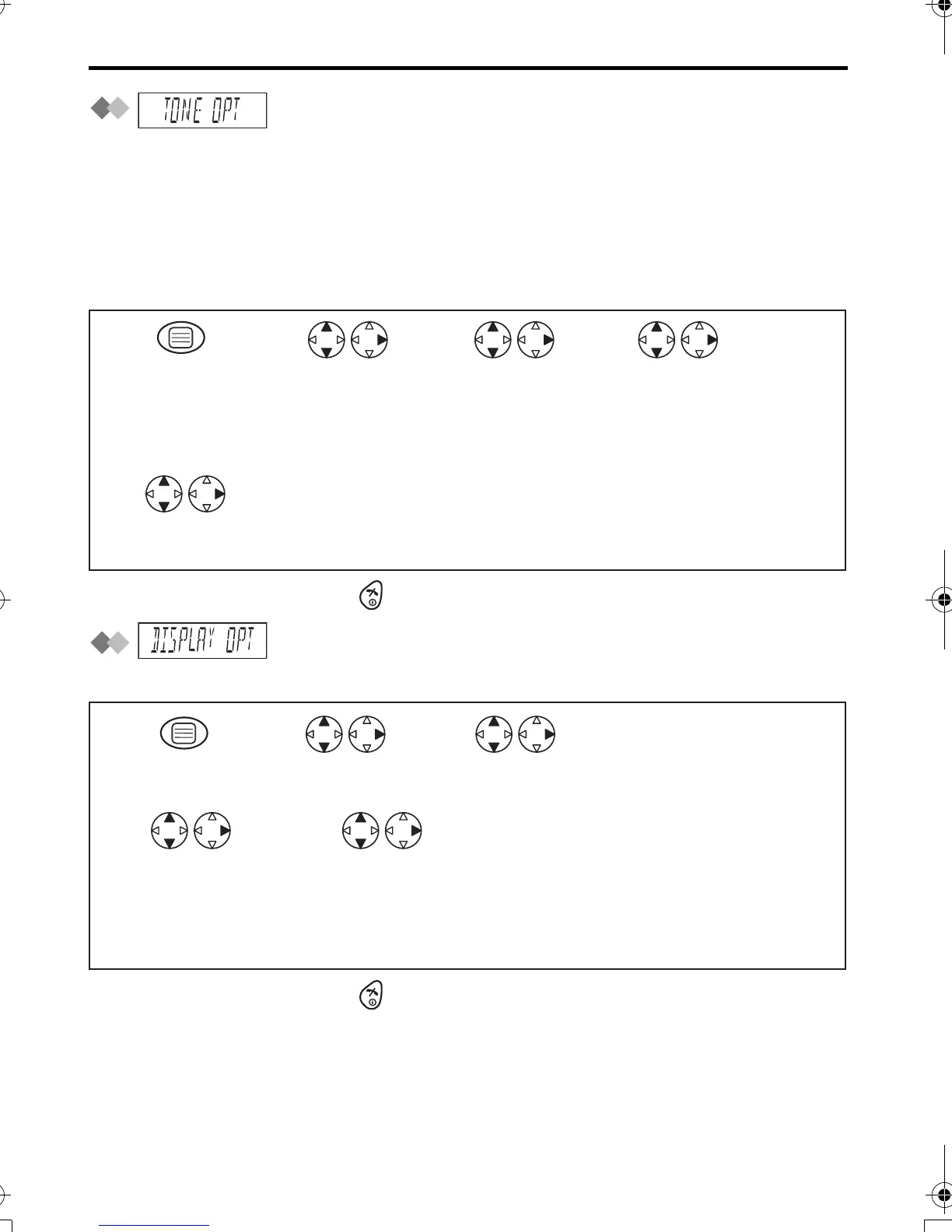
: Tone Option
You can set the following sounds on or off.
Key Tone: Key tone will sound when you press any key, and a confirmation tone and
an error tone will be heard during operation.
Call Waiting Tone: Call waiting tone will sound when an incoming external call is
received during an intercom call.
Range Warning Alarm: Alarm will sound when you move out of range of a base unit.
Battery Low Alarm: Alarm will sound when the batteries need to be charged.
•
To exit the operation, press any time.
: Display Option
Selecting the Standby Mode Display
•
To exit the operation, press any time.
*1 Time will only be displayed if the clock has been set. When new calls have been
received, the display shows the number of new call.
Search/Select
"ON" or "OFF".
Search/Select
"KEY TONE",
"CALL WAITING",
"RANGE ALARM" or
"BATTERY LOW".
Press MENU.
Search/Select
"TONE OPT".
Search/Select
"SETTING HS".
1
5
234
Search/Select
"STANDBY MODE".
Search/Select
"CLOCK",*1
"OFF",
"BS NO"(Base unit number) or
"HS NO"(Handset number).
45
Press MENU. Search/Select
"DISPLAY OPT".
Search/Select
"SETTING HS".
12 3
420E.book Page 20 Thursday, March 20, 2003 7:41 PM












 To Next Page