30
Multi-unit User Operation
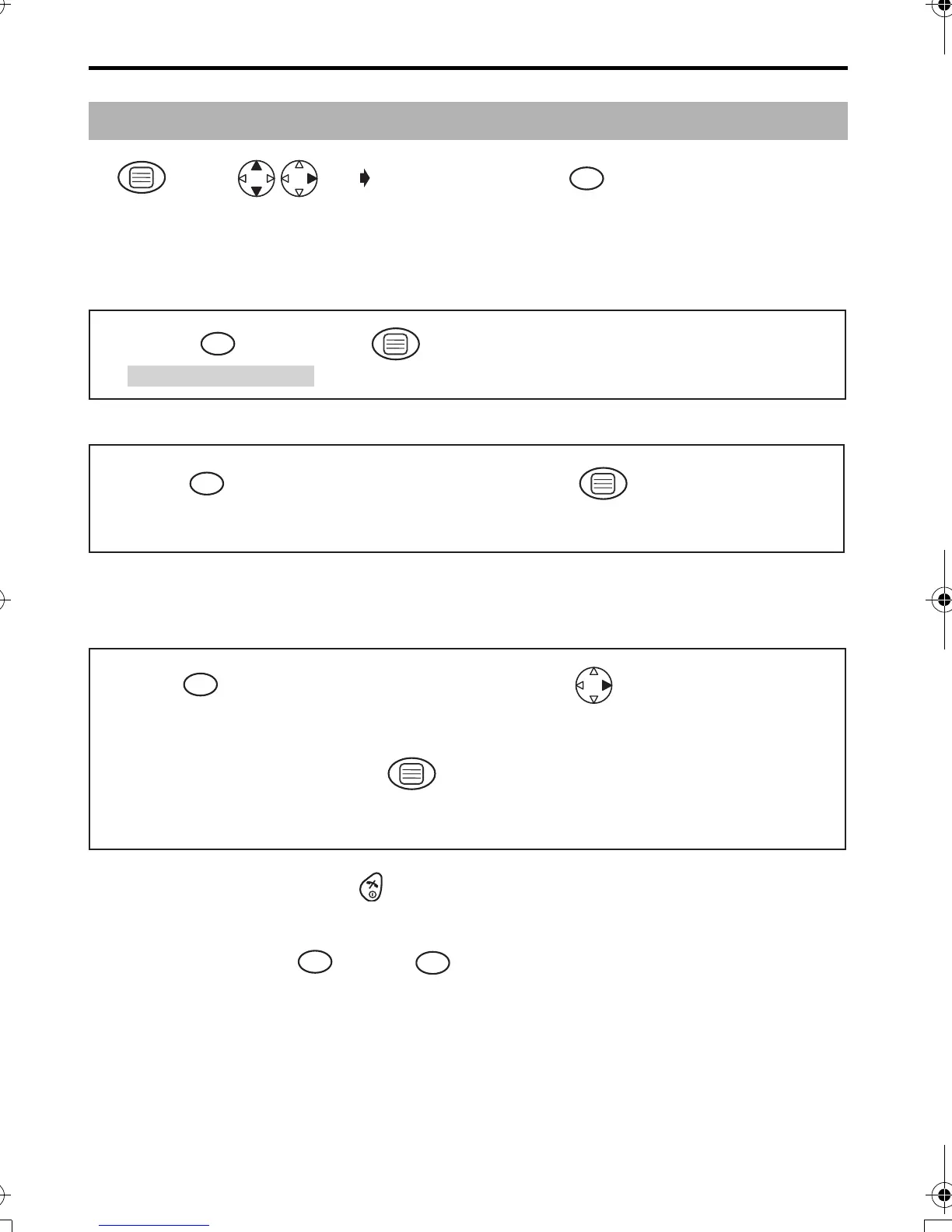
Ringer Mode Selection;
Setting the All Handsets Mode
Setting the Selected Handsets Mode
Setting the Selected then All Handsets Mode
The specific handset(s) will ring for a selected number of rings.
If not answered, all handsets will ring.
•
To exit the operation, press any time.
•
The factory preset is in shade.
*1 The selected handset number flashes.
*2 Press dialling button through to enter the number of rings.
Before programming, please follow steps 1 to 4.
Press
MENU.
Search/Select
"SETTING BS".
"INPUT CODE"
4-digit Base Unit
PIN
Factory preset 0000
1
12 34
"All handsets" mode.
Press OK.
1
56
Press desired
handset numbers.
"Selected handsets"
mode.
Handset Numbers*1
Press OK.
2
56 7
"Selected then all
handsets" mode.
Press desired
handset numbers.
Handset Numbers
*1
Press RIGHT.
Select how many times
it rings. (up to 6 rings)
Number of Rings
*2
Press OK.
3
5
89
67
1
6
420E.book Page 30 Thursday, March 20, 2003 7:41 PM










 To Next Page