2.2 Cable Connection
18 Getting Started
2.2.2 Connection to the LAN
Do not connect the VoIP Gateway Card to the LAN unless it has been assigned an IP address
for actual VoIP operations on the network. Doing so may result in the default IP address of the
card overlapping with an existing IP address on the LAN, or cause network failure.
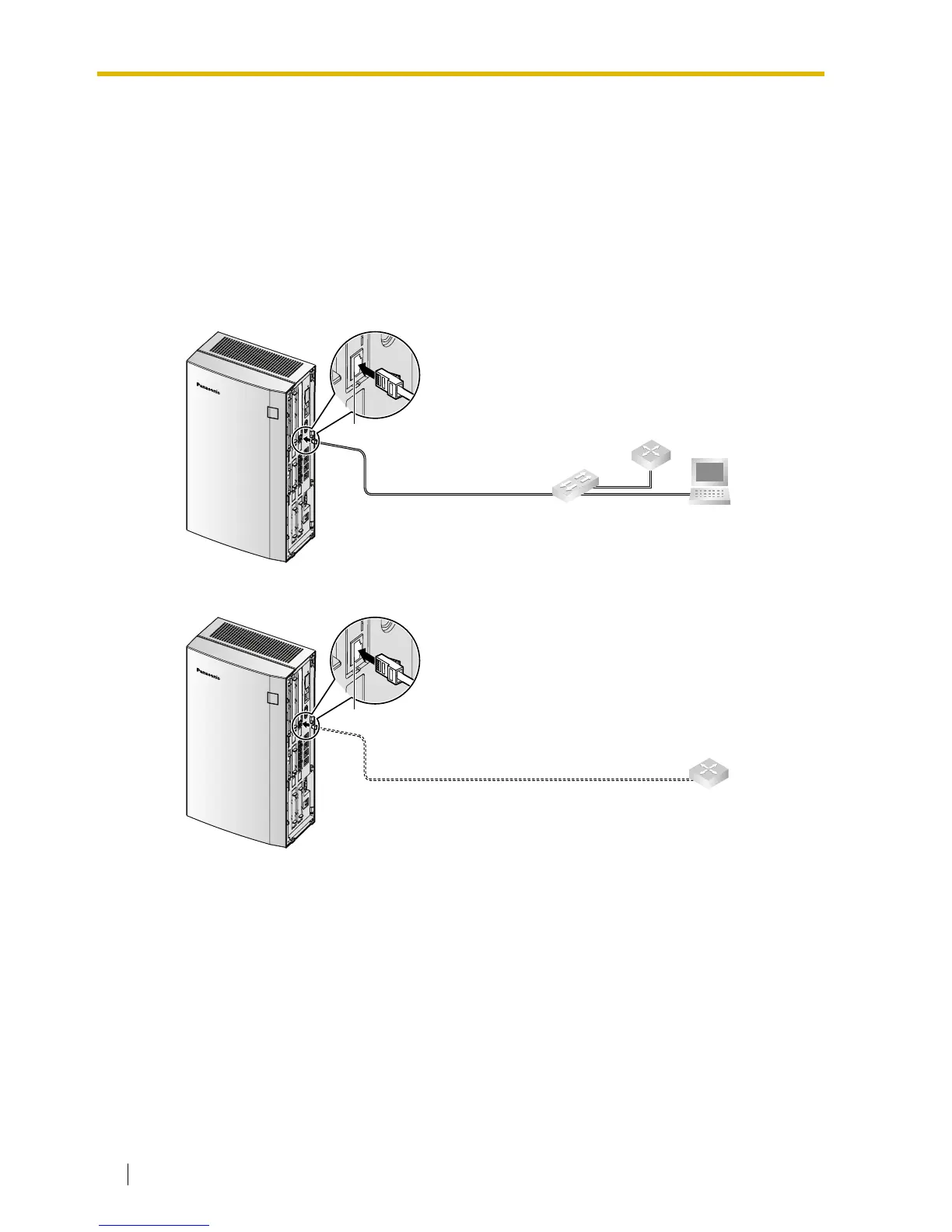
1. Connect the Ethernet cable to the RJ45 connector of the card.
2. Connect the other end of the cable to the remote LAN equipment.
Connecting to a switching hub
Connecting directly to a router
Ethernet Straight Cable
Router
Switching Hub
PC
RJ45
Ethernet Cross Cable
Router
RJ45



 To Next Page