4.3 Programming the VoIP Gateway Card in the Chicago Office
40 Getting Started
4.3 Programming the VoIP Gateway Card in the
Chicago Office
This section details the procedure to program the VoIP Gateway Card in the Chicago office,
which for the most part is a duplication of that for the Los Angeles office. For general
information that is not discussed here, refer to the relevant sections in "4.2 Programming the
VoIP Gateway Card in the Los Angeles Office".
There are differences in the procedure where distinct setting values are required for
parameters that are dependent on the specific network configuration of the Chicago office.
Also, the address translation table does not need to be programmed, because the one
downloaded from the card in the Los Angeles office already contains the information for the
entire network. You can simply upload the address translation table from the Los Angeles
office, and the cards can communicate with each other on the network.
Starting the IP-GW4 Maintenance Utility
Changing the Status of the VoIP Gateway Card
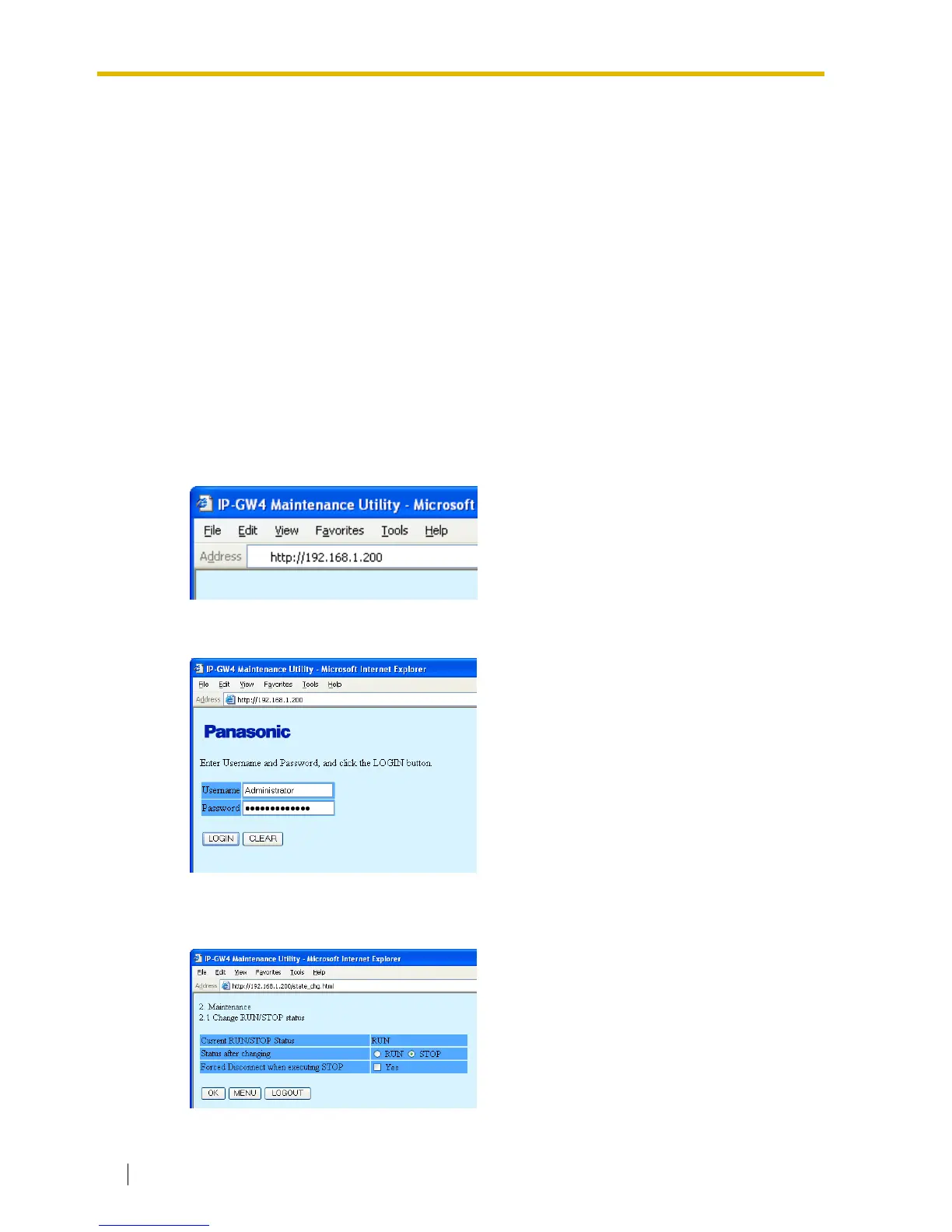
1. Start Internet Explorer from the Start menu.
2.
a. In the Address box of Internet Explorer,
type http://192.168.1.200 (default IP
address of the card).
Make sure that the PC has the
appropriate IP address setting to access
the card (refer to "4.1.1 Preparing the
PC").
b. Press the ENTER key on the keyboard.
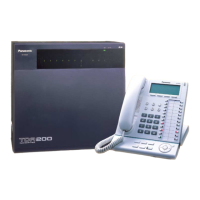
3.
a. In the Username box, type
Administrator (default user name).
b. In the Password box, type
Administrator (default password).
c. Click LOGIN.
The main menu appears.
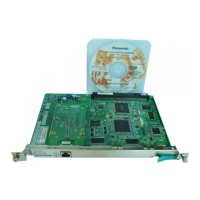
1. Click 2.1 Change RUN/STOP status in the
main menu.
2.
a. Click STOP for Status after changing.
b. Click OK.
c. Click OK.
d. Click OK.



 To Next Page